
Technology · Building with AI

Your AI builds inside a real engine.

Arcwright doesn't hand you a file and hope. The AI works inside the editor you have open, with the same 315 tools you have, and every step happens on screen where you can watch it, stop it or undo it. This is how that works.

In the engine
Recorded in the editor: Claude Code builds a ready room live, step by step: walls, lights, the first chair, chairs row by row, then the Forge makes the whiteboard and the plaques.
  1. Describe itIn your own words, with up to 20 pictures
  2. It plansAsks about style and genre when a request is vague
  3. It buildsPlaces, forges, paints, lights and scripts, live
  4. It playsPresses Play itself, with the real controls
  5. It provesA proof report: what passed and what broke
  6. You change anythingSelect it and ask, or do it by hand

01 · Connect

Bring any AI. Or use ours.

Open the Agent panel and Arcwright shows the exact line to paste. Claude Code, Codex, Cursor or any app that speaks MCP connects to the editor you have open, on your own machine.

With your own AI app or your own API key, building costs nothing on our side. If you'd rather not set anything up, sign in and use the built-in Claude Opus 5.5, paid with Sparks: 1 Spark is about 1 cent of AI, and every reply shows what it cost. The built-in chat is in the Mac app and the browser editor now; on Windows and Linux, connect your own AI app for now.

You choose

  • Your own app: Claude Code, Codex, Cursor, any MCP client
  • Your own key: goes straight to Anthropic, never stored by us
  • Built-in AI: Claude Opus 5.5 with Sparks (Mac and browser editor)
In the engineThe Agent panel showing the command to connect Claude Code123
  1. 1Ready for an agent. The editor is waiting for your AI to connect.
  2. 2The line to paste into Claude Code, copied in one click; other MCP apps use the same address.
  3. 3Agent, History, Playtest, AI Thinking, Workshop, Game UI: the panels the AI's work shows up in.

02 · 315 tools

The same tools you have. All 315 of them.

The AI doesn't get a secret back door. It works through 315 tools, the same ones in the editor's menus and panels: place and move objects, forge models, paint surfaces, set the light and the weather, write and attach scripts, build menus, press Play, run playtests and take screenshots to check its own work.

While it works, the Workshop shows each recipe and script as it changes, line by line, and History records every change, by you or the AI, so one click takes you back.

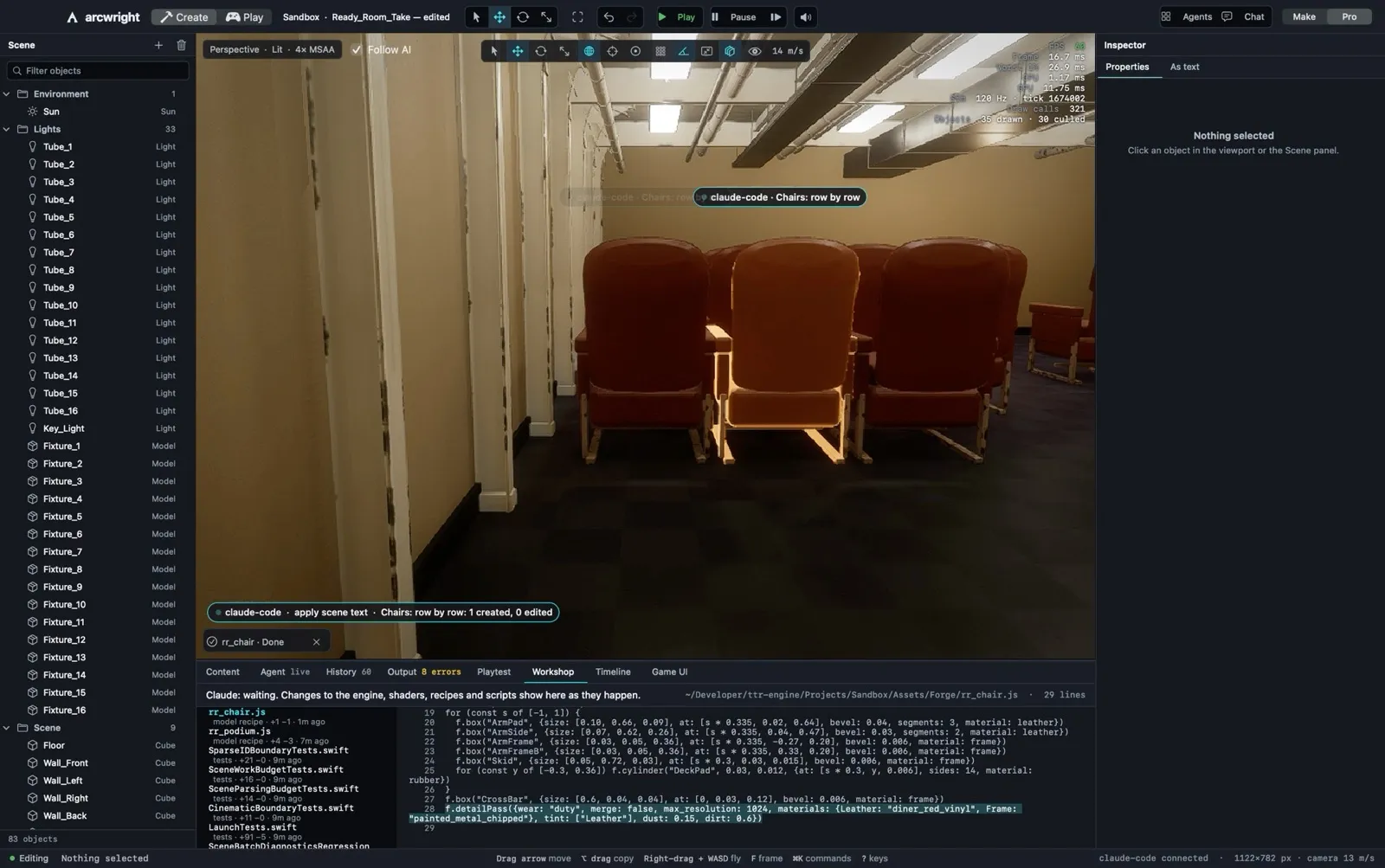
In the engineThe editor while Claude Code places chairs row by row, with the recipe in the Workshop panel123456
  1. 1Each step shows in the scene as it happens: here, the chairs, row by row.
  2. 2What it just did: one object created, nothing else touched.
  3. 3The Workshop: the chair's recipe, written and readable while it builds.
  4. 4The Scene list fills with every light and fixture it adds.
  5. 5Follow AI keeps the camera on the work. Move the camera and you're in control.
  6. 6History: 60 steps so far, each one a click away.

03 · Watch it work

You see every step, and you can stop any of them.

Everything the AI does happens on screen, in the open editor. A status card says what it's working on; the camera follows the work unless you take it. You can stop it mid-step, undo any step, or take over and build by hand.

Your own tools wait their turn while an AI is working, so the two of you never collide on the same object. When the AI hits a problem it can report it to us, only if you say yes.

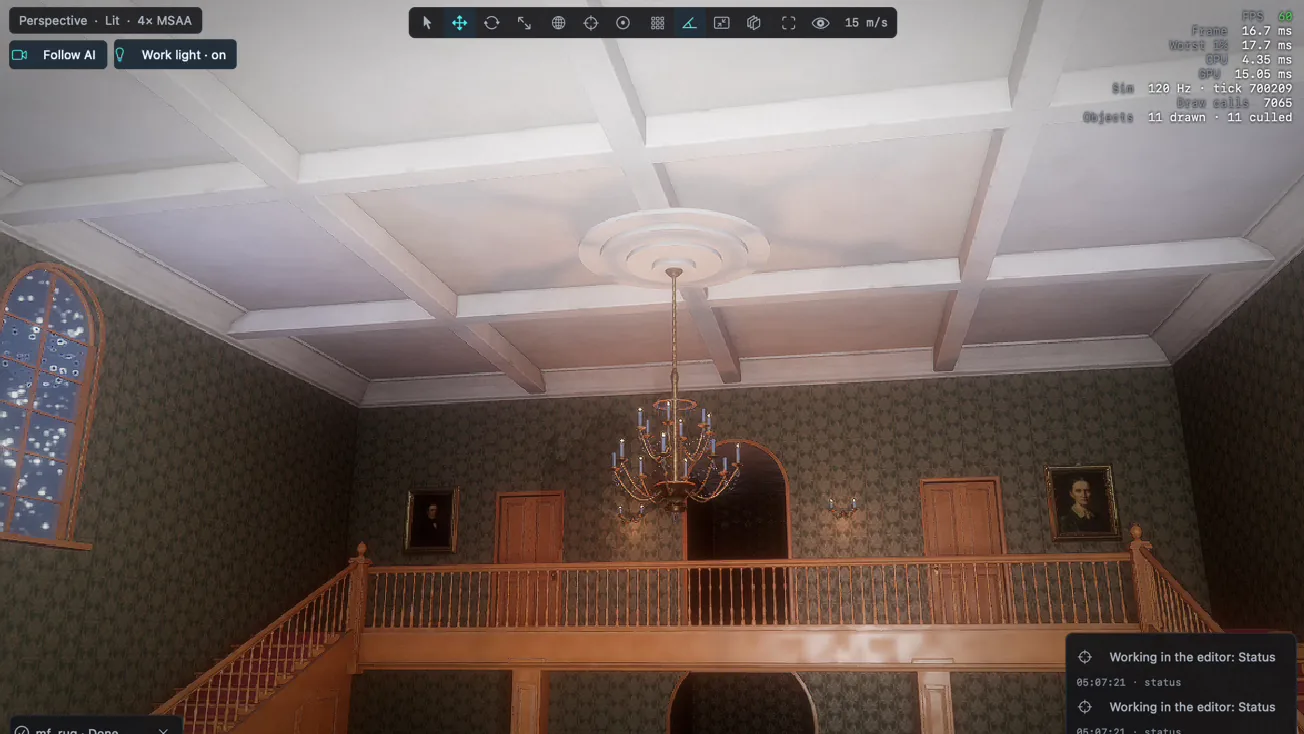
In the engineThe Ashgrove grand hall being built in the editor with status cards in the corner

The grand hall of the Ashgrove mansion going up, with the AI's status cards bottom right.

04 · Make mode

Describe the game. Watch it get made.

Make mode is the simple way in: describe the game you want and drop in up to 20 pictures to show what you mean. Arcwright plans it, builds it, plays it and shows a proof report at the end. Select anything in the game view and ask for a change.

Drag the time of day, the weather and the wind and they change in the game right away. Arcwright opens on a Start screen: your projects as pictures, a new project in one click, and our own games ready to open and take apart.

In Make mode

  • Up to 20 pictures per request
  • Asks about style and genre when you're vague
  • Six looks in one click: Golden Hour, Day, Storybook, Night, Noir, War-Torn
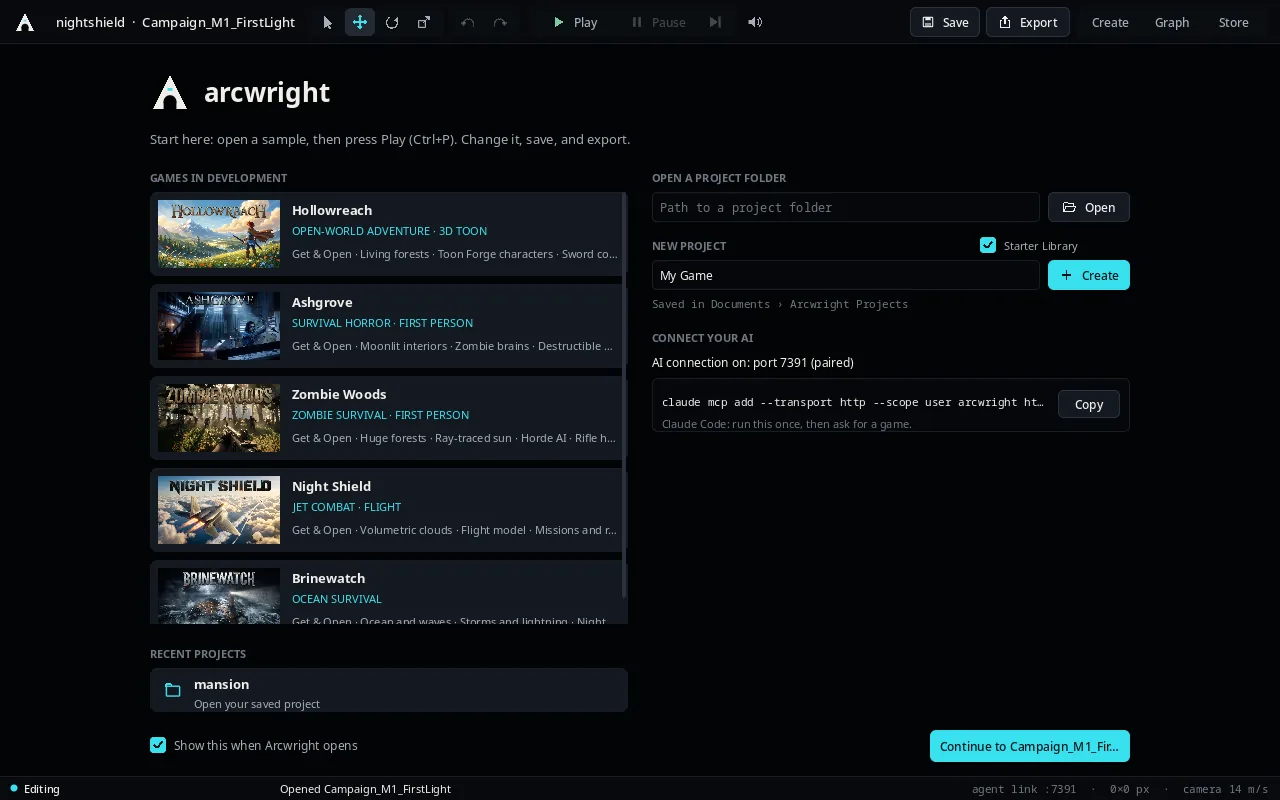
In the engineThe Arcwright Start screen with the games in development listed

The Start screen on Linux: Hollowreach, Ashgrove, Zombie Woods, Night Shield and Brinewatch, ready to open.

05 · Pro mode

Every tool by hand, too.

Switch to Pro for the full editor. The Tools window lists every tool the AI uses, searchable and grouped, each with its own form. The Node Graph builds gameplay without code, and 14 Quick Tools do the common jobs in a click: mood, weather, music, land, grass, forest, water, birds, enemy brains, behaviours, menus, photo to material, floating objects, frame rate and screenshots.

Gameplay scripts are plain JavaScript in your project. Attach one to any object, edit it while the game is running, and it reloads live, with no rebuild. Ready-made kits cover health, enemies, pickups, doors, checkpoints, a sword, a chest and fast travel.

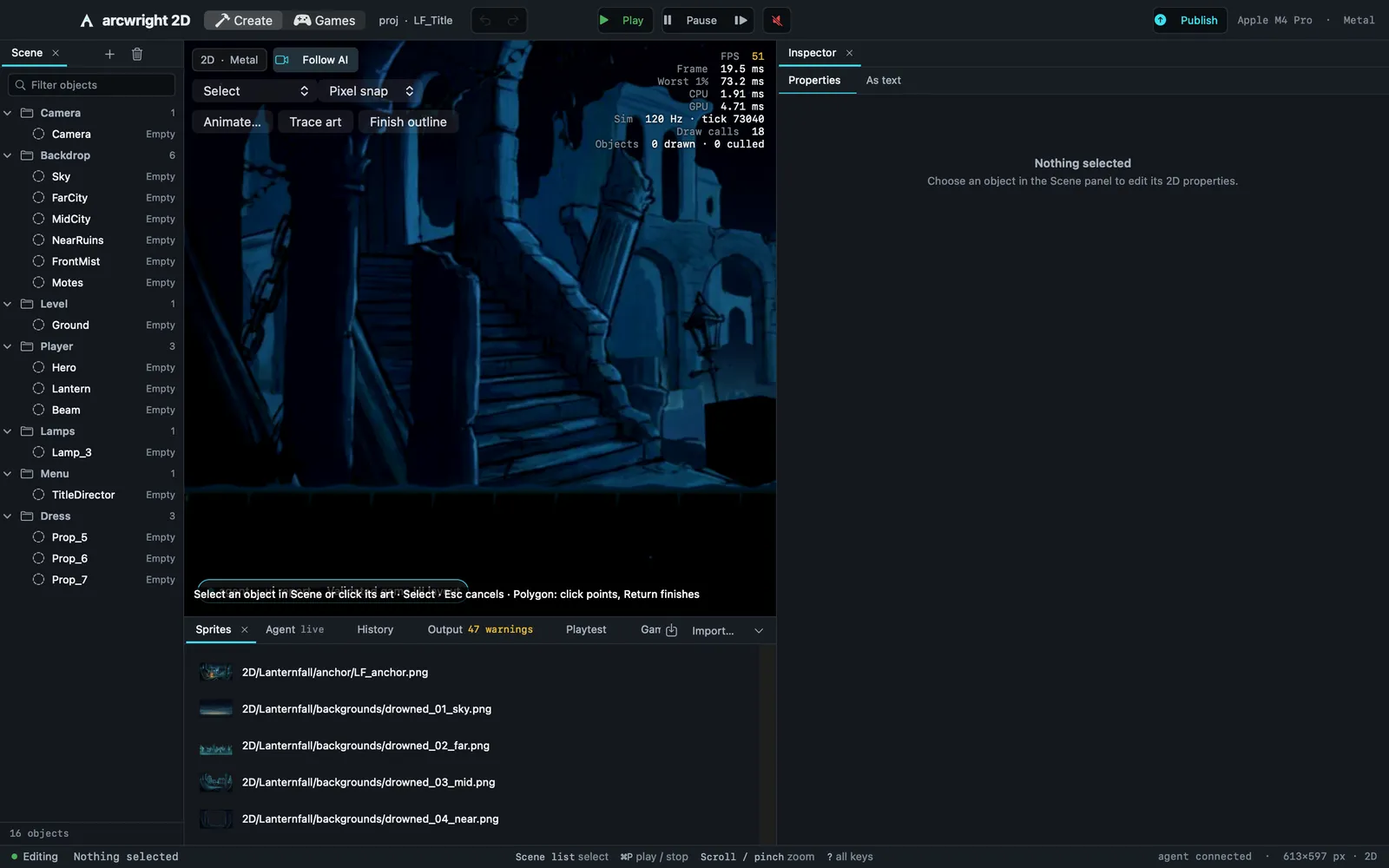
In the engineThe full Arcwright editor with the 2D game Lanternfall open

Pro mode with Lanternfall open: scene list, viewport, sprites, inspector.

06 · Game UI

Menus, HUD and dialogue, without writing a UI.

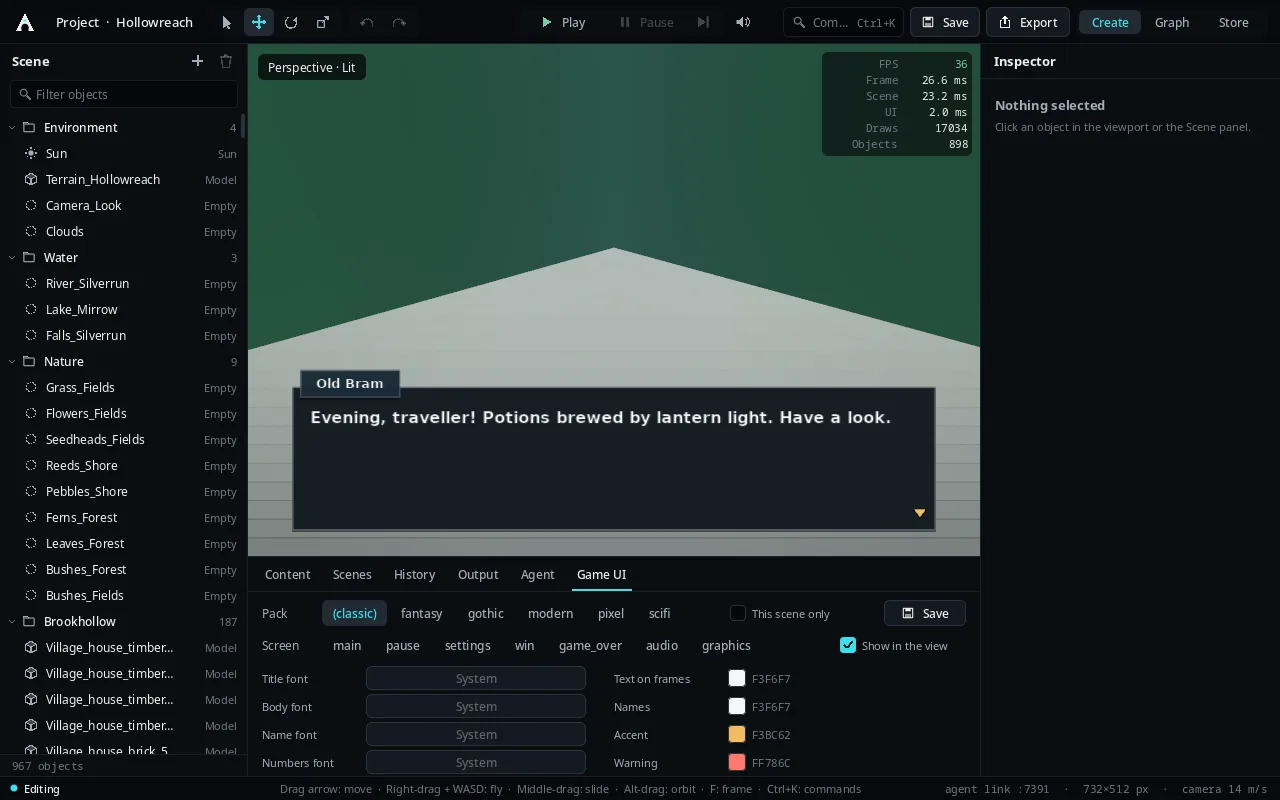
The Game UI panel gives your game a title menu, pause, settings, HUD, inventory, dialogue and shop screens. Pick a pack, preview any screen over your scene, change the fonts and colours, and save.

In the engineThe Game UI panel previewing a dialogue box over Hollowreach123456
  1. 1A dialogue box previewed live over the scene.
  2. 2Packs: classic, fantasy, gothic, modern, pixel, sci-fi.
  3. 3Screens: main, pause, settings, win, game over, audio, graphics.
  4. 4Fonts and colours for titles, names, numbers and warnings.
  5. 5The Scene list: Hollowreach's sun, terrain, water, nature and the village.
  6. 6Live stats: frame time, draws, objects.

07 · Your own assets

Bring what you already have.

File › Import brings in GLB/glTF, FBX, OBJ and USD models with their materials, rigged characters with their animations, sounds and pictures. Everything lands in your project's Content panel, ready to drag into the world, and the AI can use it too.

In the engineThe editor with Harbor Run open and models in the Content panel
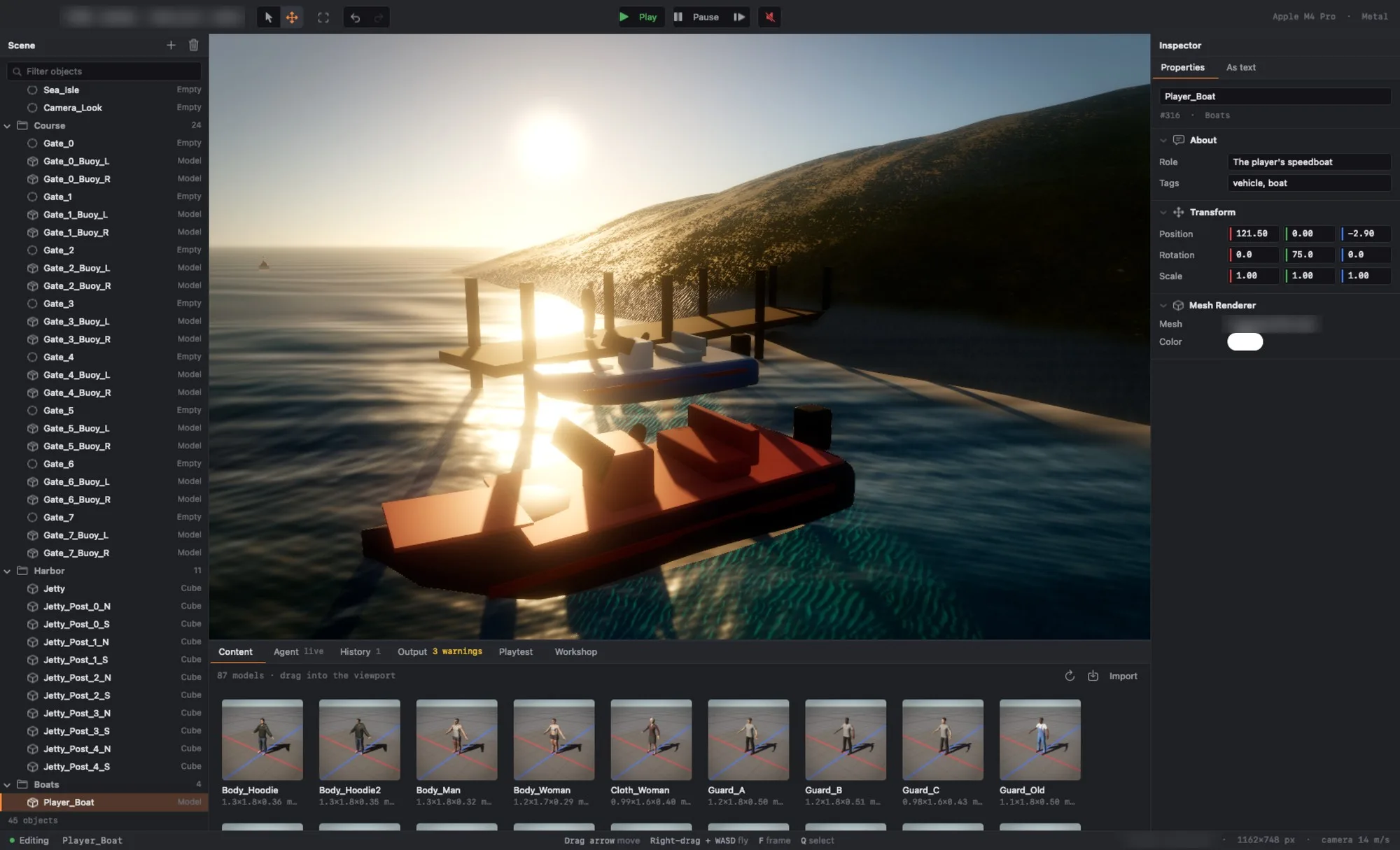
Harbor Run in the editor, with models along the bottom in the Content panel.

315tools the AI can use, and so can you
20pictures per Make request
14Quick Tools
$0on our side with your own AI app or key

See it for yourself.

Download Arcwright free and open any of our games to see these systems at work.

Start building today.

Arcwright is free. Download it, describe your game, and watch Claude Opus 5.5 build it in front of you.

Download Arcwright free