Beta 1 · Windows and Linux 0.3.1 · Out now

Download Arcwright Beta 1.

Describe the game you want and watch it get built, or build it by hand with every tool the AI uses. The editor, Make mode, the sample games, the 2D and 3D kits and the free starter library, in one app. Free. Built with Claude Opus 5.5. See what's new in Beta 1.

Mac

Version 0.3.0 · Released Oct 27, 2026

Notarized by Apple

Verify download
File
Arcwright-0.3.0-1793112593.dmg
Size
166 MB
SHA-256
2a6e8bcd98c38b0d01aef12b62180bdae5dcc53c5f1a4fd24e13269ef7654e92

On Mac run shasum -a 256 <file>; on Windows run certutil -hashfile <file> SHA256; on Linux run sha256sum <file>, and compare.

System requirements
SystemmacOS 14 Sonoma or later
ChipApple silicon (M1 or newer). Intel Macs aren't supported.
Memory8 GB minimum, 16 GB recommended for big 3D scenes
DiskAbout 5 GB free

Windows

Version 0.3.1 · Released Oct 28, 2026

Digitally signed and verified

New in 0.3.1: 2D games now play on Windows and Linux, ray-traced lighting on Vulkan, crash and memory fixes, and it works with your AI: Claude Code, Codex or any MCP-capable AI can drive the editor.

How to start: unzip it (right-click, Extract All), open the folder and double-click Arcwright Editor. The built-in AI chat and Sparks are on the Mac for now and come to Windows later.

Verify download
File
Arcwright-0.3.1-windows.zip
Size
168 MB
SHA-256
5db40b58f1b4796bbb62cfc6e46a9cb9b5bdd5e24788f69df74a149910eeacde

On Mac run shasum -a 256 <file>; on Windows run certutil -hashfile <file> SHA256; on Linux run sha256sum <file>, and compare.

System requirements
SystemWindows 10 or 11, 64-bit
GraphicsA card with Vulkan support (falls back to OpenGL 4 by itself)
Memory8 GB minimum, 16 GB recommended for big 3D scenes
DiskAbout 5 GB free

Linux

Version 0.3.1 · Released Oct 28, 2026

New in 0.3.1: 2D games now play on Windows and Linux, ray-traced lighting on Vulkan, crash and memory fixes, and it works with your AI: Claude Code, Codex or any MCP-capable AI can drive the editor.

How to start: unpack the archive and run arcwright.sh. It adds Arcwright to your applications menu. It needs Steam's Linux Runtime 3.0 (sniper): in Steam, open Library, then Tools, and install it. SteamOS already has it. The built-in AI chat and Sparks are on the Mac for now and come to Linux later.

Verify download
File
Arcwright-0.3.1-linux.tar.gz
Size
217 MB
SHA-256
452e99d30f491d15b4c424366d37fdb2eebbd9d8e5b413ae60f0059b2aeb4f8e

On Mac run shasum -a 256 <file>; on Windows run certutil -hashfile <file> SHA256; on Linux run sha256sum <file>, and compare.

System requirements
SystemSteamOS (Steam Deck) or desktop Linux, 64-bit (x86-64)
RuntimeSteam's “Steam Linux Runtime 3.0 (sniper)” (Steam › Library › Tools; SteamOS has it)
GraphicsA Vulkan driver (falls back to OpenGL 4 by itself)
Memory8 GB minimum, 16 GB recommended for big 3D scenes
DiskAbout 5 GB free

After you download

  1. Open Arcwright. On a Mac, drag it to Applications first. On Windows, unzip it and open Arcwright Editor.
  2. Create your free account. Just your email, no password.
  3. Describe your game. Type it in your own words, or drop in a picture, and watch Opus 5.5 build it in your editor. Or open one of the sample games and take it apart.

Memory and disk figures are preliminary for the Beta. See the terms, refunds and privacy.

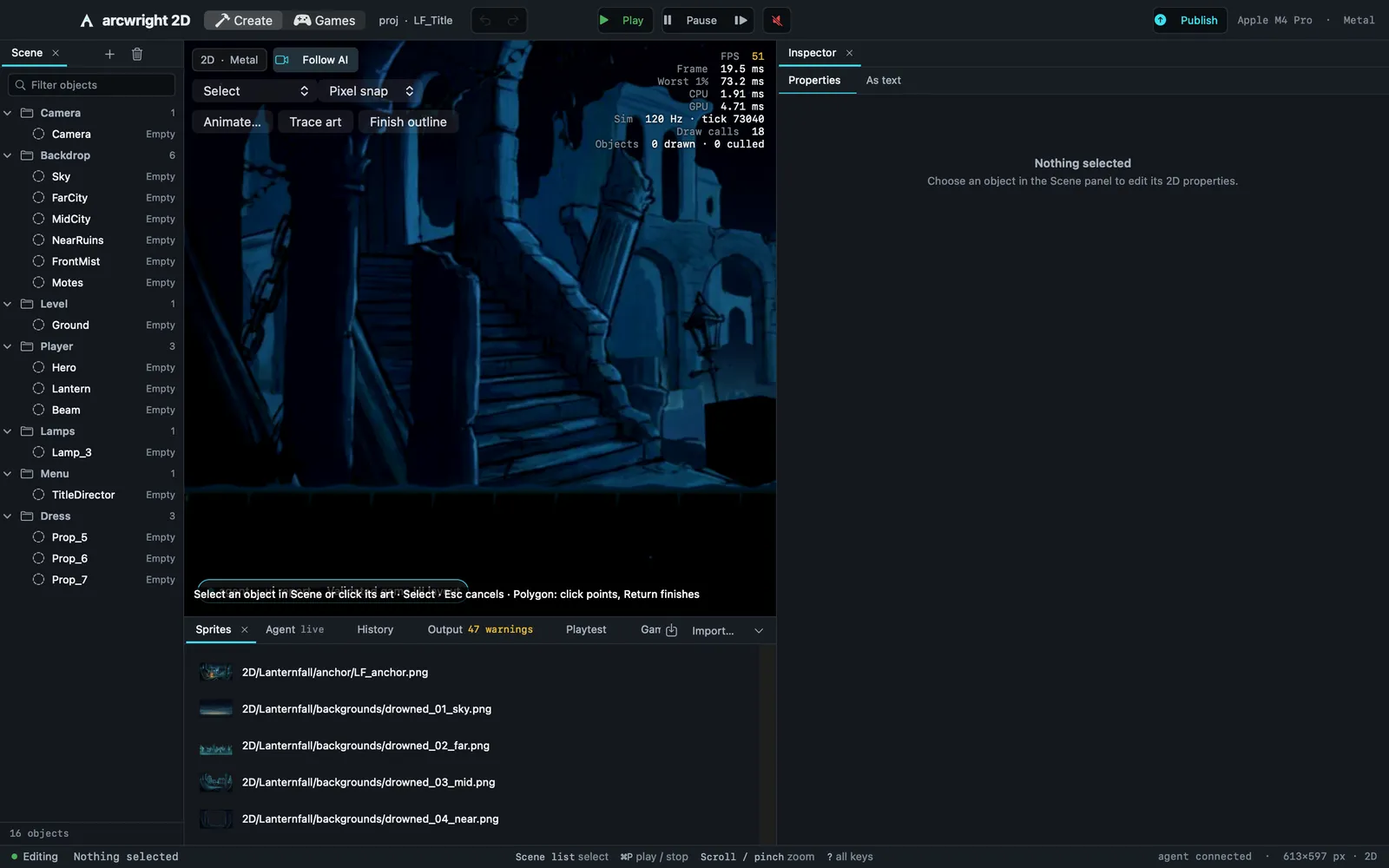
The Arcwright 2D editor with Lanternfall open

What Beta means

You get the engine while it's being built. It changes every week, some things will break, and what you report decides what we fix next. The app tells you when an update is ready.

You need an AI to build with: connect Claude Code, Codex, any MCP app or your own API key (free from our side), or use the built-in AI with Sparks. You can also build everything by hand.

Your games are yours. Export them as their own app.

What's in this build

Beta 1: Make mode (describe your game, pictures, time of day, weather, wind, six looks), Games in Development with five sample games, 14 Quick Tools, every tool by hand in the Tools window, a bigger Node Graph, and the Vulkan renderer for games on Windows and Linux. Already have Arcwright? The app offers the update by itself. Everything in Beta 1

Tell us what broke

Make 2D games in your browser

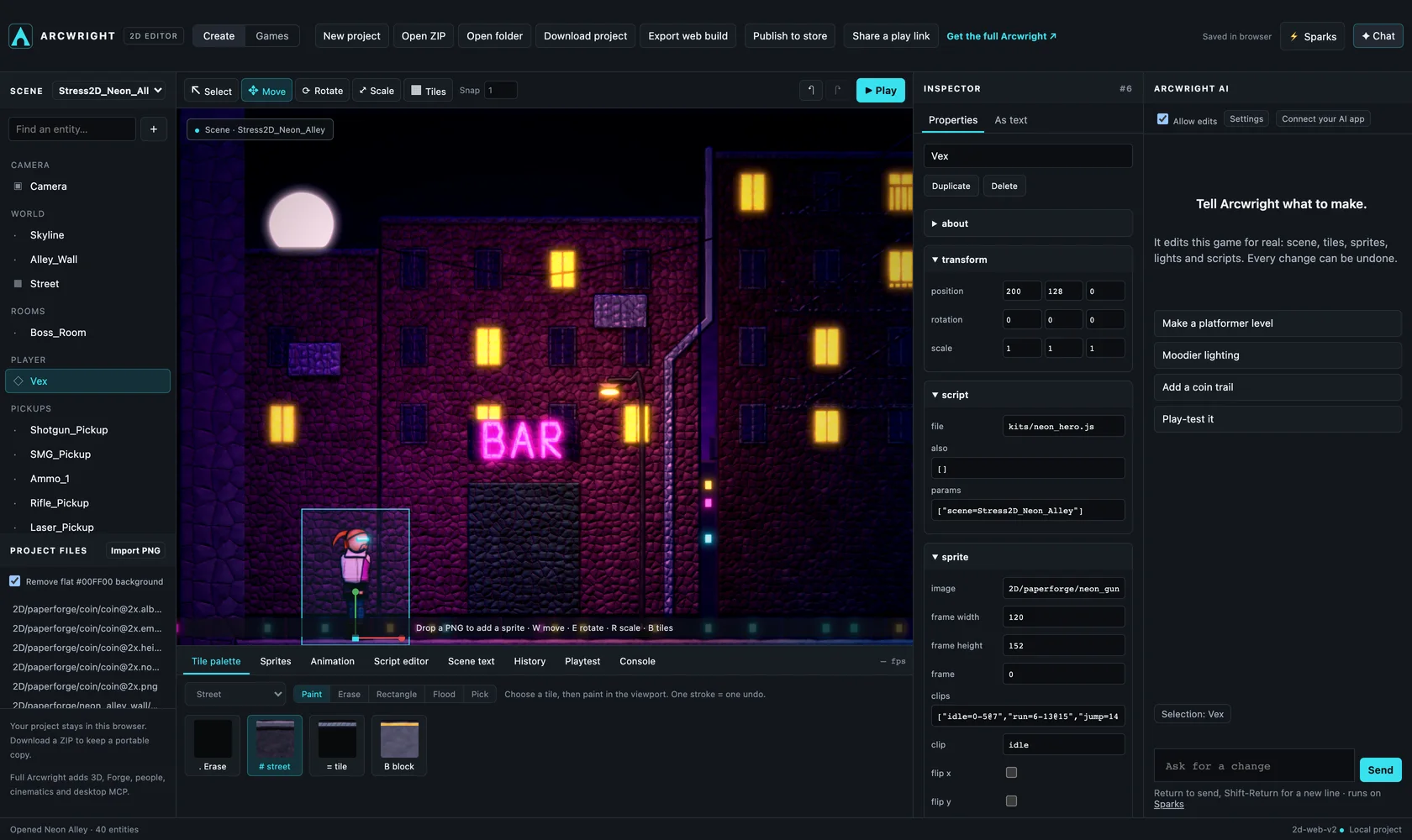
No download. Open any of our games in development, change anything, press Play, and take it to the full Arcwright app. Start with our free 2D art packs, or drop your own sprite sheet into the chat and Arcwright cuts it into animated frames. 2D only · best on a computer (phones play the games) · projects stay in your browser until you download them.

Try it in your browserFree · no sign-up

The Arcwright browser editor with the 2D game Neon Alley open: scene list, game view, inspector and the AI chat

Start building today.

Arcwright is free. Download it, describe your game, and watch Claude Opus 5.5 build it in front of you.

Download Arcwright free