Everything that changed in each Arcwright release, system by system: what it is, how to use it, and what to know. Already have Arcwright? The app checks for updates and offers each one by itself.
Current versions
Platform
Version
Released
Download
Needs
Mac
0.4.0
Nov 10, 2026
1.75 GB
macOS 14 or later, Apple silicon
Windows
0.4.0
Nov 10, 2026
1.65 GB
Windows 10 or 11, OpenGL 4.5 and Vulkan 1.3
Linux
0.3.1
Oct 28, 2026
217 MB
64-bit Linux or SteamOS (Steam Deck)
Every download has its SHA-256 checksum under “Verify download” on the download page. The Mac build is signed and notarized by Apple; the Windows build is signed with Arcwright's verified certificate.
0.4.0Beta 2Nov 10, 2026MacWindows
Arcwright Beta 2
A living forest, an ocean you can swim in, AI-driven movement, real film cameras, 9 languages and a jet demo you can play in your browser, in a real engine you drive by hand. Download: about 1.7 GB, mostly the 12 sample games that come with it.
Night Shield, a jet demo
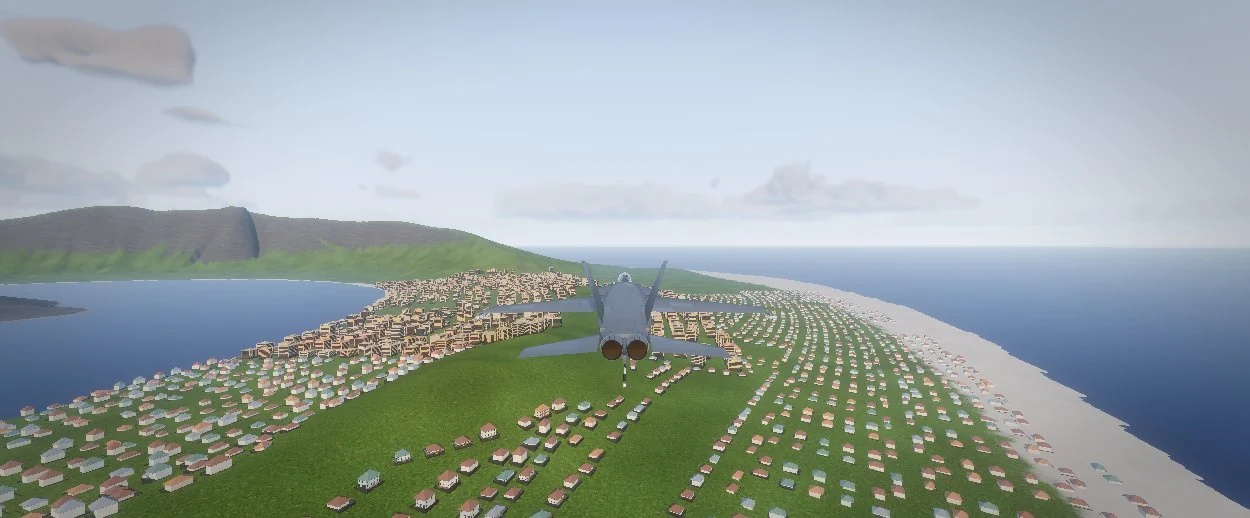
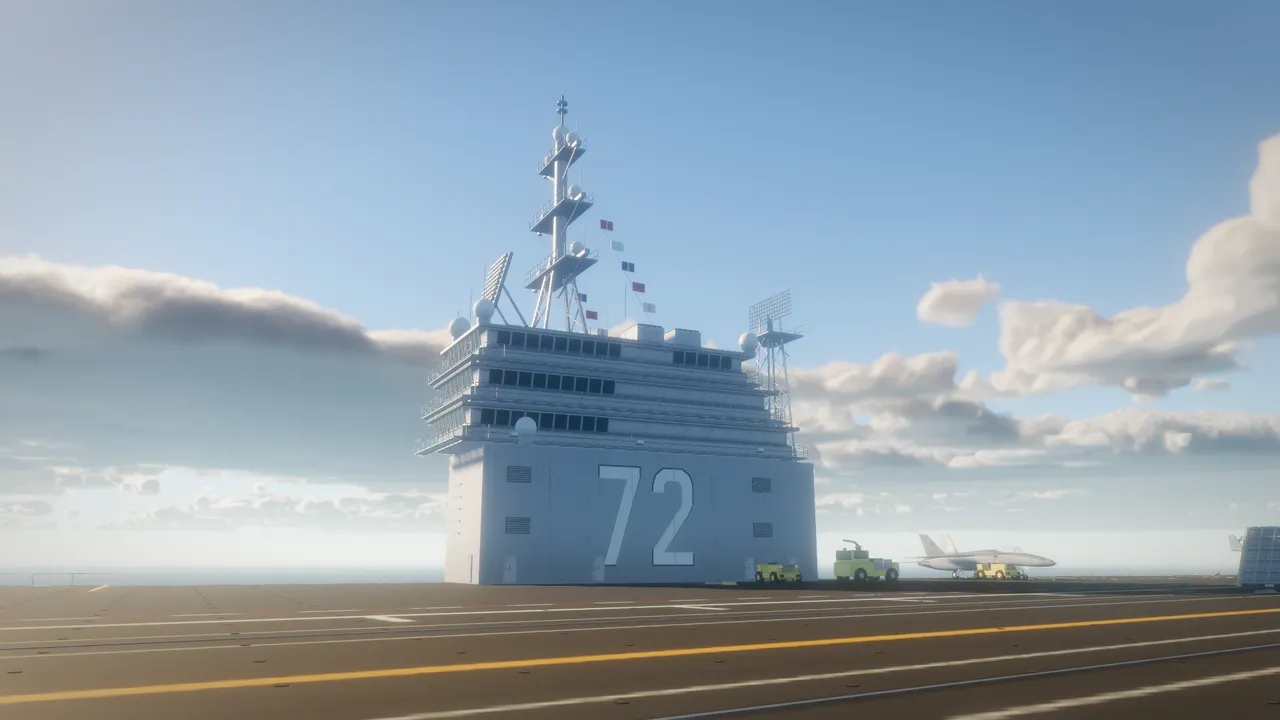
A jet demo made in Arcwright: catapult off the carrier, fly Caldera Island and its town, and switch to the cockpit (V) with its live screens. Play it free in your browser, on Mac or Windows; a desktop download of the demo comes in the first update. The Night Shield demo.
Over Caldera Island, playing in Chrome.
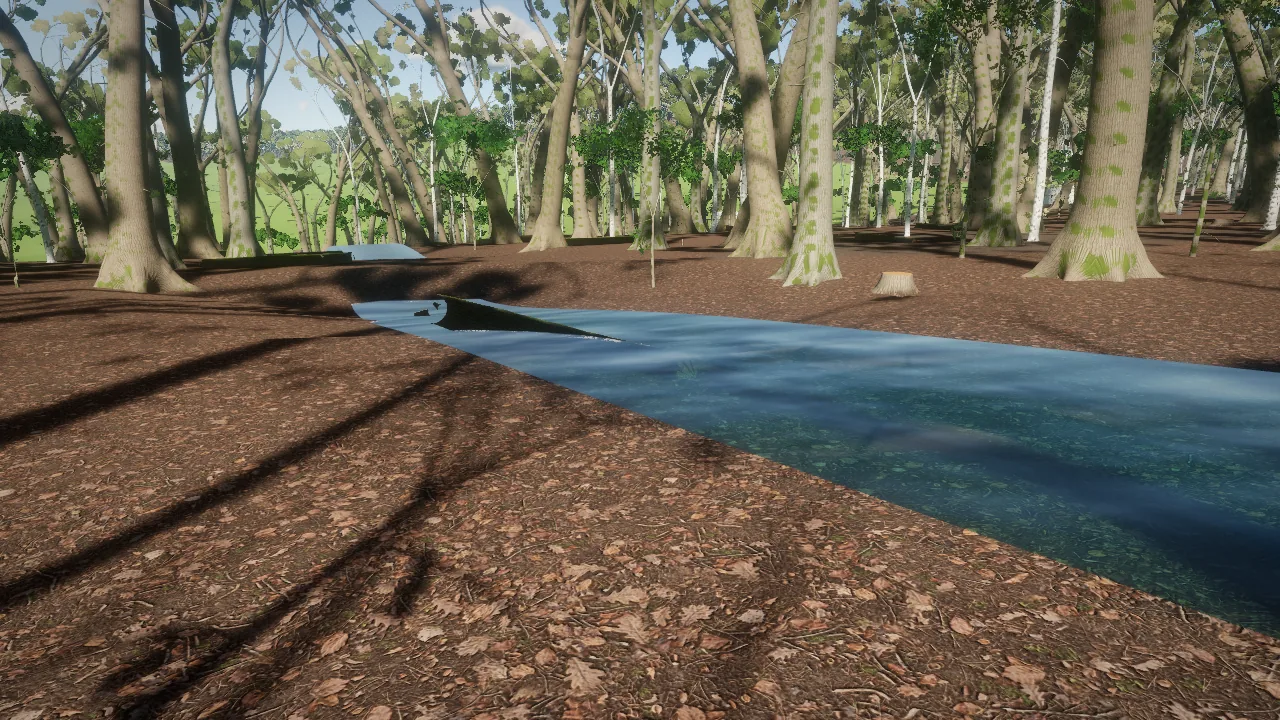
The forest
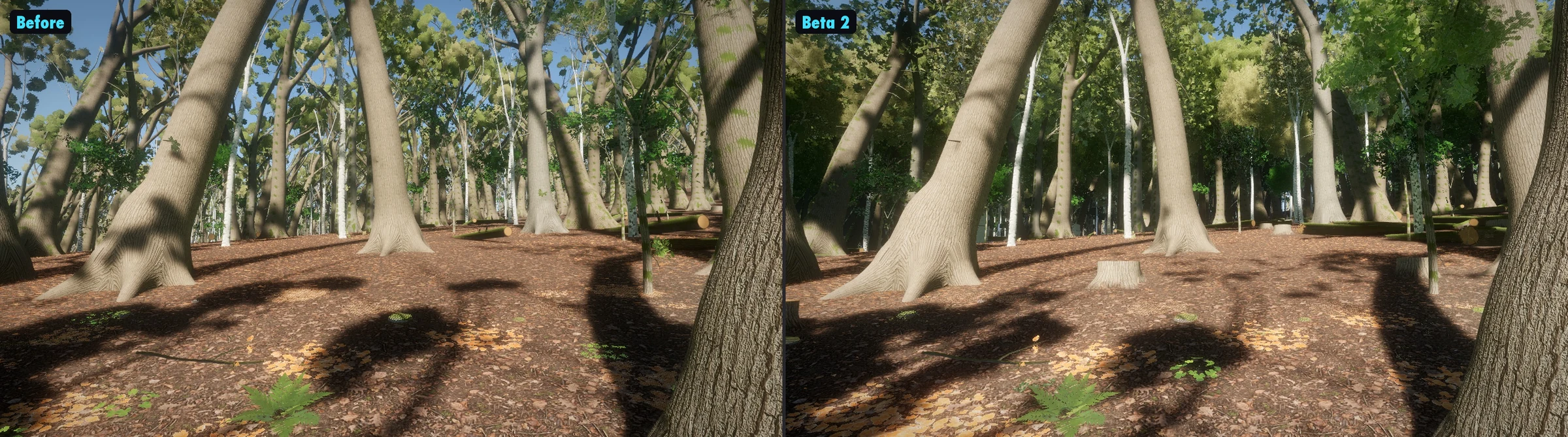
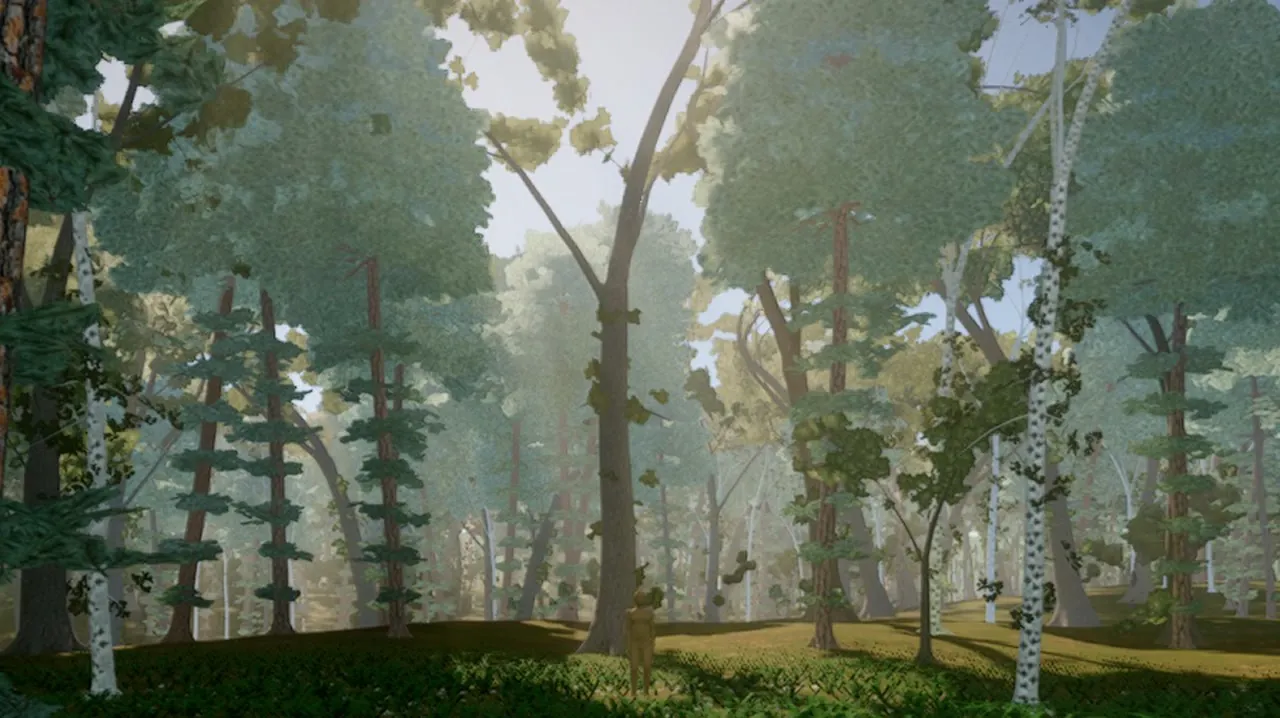
Far woods stay green, trees have full crowns, fallen logs stay in the woods, and there's a creek builder. Deep in the woods runs about 20 frames a second, up from 8, and the forest edge about 30, up from 9.
Inside the forest, before and in Beta 2.
Motion AI
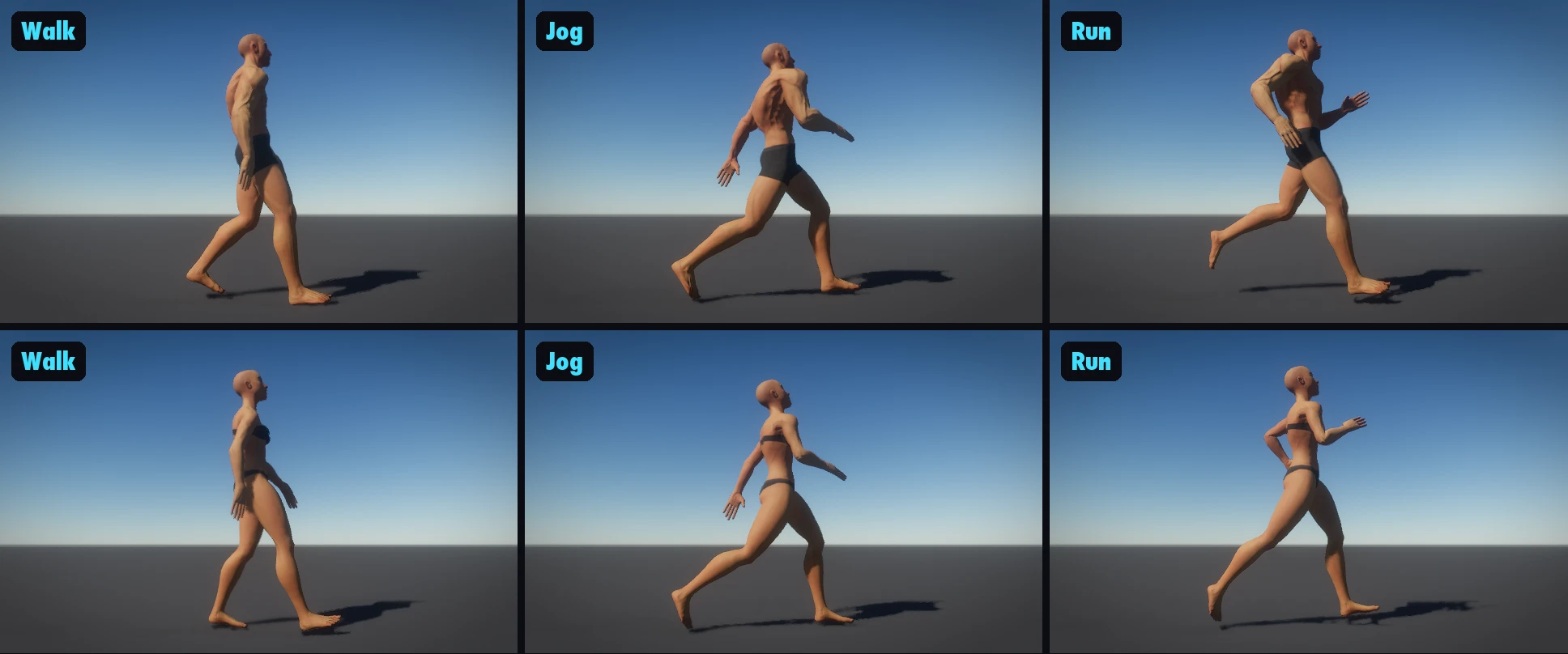
Every character walks, jogs and runs with AI-driven movement, on by default. A motion AI (NVIDIA MotionBricks, running inside the engine) makes each step as the character moves, instead of replaying clips.
Walk, jog and run with Motion AI.
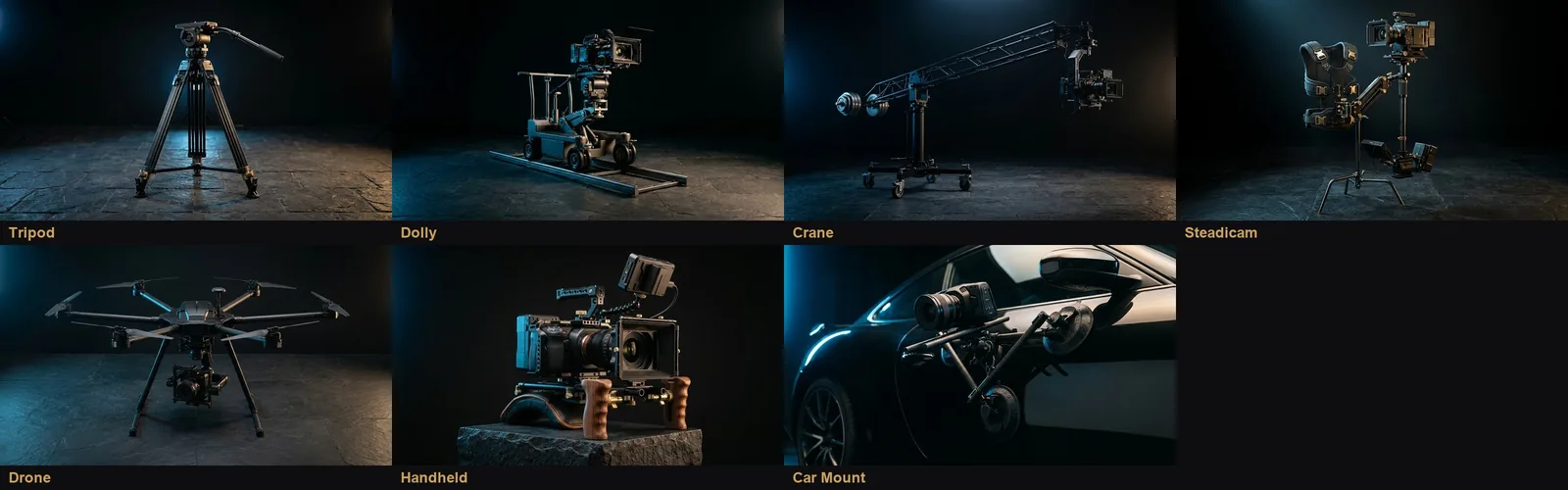
Real film cameras
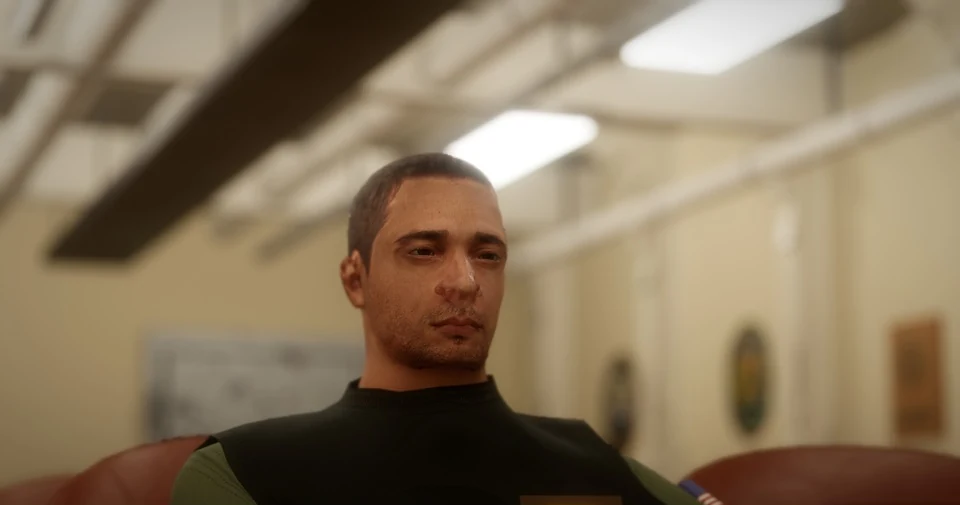
Real camera bodies and lens kits, and focus pulling that can follow a character's eyes, all in a plain Camera panel.
Super 35 with modern primes at 50 mm.
Lighting
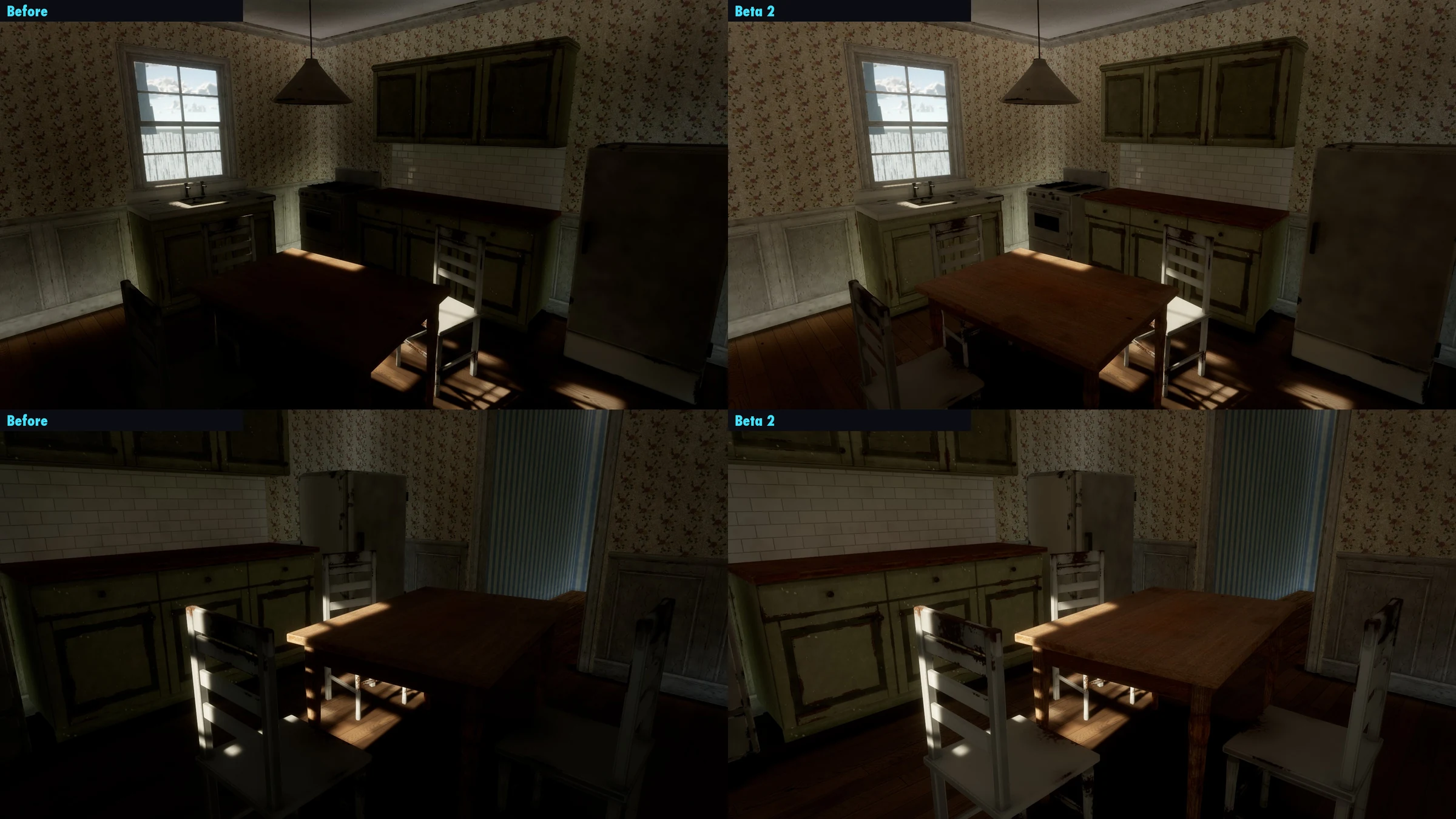
Light now comes in through window glass and down through tree tops, and the sparkle on shiny floors is gone.
Sun through the kitchen window, before and in Beta 2.
The ocean
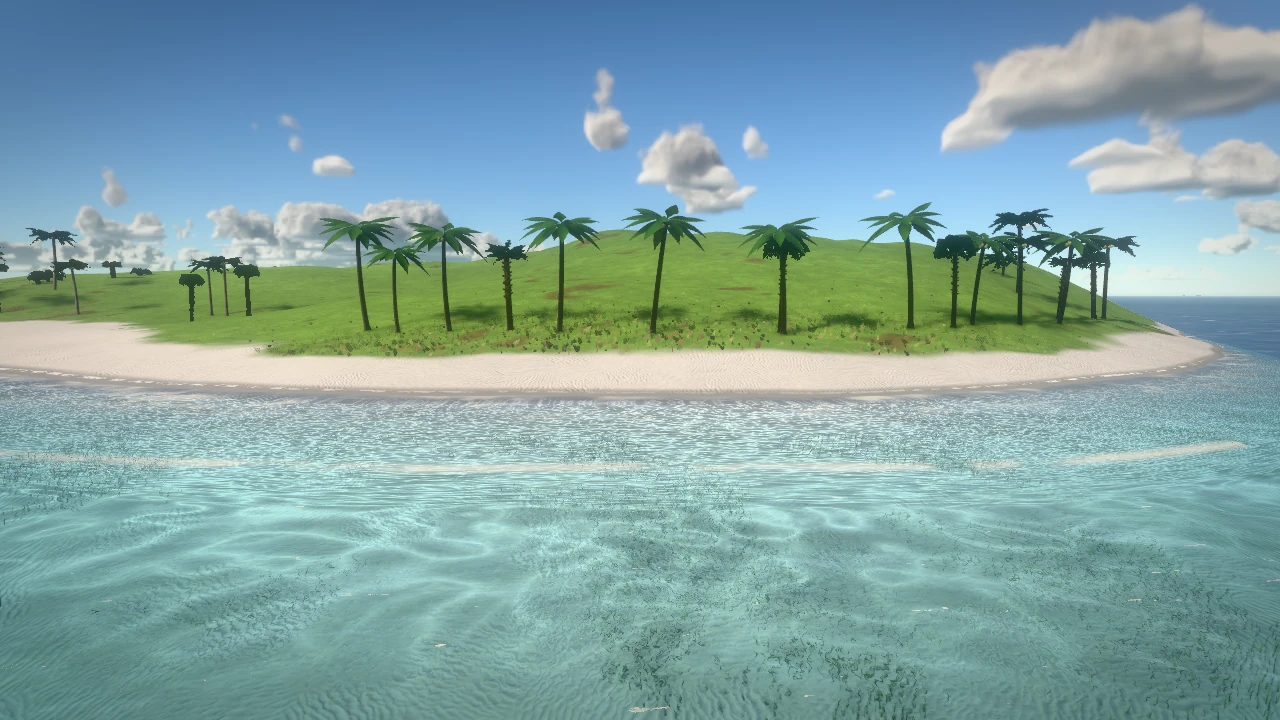
Surf carries floating things and swimmers ashore, things bob on the swell, free diving, clear tropical shallows with a truer view underwater, and soft foam along the shore.
The shore in Beta 2.
A new Start screen
Open any of the 12 sample games from its picture and change it by hand. Every sample has its own title screen.
Languages and accessibility
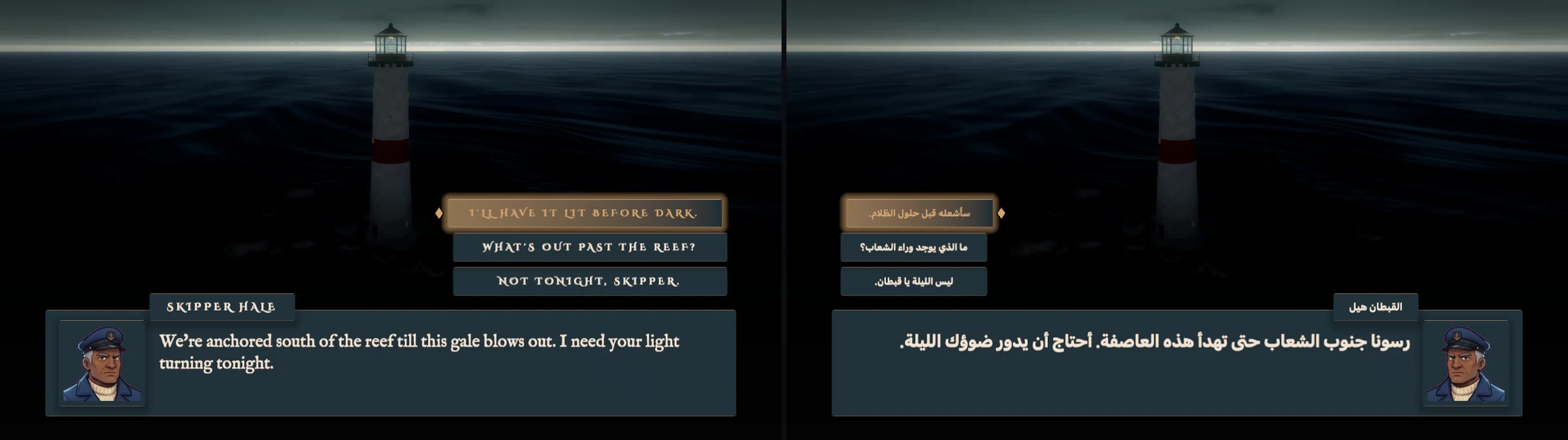
Your game in any language: text tables, a Language screen in every game, right-to-left menus, Chinese, Japanese and Korean line breaks, and AI tools that list and fill in every line.
The editor in 9 languages: Spanish, Portuguese, French, German, Russian, Japanese, Korean, Chinese and Arabic (Settings › Language).
Accessibility in every game: subtitles and sound captions, bigger text, colour-blind modes, every control remappable, less motion and flashing.
The Story sample in English and in Arabic, mirrored right to left.
Climbing and cover
Ladders, ledges, wall runs, ziplines and a grapple hook that catches where you aim. Duck behind cover and peek round corners.
Windows
Starts faster, and the first Play no longer stutters (7 seconds down to 0.1).
If graphics fail at start-up, it says what went wrong.
OGG and MP3 sound, and clear messages when online can't connect (Windows and the Steam Deck).
Learn and build
Teach Me: short lessons that light up the real buttons and wait for you (Help › Teach Me, or ask your AI).
Make mode: a Your game path from world to sharing, and one-click roles (enemy, door, pickup, goal).
Pro: an Animation window, a Profiler, slow motion with collider and joint views, an Input panel and Script settings.
A Mixer: live sound meters, mute and solo, and mix snapshots (underwater, muffled, paused) your scripts can blend to.
Scene tools: hide, isolate and lock objects; measure between two things; edit several objects at once; vertex snap (⌥V); hide or lock whole Scene folders. Joints show their swing and limits as you edit them.
Prefabs: edit one, every copy follows.
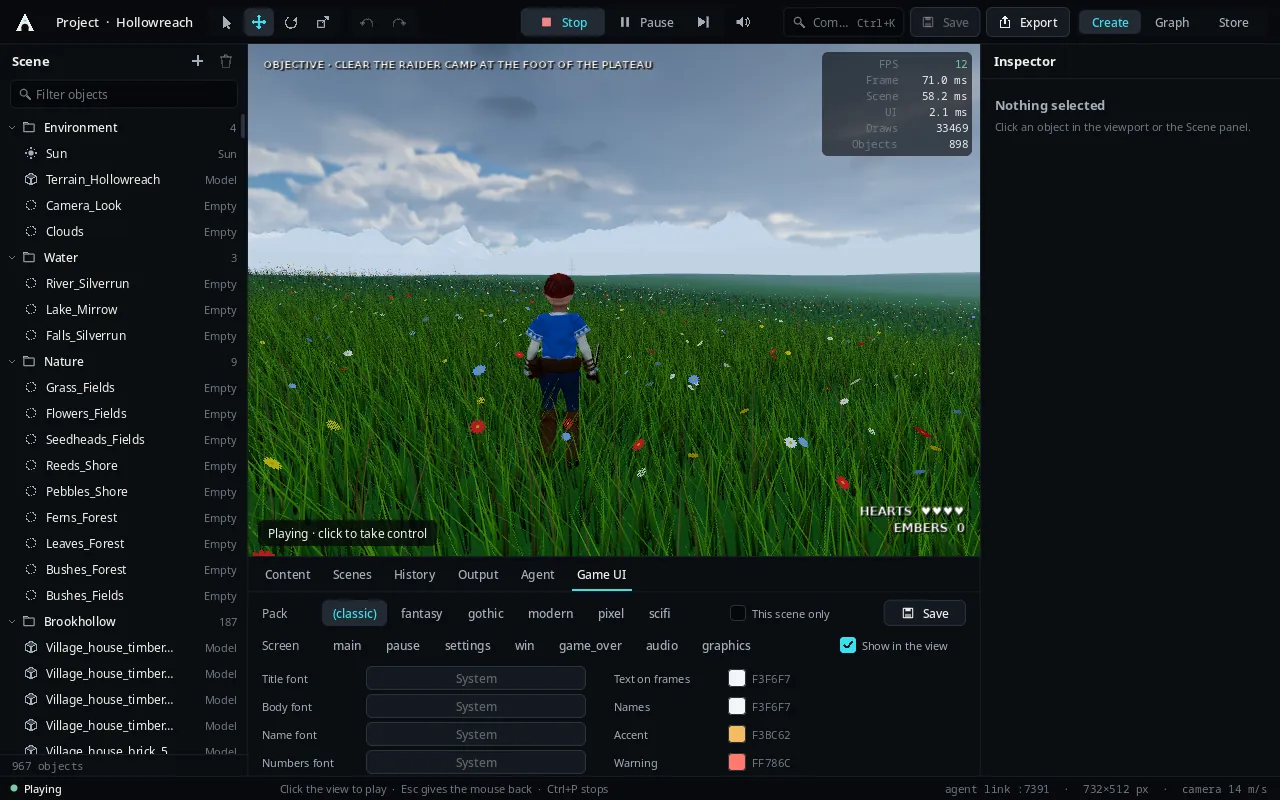
Menus in your own words: the Game UI panel lists every line on a screen to change, and a preset's sample lines are named.
Games and physics
Card games show your hand: framed cards along the bottom, played with the mouse, keys or a controller.
Physics for your games: hinges, ropes, sliders, welds that break; ball and board sports; breakable walls; crumpling cars.
Cloth in the world: flags, curtains and sails that move in the wind and part around people.
Fights trade blows: a small hit no longer cuts a swing in progress (stagger_damage is a fighter's poise).
Fix tools: show and fix clothing clipping; edit animation clips (trim, loop, events, feet).
See-through materials from imported models (glass, leaves, fences) draw see-through.
Faster and smaller
Materials and textures are cached on disk, and clothes fit faster.
Smaller exports: a game ships only what its scenes use (sounds a script names by parts included).
Exporting: a game's first export right after install no longer times out on a busy Mac.
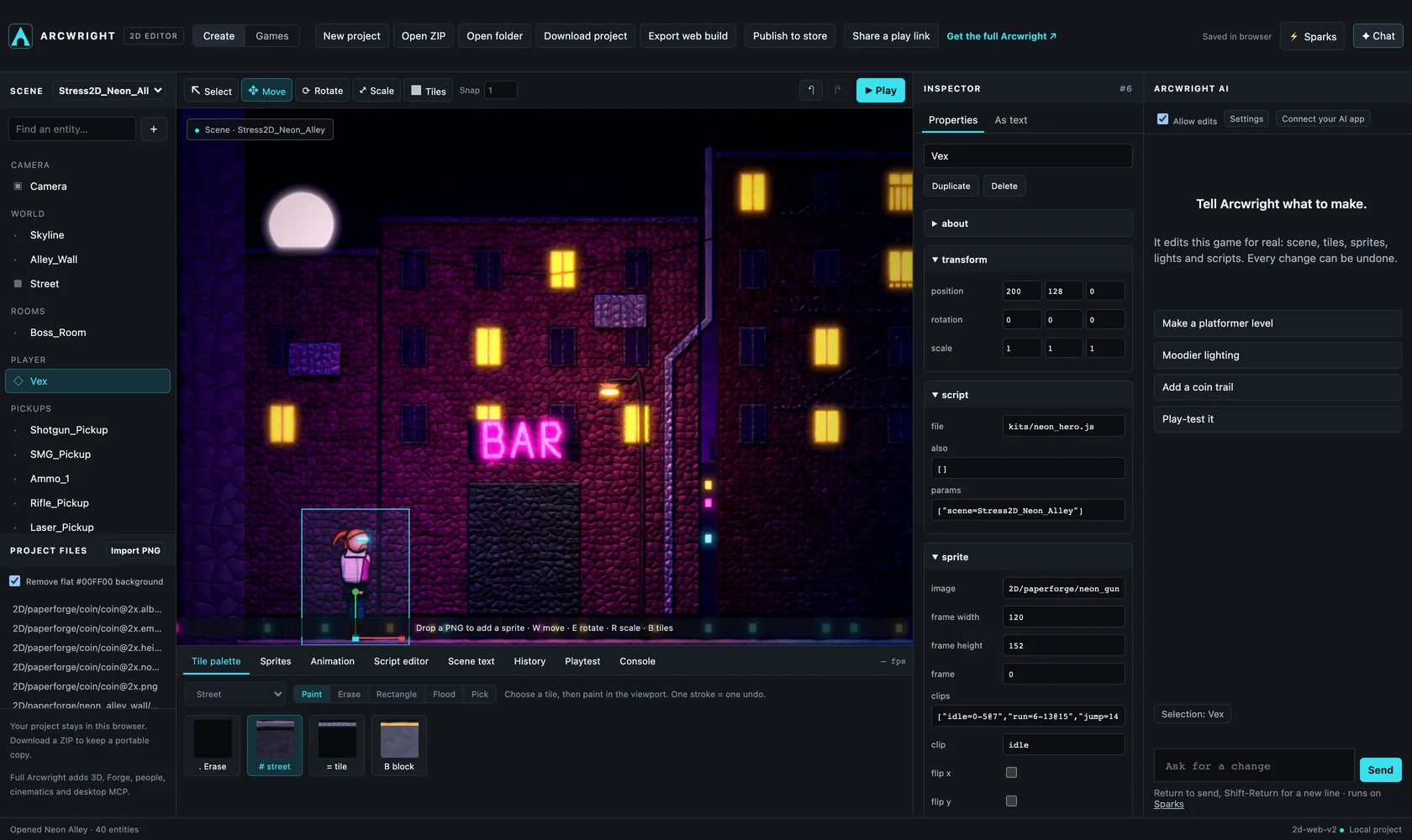
Import 2D packs (sprite atlases and tilesets); scripts can share code (require) and declare their own settings.
Big games on the store
A new creator account can publish a game of up to 4 GB (Verified 10 GB, Trusted 20 GB, Partner 50 GB), with up to 2 GB a file and 20 uploads a day. Big games upload in parts and pick up where they left off, downloads resume too, and the editor reads your account's real limit before you publish. Publishing big games.
2D games
Ask for a 2D game and start_game starts a 2D one: the 2D style, the genre's 2D kit and the 2D playbook. Starting a 2D or 3D game.
A 2D movement pack (off by default, turn it on per game): double jump, wall slide and wall jump, and an air dash on a new Dash control (C, or B on a controller).
New level pieces: portals that carry your speed through, crumbling platforms, spring pads and flying patrol enemies.
Bosses use your game's own art and goal, and lead on to the next level. The test bot plays levels built from placed blocks too.
Importing sprite sheets follows the background a generator really paints, so a whole sheet no longer comes in as one item, and glow halos painted on magenta become clean see-through glow. Importing 2D sprite sheets.
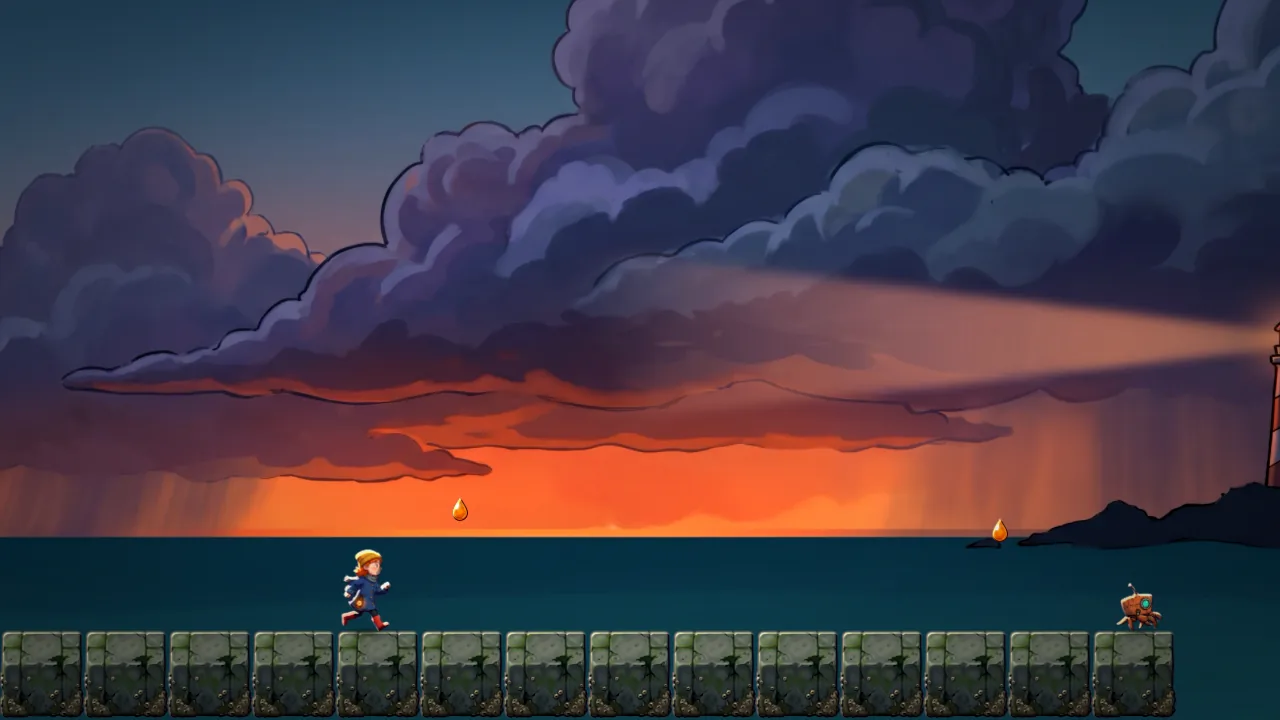
Tidewalker, a 2D game we made with Beta 2. Its art came from Nano Banana sheets on magenta, brought in with the new sprite-sheet import.
City tools
Traffic with drivers in the seats, and people walking the streets.
Faster road building, and level-of-detail chains for big cities, so far buildings stay cheap to draw.
Cinematics
Camera rigs, film stocks, and recorded takes you can keep and compare.
The camera rigs, picked from cards in the Camera panel.
More world
Creeks through the forest.
An air bar when you swim underwater, and a surf break where the waves stand up and break.
Ship wakes on Windows and the Steam Deck (Vulkan).
A creek through the forest, cut with the creek builder.
Big scenes, faster
The graphics chip now culls and places thousands of objects itself (GPU-driven rendering), on every Mac Beta 2 runs on. A Metal 4 version of it is in testing.
In the browser
The Night Shield demo, with Shift working as the jet's throttle.
3D games on the store play in the browser.
For your AI
Your AI stays on your game: it reads what you asked for and what you said no to before changing anything, and knows what your project already has.
Fixed
Exported games now include the buildings placed across a world, and leave the editor's backup files out.
Land added after starting a game no longer buries the player and the boundary walls.
Flight games: a take-off and landing mode, so the nose comes up as a real jet's does and a hard pull off the runway no longer strikes the tail.
The jet's HUD and cockpit screens line up on 16:10 MacBook screens.
Changed: enemy attacks
Enemies fight with their own attacks now. If you wrote a script that also makes an enemy attack, remove it (or set its swing=false), or it attacks twice as often.
0.3.4FixNov 5, 2026Windows
Windows crash fix
A fix-only update for Windows: 0.3.1 with one crash fixed. Nothing else changed.
Fixed
A crash on Windows when sparks, explosions or other effects appeared before the game's lighting had finished starting up. On a Steam Deck running Windows it could take down Windows itself.
0.3.1UpdateOct 28, 2026WindowsLinux
2D games on Vulkan, and crash fixes
The first update after Beta 1 on Windows and Linux. The Mac stays on 0.3.0.
2D games draw on Vulkan
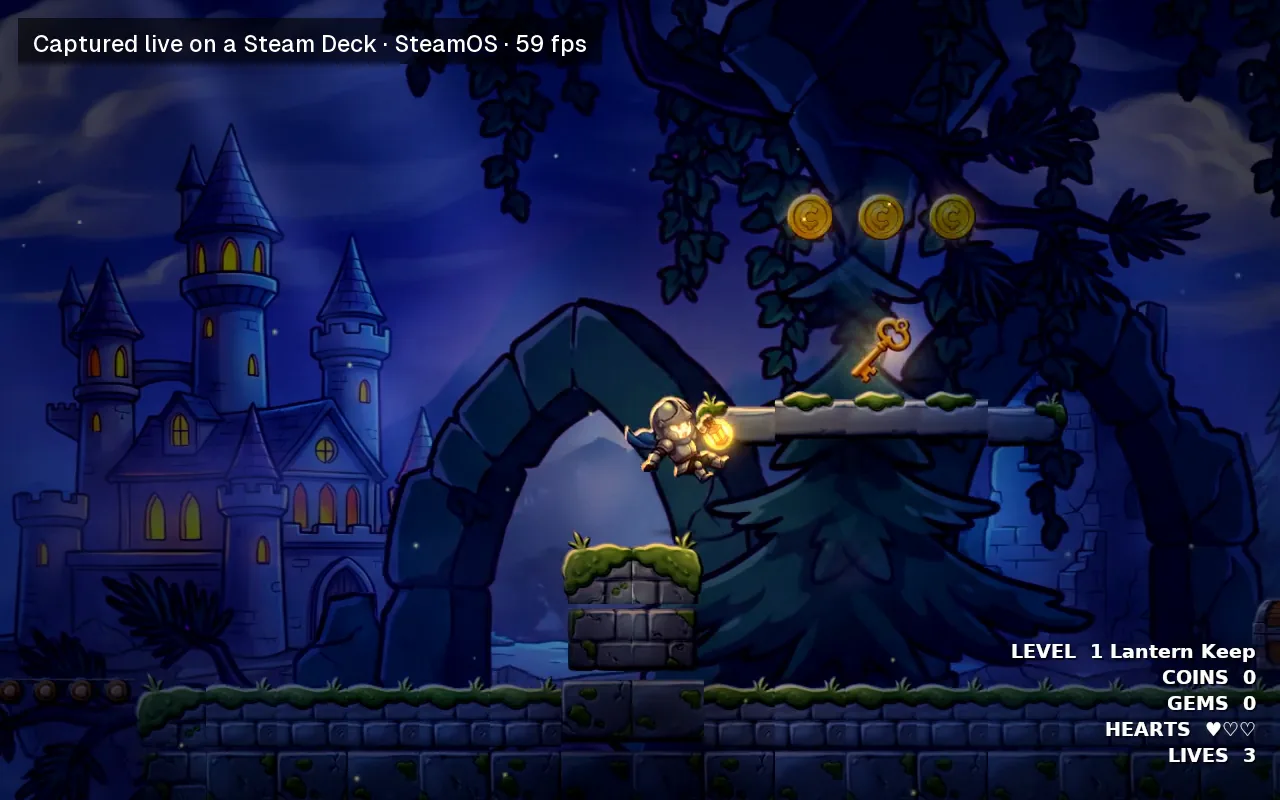
Sprites, shadows, glow, heat, bloom and 2.5D stages now draw on Vulkan. In 0.3.0, 2D games on Windows and Linux showed an empty 3D sky. Measured on a Steam Deck: 2D games run at 57 to 60 fps under SteamOS and about 50 fps under Windows on the same Deck.
Lantern Keep, a 2D game, on a Steam Deck.
Your own AI drives the editor
Claude Code, Codex or any MCP-capable assistant connects to the editor and builds with the same tools the built-in chat uses.
Fixed
After a crash, the crash handler could repeat itself, using a full CPU core and writing a very large crash file. It now runs once.
Linux builds called themselves “development” instead of showing their version.
One failed frame could stop the next frame from drawing.
Every shader rebuilt with glslang 16.6.0 (74 programs).
0.3.0Beta 1Oct 27, 2026MacWindowsLinux
Arcwright Beta 1
The biggest update since launch: 665 changes over nine days. Describe a game and watch it get built, or build it by hand with every tool the AI uses. Here is everything in it, system by system.
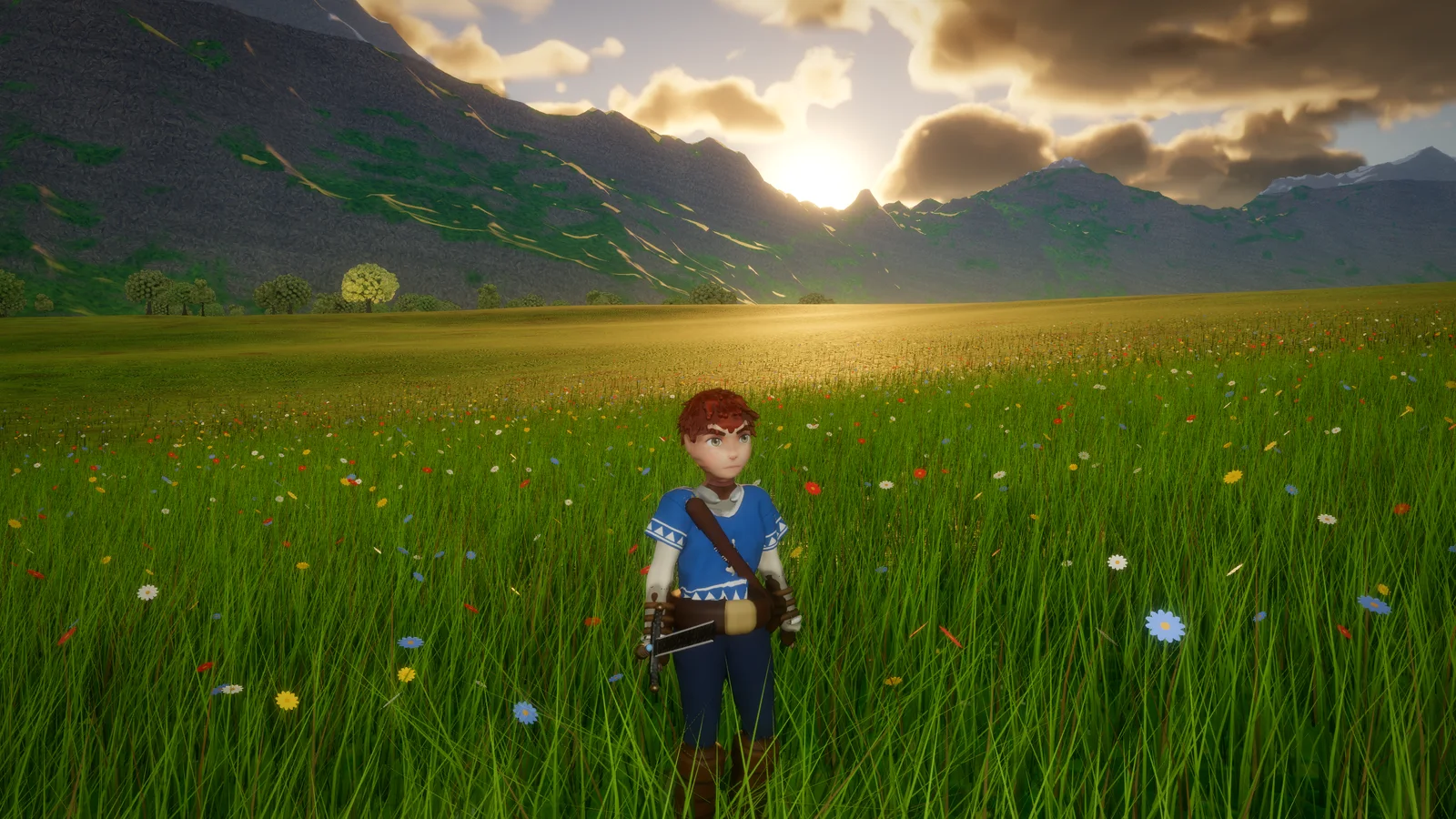
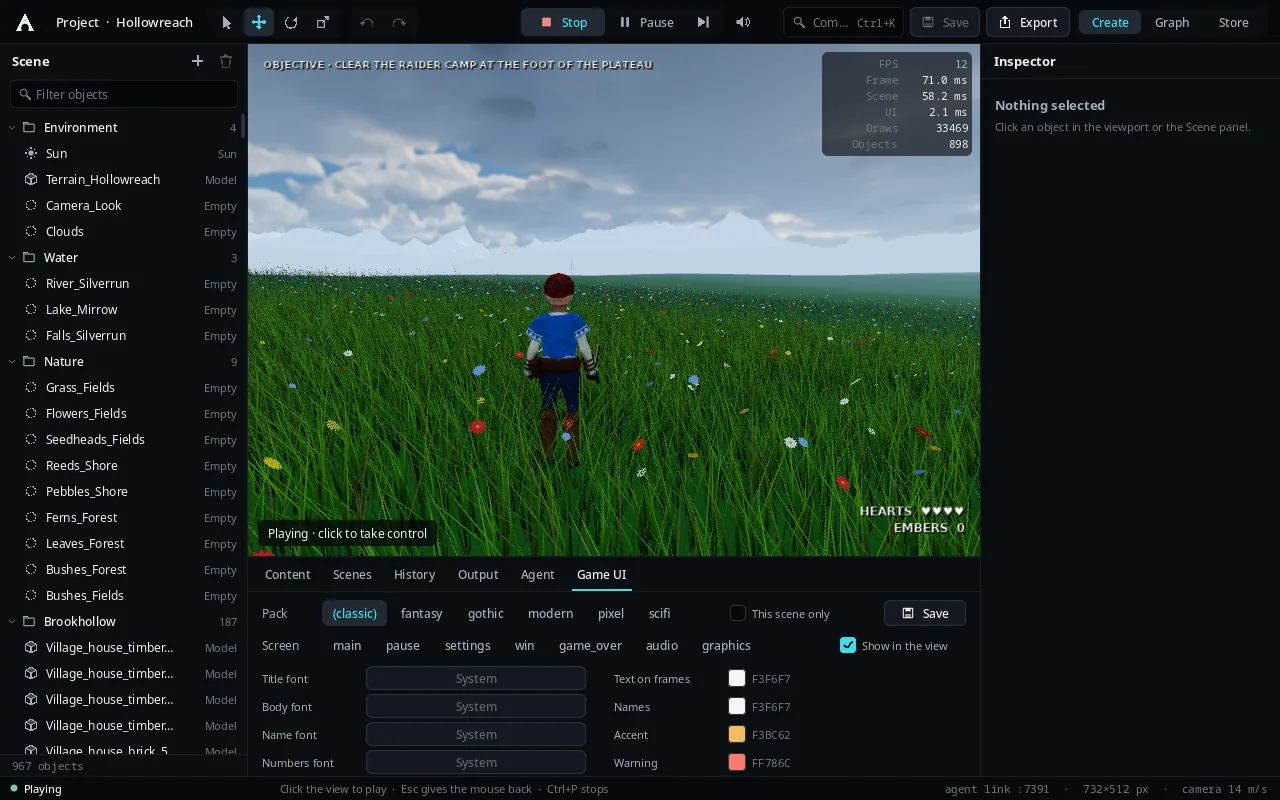
Hollowreach at golden hour, one of the five games in development in Beta 1. Every picture here was rendered in Arcwright.
AI and Make mode
Arcwright is built for an AI to drive. In Beta 1 that became a full loop: describe, build, play, prove.
Make mode
Describe the game you want in your own words and drop in up to 20 pictures to show what you mean. Arcwright plans the game, builds it, plays it itself and shows you a proof report at the end: what it made, what it checked and what it saw. Select anything in the game view and ask for a change to just that. When a request is vague, it asks about the style and genre you want before it starts.
How to use it: start a project, open the chat and describe your game. Drag reference pictures into the chat.
The AI building the Ashgrove hall in the editor. Every step shows in the activity feed.
Your AI, your way
Three ways to connect: sign in with Sparks (nothing to set up, pay as you build), use your own Anthropic API key, or connect an AI you already use. Claude Code, Codex or any MCP-capable assistant can connect to the editor and use the same tools the built-in chat does. You can also build everything by hand.
The chat can pop out into its own window, resize, and show pictures inside it.
How to use it: the built-in chat and Sparks are on the Mac. On Windows and Linux, connect your own AI.
Every tool the AI uses, by hand
The new Tools window lists every tool the AI has, searchable and grouped, each with its own form built from the tool's own description. Fill it in, press Run, and read the answer. Whole-number fields refuse bad input, and your manual tools wait their turn while an AI is working, so nothing collides.
How to use it: open the Tools window, search for what you want (“weather”, “forest”, “water”) and run it.
The Arcwright Guide, inside the app
Help › Arcwright Guide is a built-in manual, including a guide to making reference pictures with Nano Banana, with real example pictures. The Scripting Reference sits beside it.
How to use it: Help › Arcwright Guide.
Editor and workflow
A new front door, faster everyday work, and tools that keep the editor honest.
Projects home and Games in Development
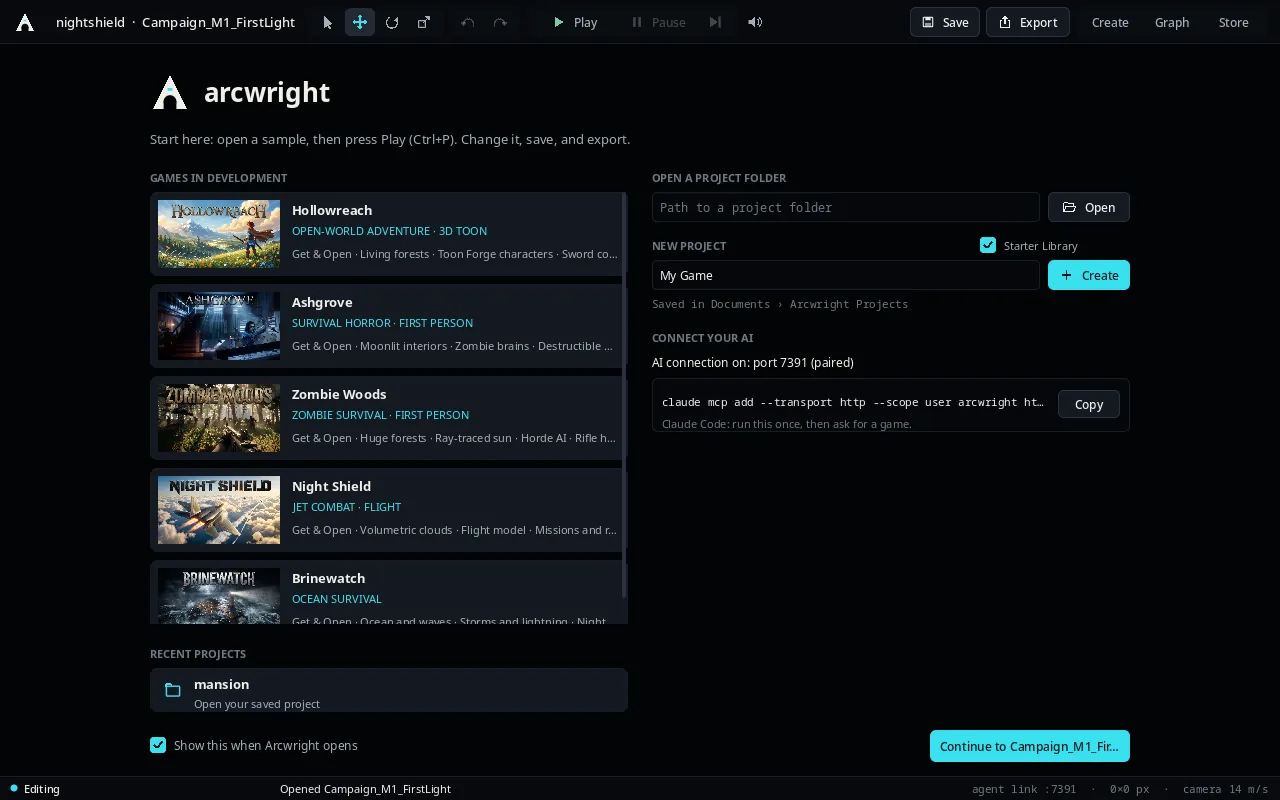
Arcwright opens on a Start screen: your projects as pictures, a new project in one click, and our games in development ready to download, open and take apart: Hollowreach, the Ashgrove mansion, Zombie Woods, Night Shield and Brinewatch. Get one, open it, press Play, and see how it's made. Suggest Something sends us an idea for the next one.
How to use it: File › Projects (⇧⌘O), or the folder button in the toolbar.
The Start screen: games in development on the left, your recent projects below.
14 Quick Tools
Click-and-go tools for the jobs you do most: mood, weather, music, land, grass, forest, water, birds, enemy brains, behaviours, menus, photo to material, floating objects, frame rate and screenshots. Each one does a whole job: pick, slide, press.
How to use it: the Quick Tools panel on the right of the editor.
Hollowreach open in the editor, with the Game UI panel below.
Time, weather, wind and six looks
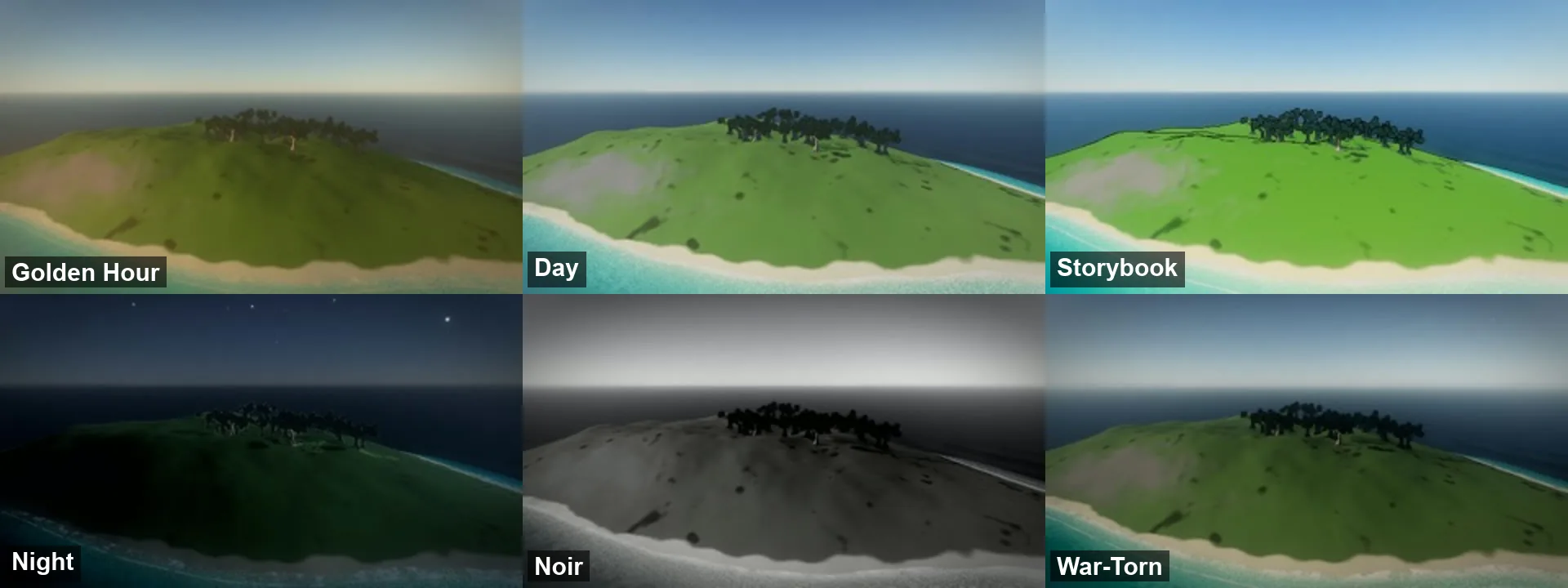
Drag the time of day, the weather and the wind, and they change in the game right away. Six looks change the whole world with one click: Golden Hour, Day, Storybook, Night, Noir and War-Torn.
How to use it: the Mood & Time of Day Quick Tool.
One island, six looks: Golden Hour, Day, Storybook, Night, Noir and War-Torn.
Node Graph
26 new nodes for gameplay without code. The graph resizes, zooms, and pops out into its own window like every panel.
Safer saving
Quitting or switching projects during Play saves or asks first. Save As asks before replacing a scene. A new export never deletes the previous one. Unsaved changes are kept per project and offered back once, and renames and imports can no longer break a scene. The editor opens filling your screen, and opening a project no longer pauses.
Feedback, built in
Send ideas, bugs and pictures from inside the app, and +1 other people's ideas on the board. When the AI hits a problem, it can report it to us, only if you say yes.
How to use it: the Feedback window in the app.
Play Watch and live shader reload
Play Watch tracks a play session as it happens (hitches, missed sound deadlines and where they happened) and writes a play report. Shaders reload live, so a look change shows without restarting.
Rendering: Renderer 2.0
The biggest rendering update so far, on the Mac. On Windows and Linux, exported games run it on Vulkan, and the editor moves onto Vulkan in the next update.
Ray-traced shadows, bounce light and ambient occlusion
On High and Ultra, the sun's shadows are ray-traced, including see-through leaves, wind-swayed twigs and ground cover. Light bounces once off every surface (one-bounce GI) and corners darken from traced ambient occlusion. The bounce carries every light, not just the sun, and lamps without a shadow map are darkened by its occlusion: the floor under a sofa, behind a crate, in a corner. Each effect falls back where a graphics card can't do it.
How to use it: the High and Ultra graphics quality settings.
One bulb in a hazy hall: traced bounce light and light shafts.
Temporal anti-aliasing and upscaling, rebuilt
A new TSR-style temporal resolve with real motion vectors, temporal upscaling and sharpening after the resolve. Thin grids stop crawling as the camera pans, moving objects leave no trails, and glass keeps its edges in motion. On Retina screens the viewport upscales cleanly, with no two-pixel staircases.
How to use it: the View menu, or ask the AI to change it.
Lamps, shadows and lighting at scale
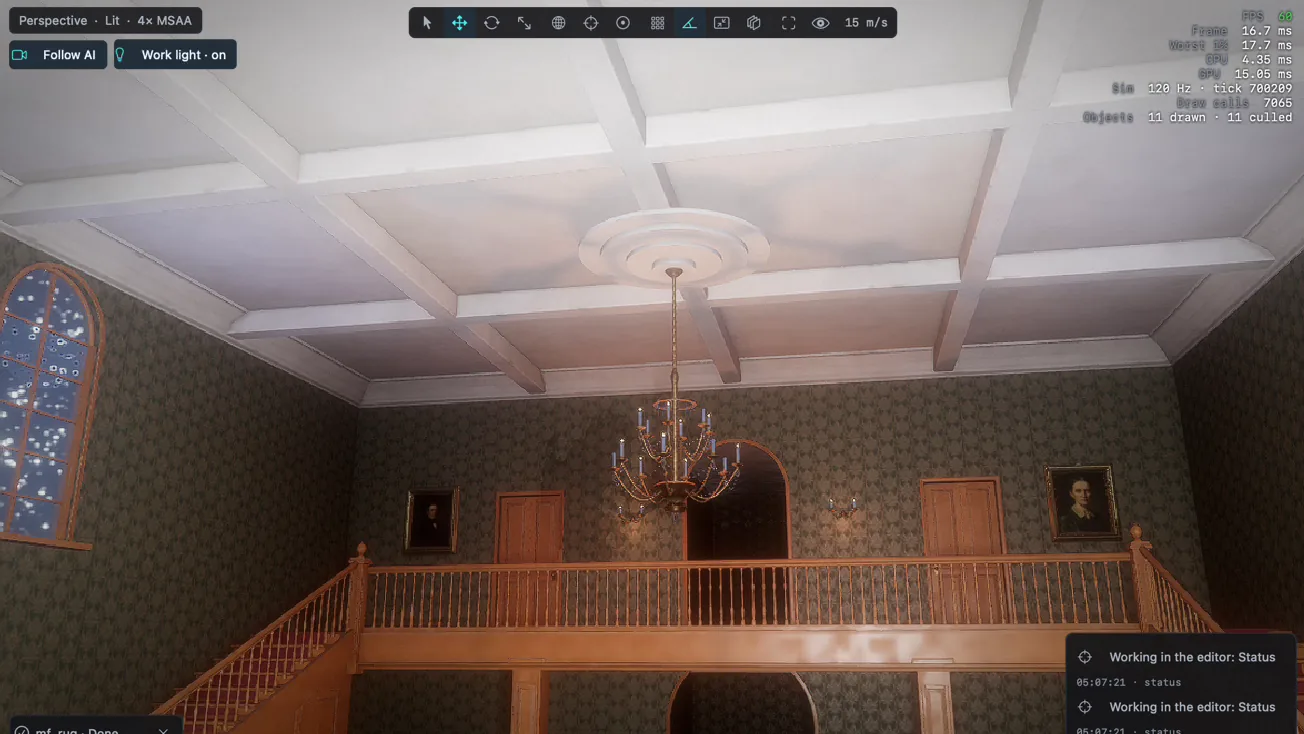
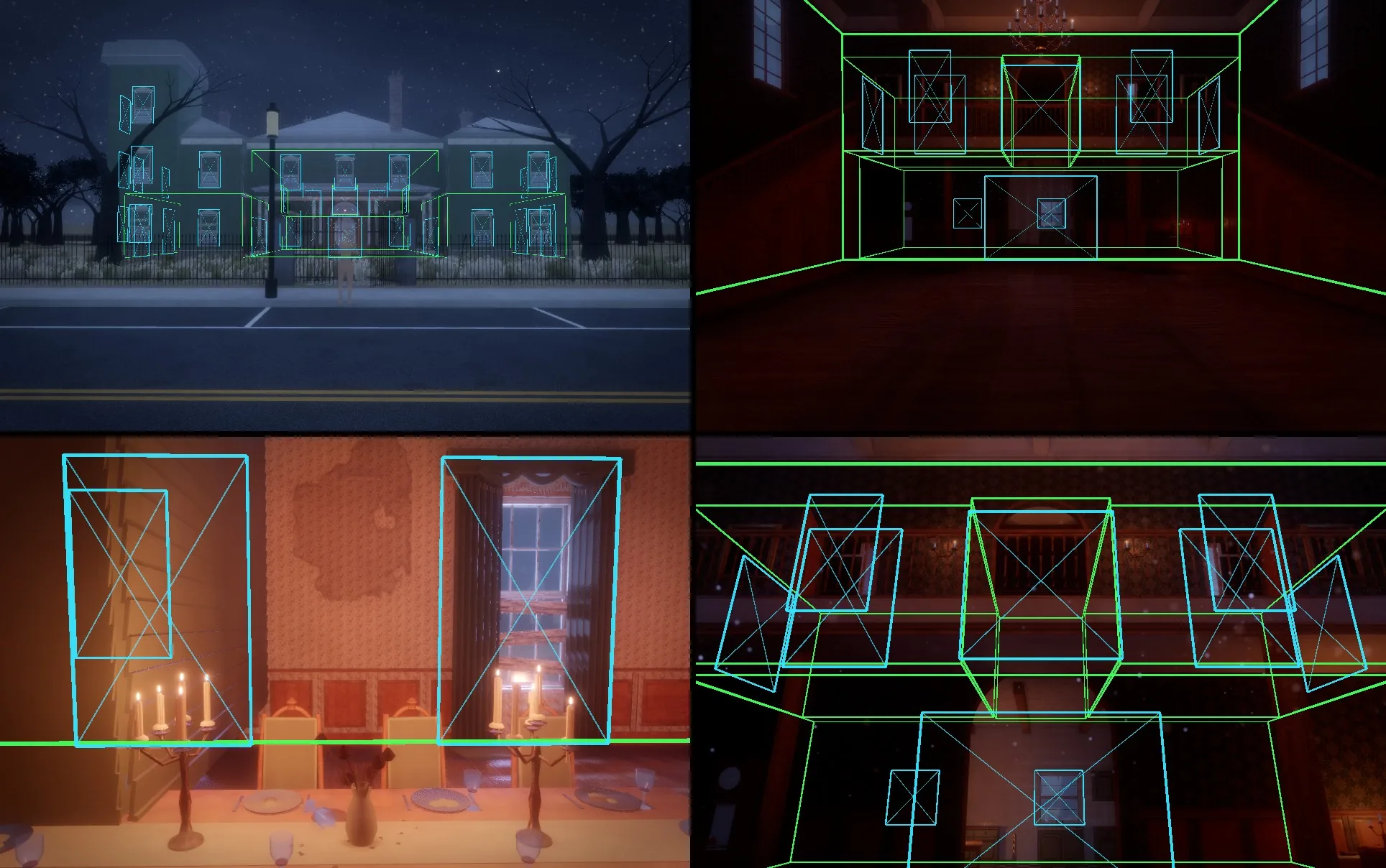
Lamp shadows got PCSS soft shadows, texel-scaled bias and contact shadows, and a lamp's own fixture never shadows it. Clustered lighting with light cuts lets a scene hold many lamps: forward-lit materials take up to 64 lamps by default, the same picture 7 to 12 ms faster in the mansion. Tube and panel lamps light as real area lights. Rooms seen through open doors are drawn; rooms you can't see are skipped.
How the engine sees the mansion: each room and its openings, so unseen rooms cost nothing.
Glass, light shafts and the camera
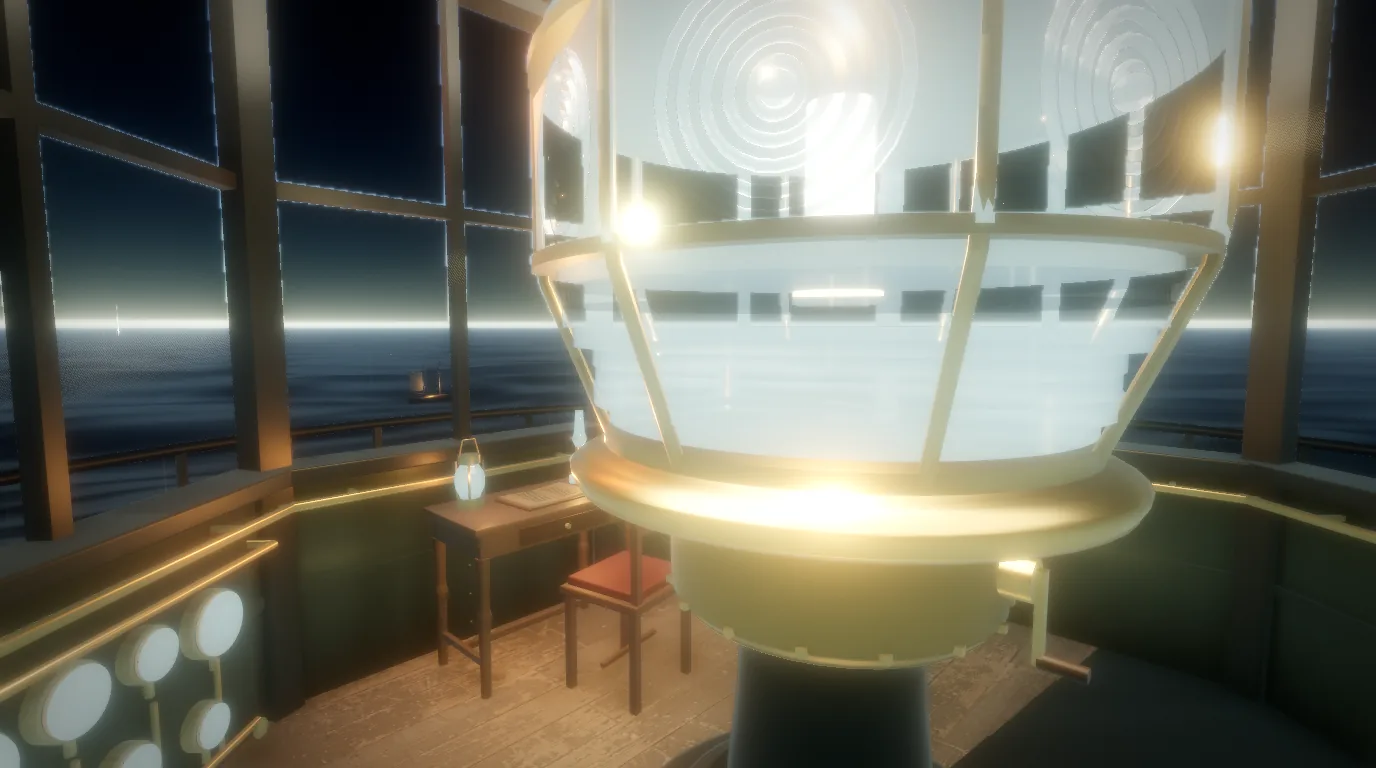
Refractive glass with layers, absorption, dispersion and glints. Light shafts through haze at half resolution. A neutral tone map (Khronos PBR Neutral) beside the filmic one, depth of field while playing, and a live screen that shows another scene playing on any surface.
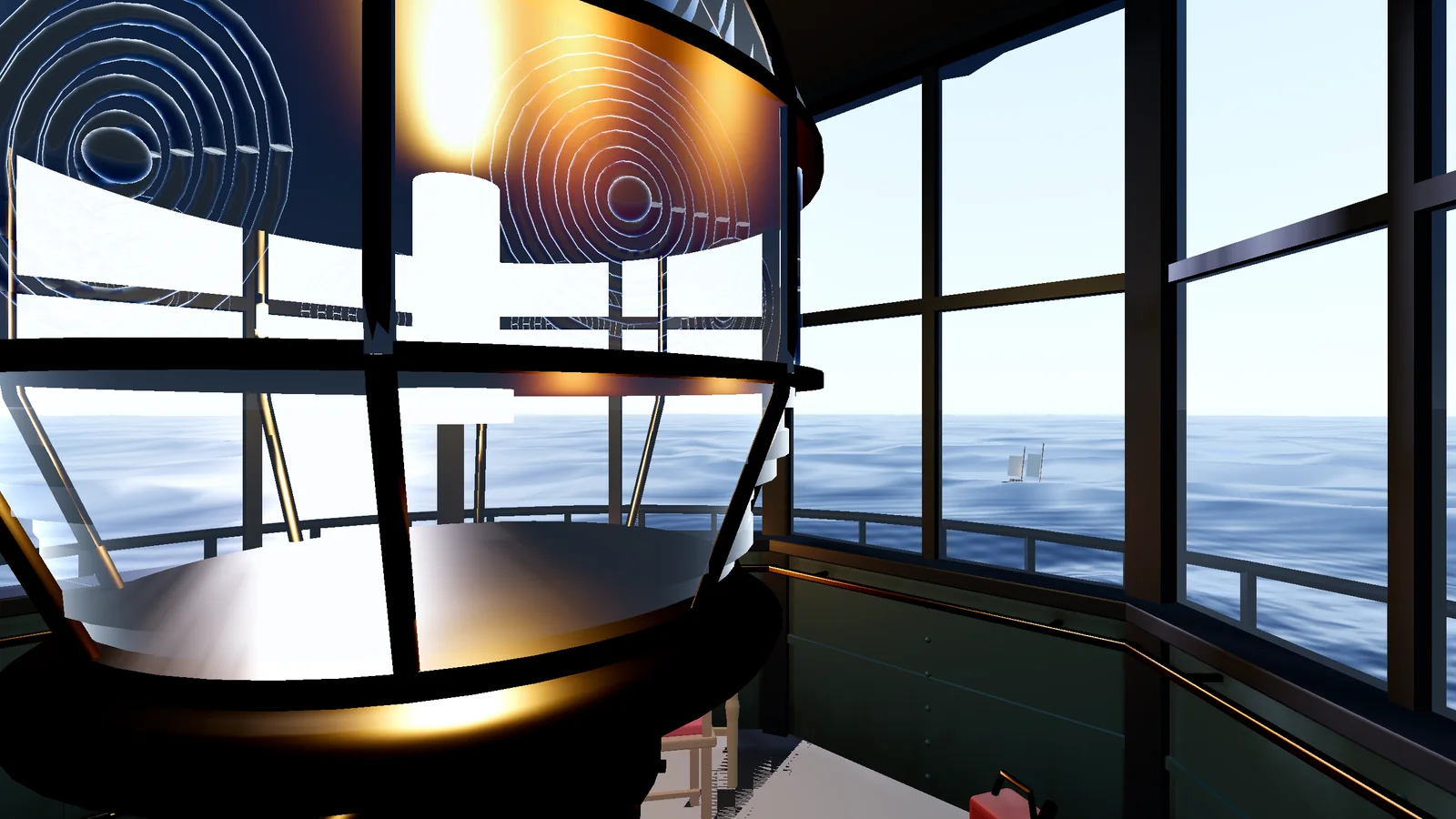
The lighthouse lens: refraction, glints and light through glass.
Detail without the cost
Forged models, products and rigged characters get levels of detail, chosen by measured error so stair treads stay sharp. Far trees become voxel stand-ins lit like the near ones. Displaced bark and ground use tessellation only where the camera can see the relief.
Zombie Woods: near trees in full, far ones as lit voxels.
Materials
Surfaces that age, wear and react like the real thing.
Photo materials and no visible repeats
Turn your own photos into tileable materials with colour, relief, roughness and occlusion. Every recipe surface breaks its repeat with a hexagon tile-break, and rock on the land is read three ways (triplanar) at two sizes, so a cliff never shows a grid.
How to use it: the Photo to Material Quick Tool.
Rock with no visible repeat.
Wear where it really forms
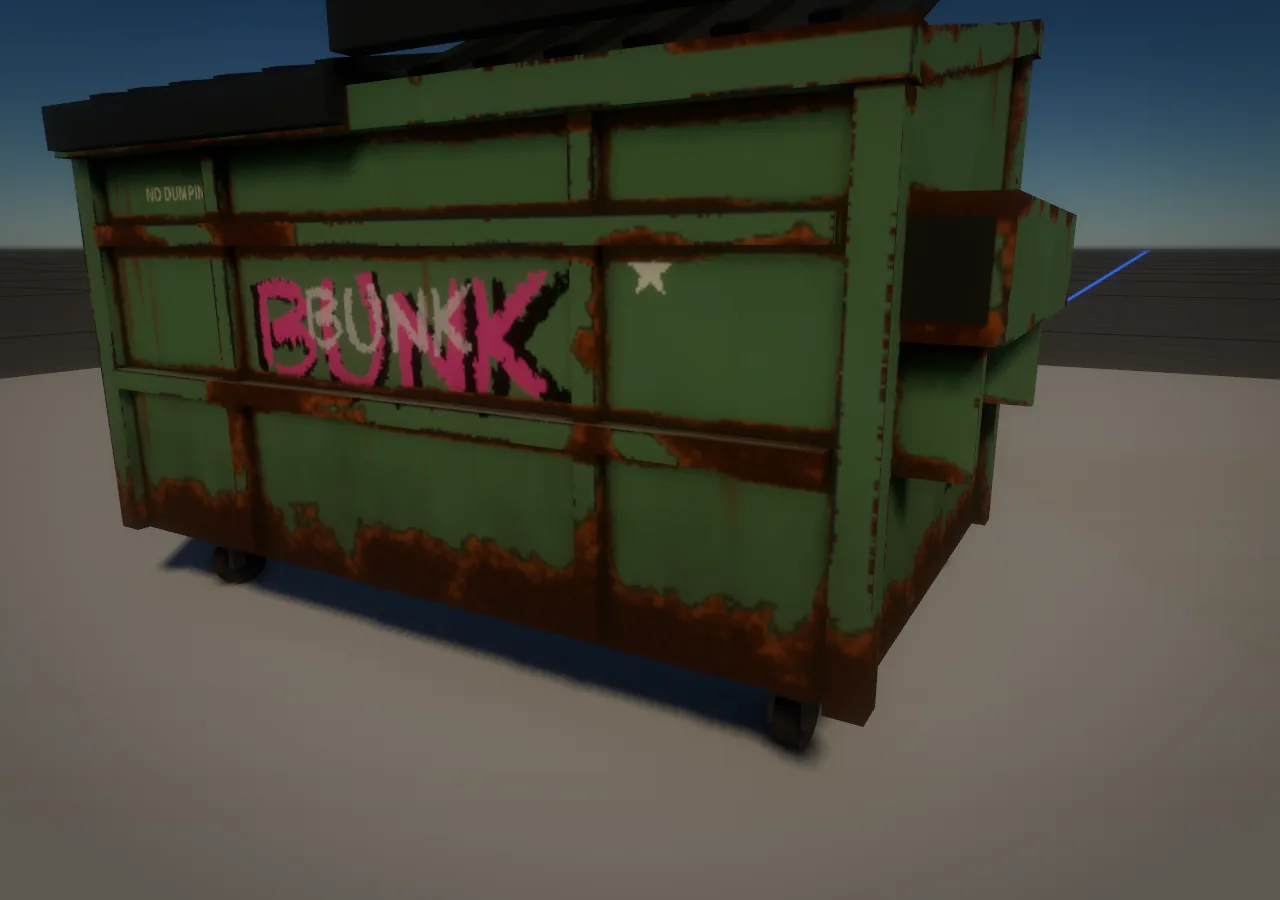
Wear presets that look real: rust where paint chips through to steel (brown hearts, orange rims, pitting), dirt in grout and at wall bases, scuffed floors. The paint tool adds paint layers, placement wear and decal channels to any model.
Rust that follows the seams instead of random blotches.
Decay, layered walls and deep decals
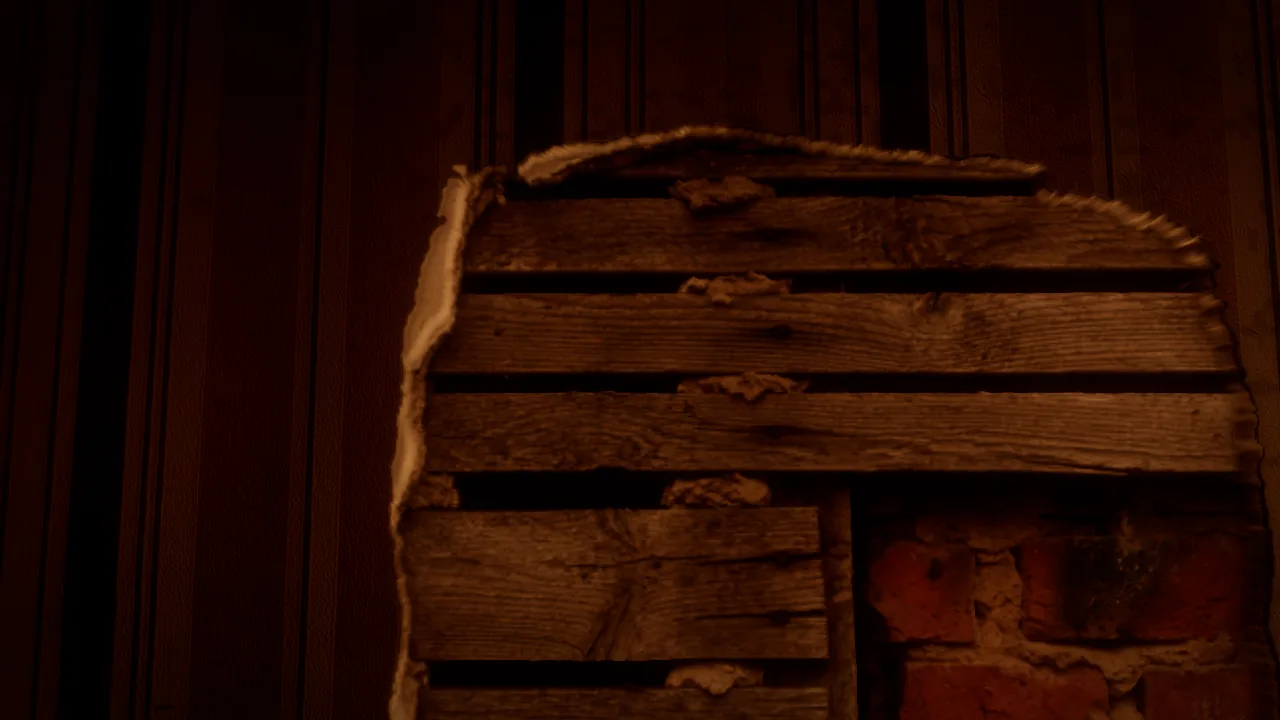
A decay layer for rising damp with a tide line, peeling paper, mold blooms and water streaks. Walls are built in real layers (paper, plaster, lath, brick), so a tear shows what's behind it. Deep decals cut real cavities, and bullet holes are photographed per material.
Torn wallpaper, cracked plaster and the brick behind it.
Wood, fabric and metal
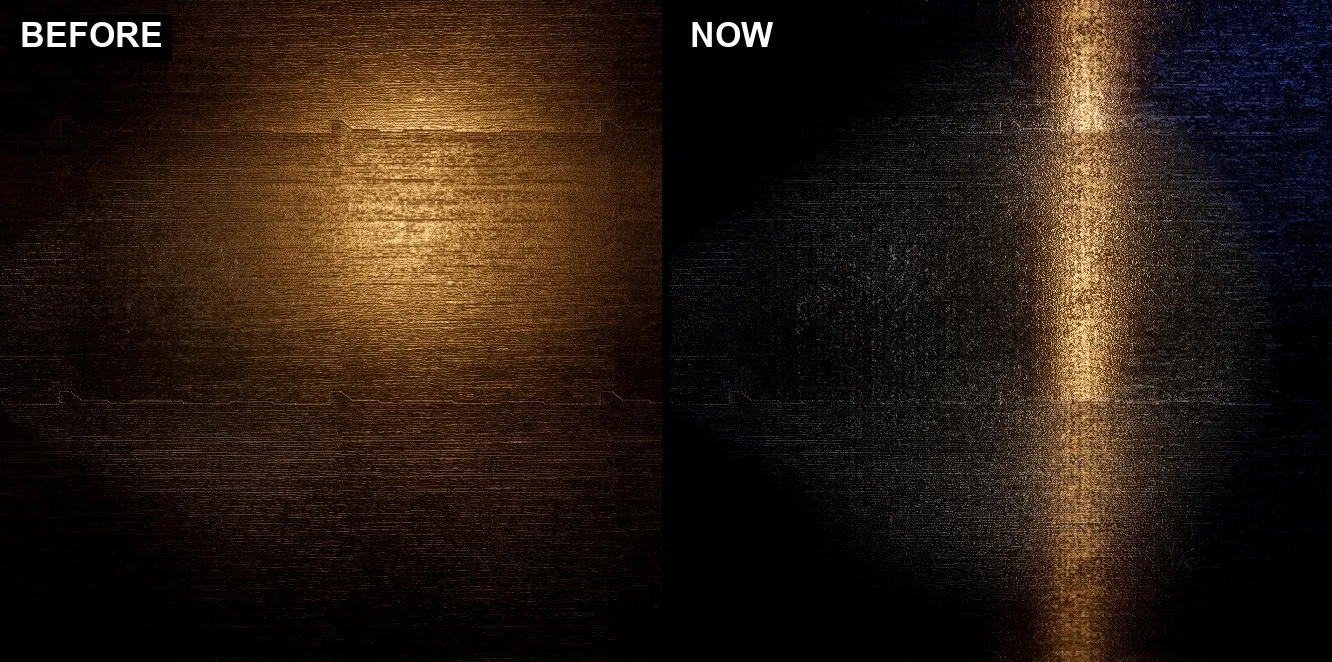
Solid wood with growth rings that taper and wander along each piece, every board its own. Cut-pile carpet and crushed velvet drawn as real fibres that catch the light. Brushed metal with anisotropic highlights, clear coat, and translucent wax, paper and lampshades.
Brushed metal: the highlight stretches along the brushing.
Nature and big worlds
Worlds that fill to the horizon, built for open-world games like Hollowreach.
Ground cover and grass to the horizon
Photo ground cover (tufts, single leaves, stones) and model ground cover, placed on the GPU around the camera on big land. Grass reaches 300 m, thinning far out. Moving characters push it aside without re-planning the field every frame.
How to use it: the Grass and Forest Quick Tools.
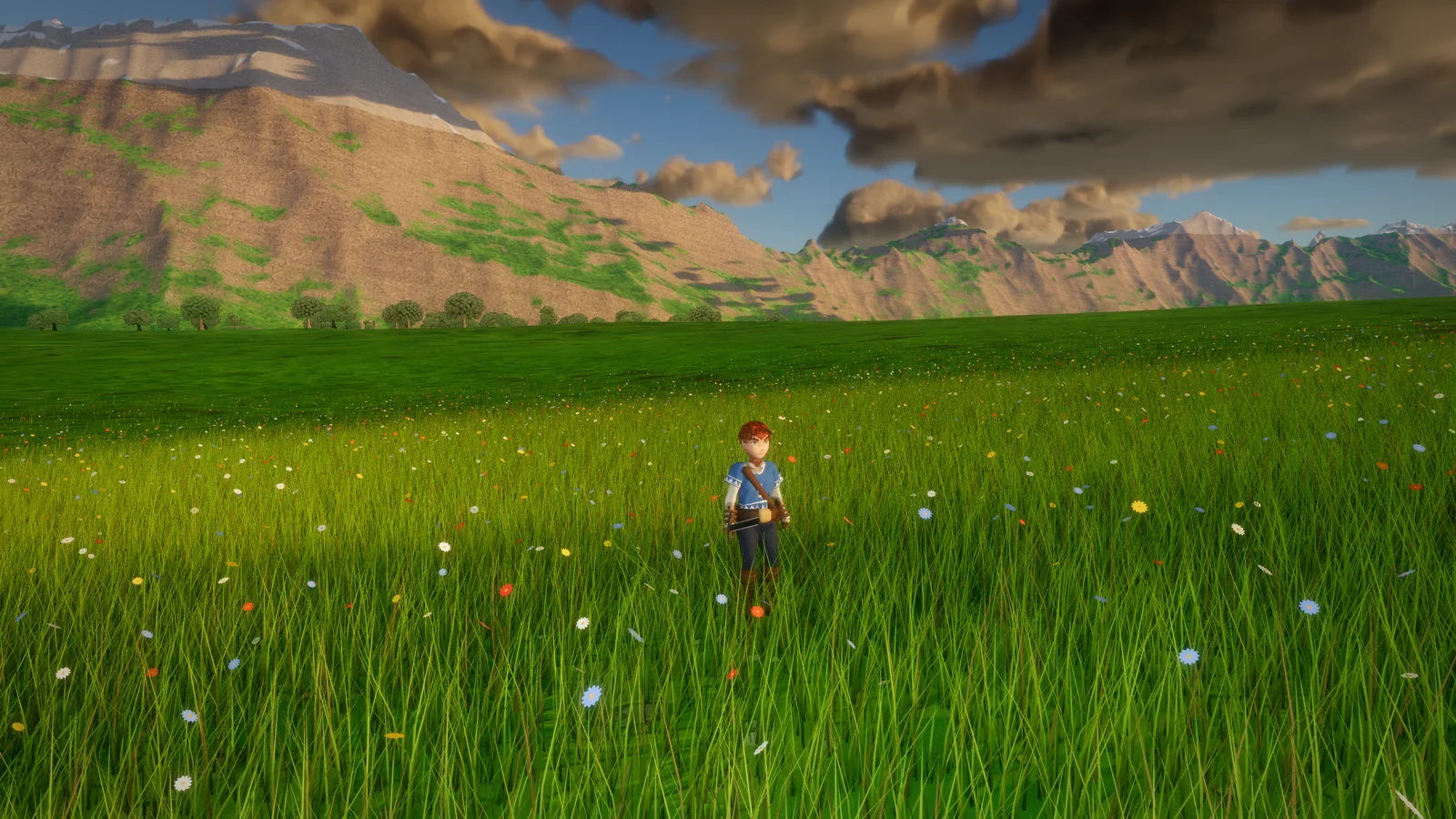
Hollowreach: a flower meadow to the mountains.
Trees
Full round crowns grown on twigs, far crowns baked from the leafy level so distant woods read as trees, not tufts, plus a storybook tree style. A far sun-shadow cache draws still trees once, so a forest's shadows stay cheap.
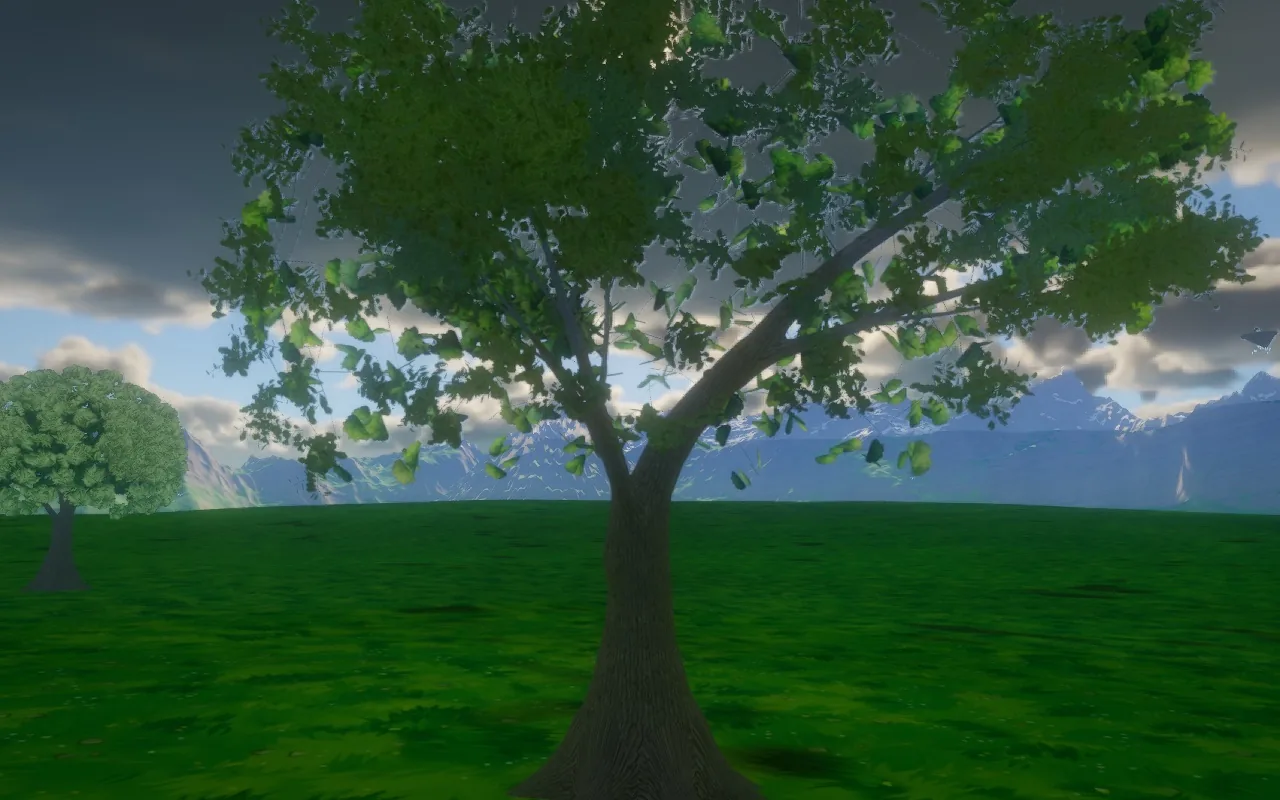
A grown oak, with its crown built from real twigs.
Land you can cut
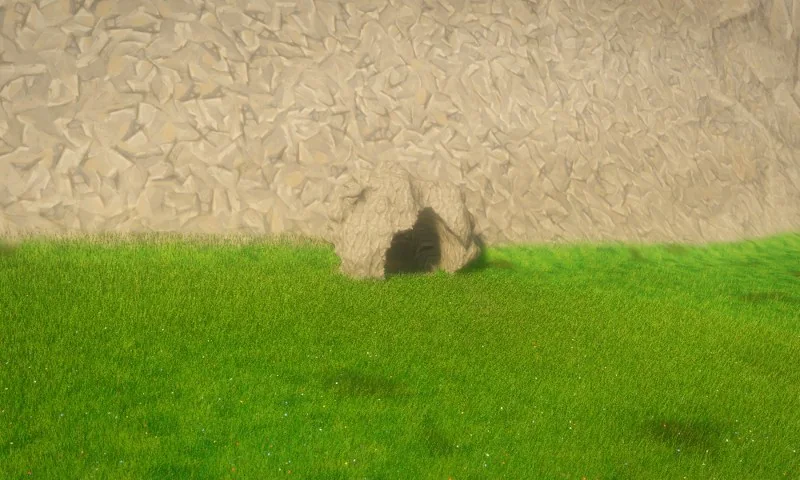
Terrain holes: cut a hole in the land and walkers, bodies and raycasts pass through it, paths route around it, and ground cover regrows on the rebuilt mesh. Made for cave mouths and pits.
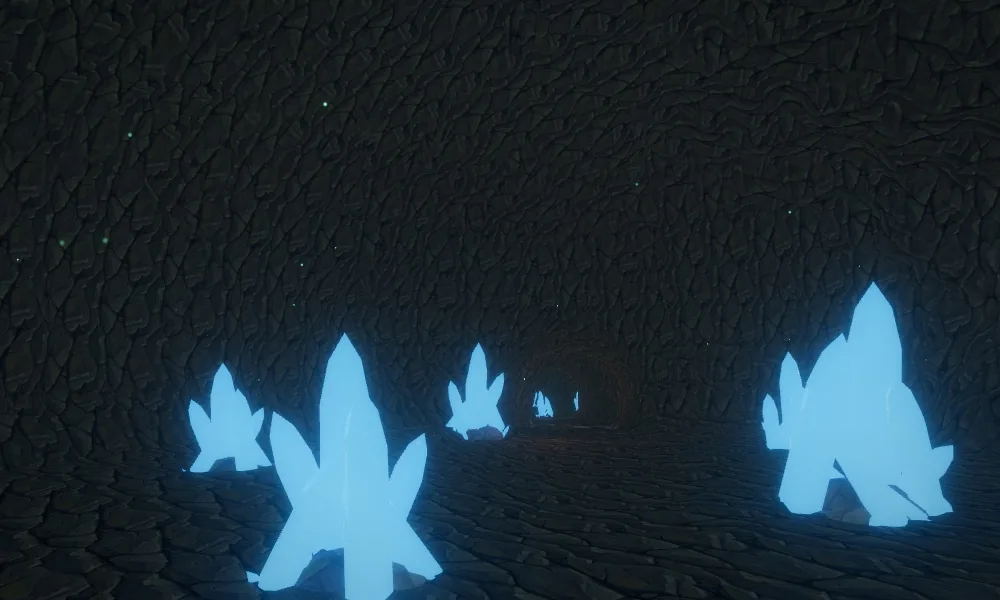
A cave under the land, reached through a terrain hole.
Life in the air
Fireflies, pollen, falling leaves and butterflies, drifting with the wind.
Weather, sky and water
A full weather system, a real ocean, and the beginnings of extreme events.
Rain, rebuilt
Rain with per-drop speed and gusts, rain curtains, thunder and lightning, soaked surfaces with puddles and ripples, and rooms that stay dry under a roof.
How to use it: the Weather Quick Tool.
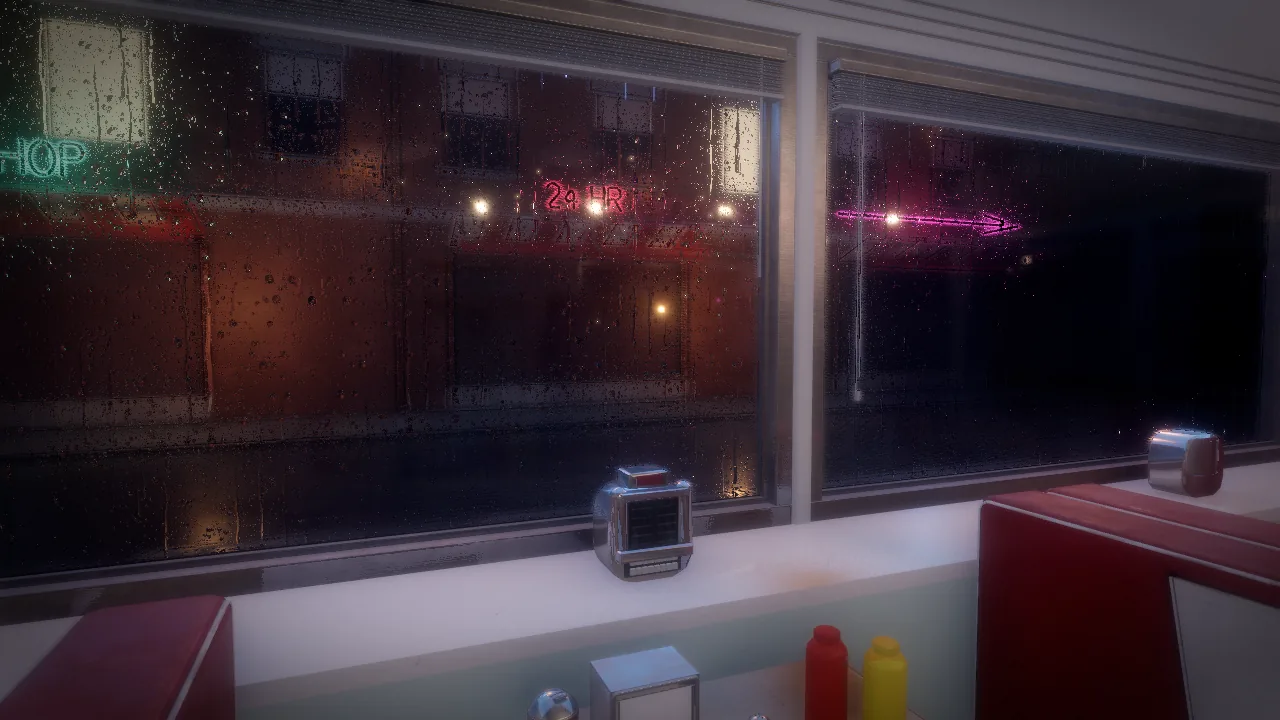
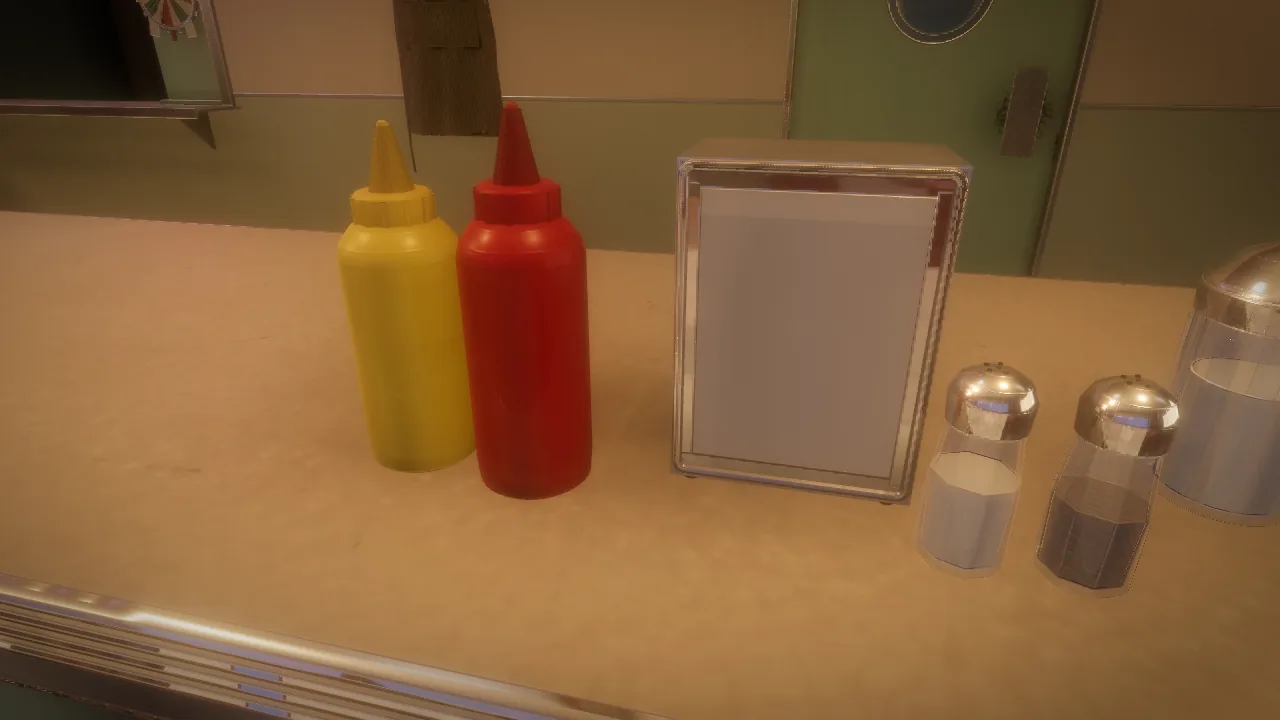
Rain on a diner window at night.
Wind and clouds
A wind field with gusts, turbulence and storm cells that the trees, grass and rain all follow. Volumetric clouds with their shadows on the land and sea, and a hurricane's eye, eyewall and spiral bands.
A spectral ocean
An FFT ocean built from a real wind spectrum, four cascades out to 1 km, foam and whitecaps, and a sea you can go under: Snell's window, light through the water and caustics on the bottom.
How to use it: the Water Quick Tool.
Night Shield's carrier on the spectral sea.
Tornadoes, waterspouts, tsunamis and floods (first versions)
Tornadoes and waterspouts in the wind field with EF strength, travel and rope-out, ray-marched with the clouds, that lift loose objects. A tsunami's long wave on the ocean (drawdown, shoaling, breaking, run-in) and rising flood water with a current. Ask the AI or use the Tools window.
Characters and animation
Bodies that walk, fall, react and get back up like people.
A new default walk, and motion matching
A new Arcwright walk is the default for every character, on its own skeleton, with foot contact, knee give and follow-through, run transitions, and motion matching with smooth blends. Walk and posture can be tuned live with an on-screen view, no rebuild per tweak.
Active bodies
Characters keep their balance by stepping, put their hands out to catch a fall, react where they're hit, fall with muscle tone instead of going limp, and get back up from the ground.
A fallen character rolls over, gets its knees under it and stands back up.
Hits that land where they look
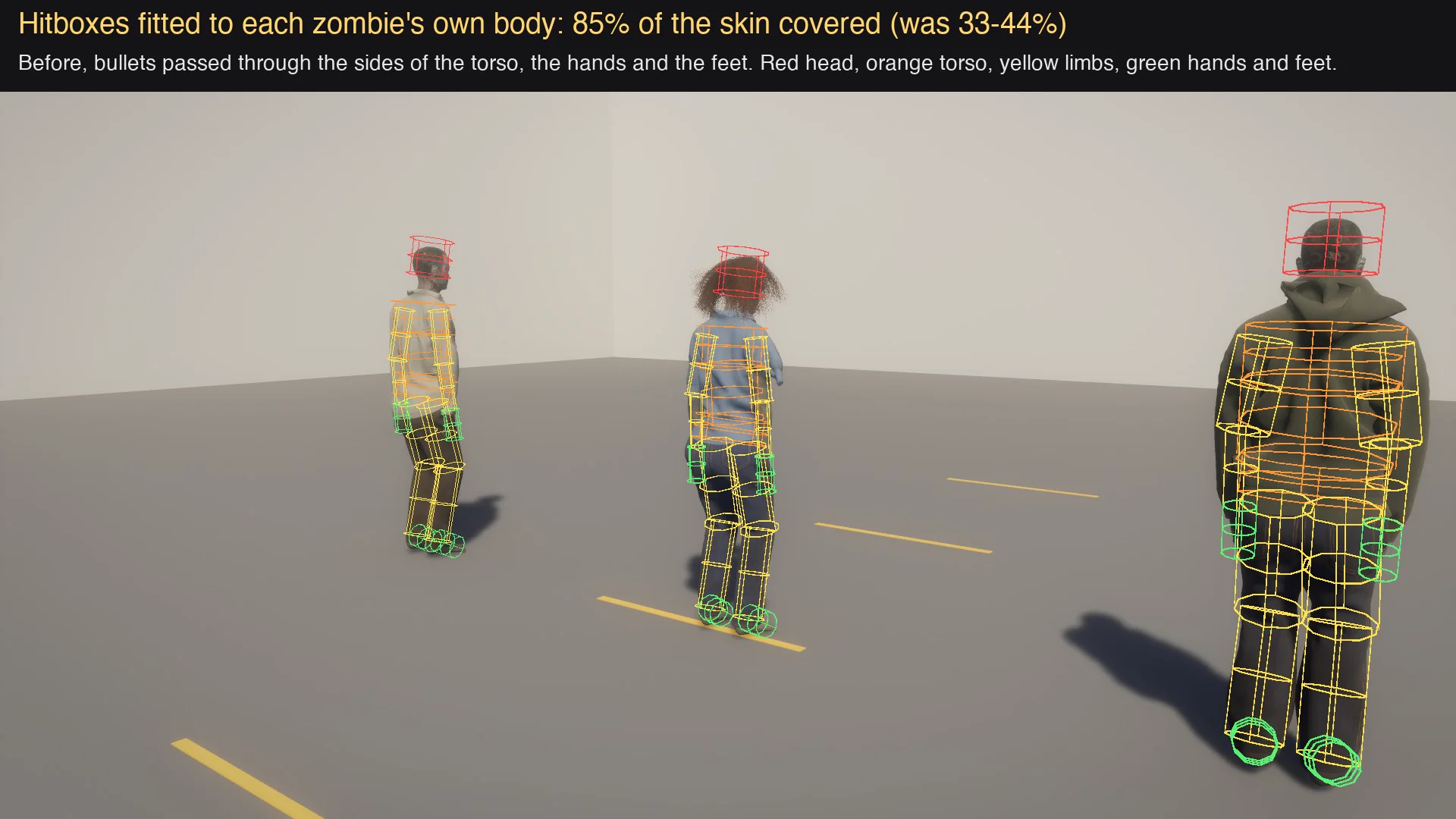
Hit capsules are fitted to each character's own skin: 85% coverage instead of 33 to 44%, plus the hands and the neck. Ragdolls use the same fitted shapes, and limbs collide with the body.
Hit capsules fitted to each body.
Moving through the world
Parkour moves, climbing walls (one limb at a time with the other three planted), a glider (jump again in the air), and a side-scroll view for 3D characters in 2.5D platformers.
Pose Studio
Pose any rig in the viewport: joints with readable names, click to pick, drag a ring to turn, finger curl, keyed clips and weapon holds that stay put at every aim angle.
Faces
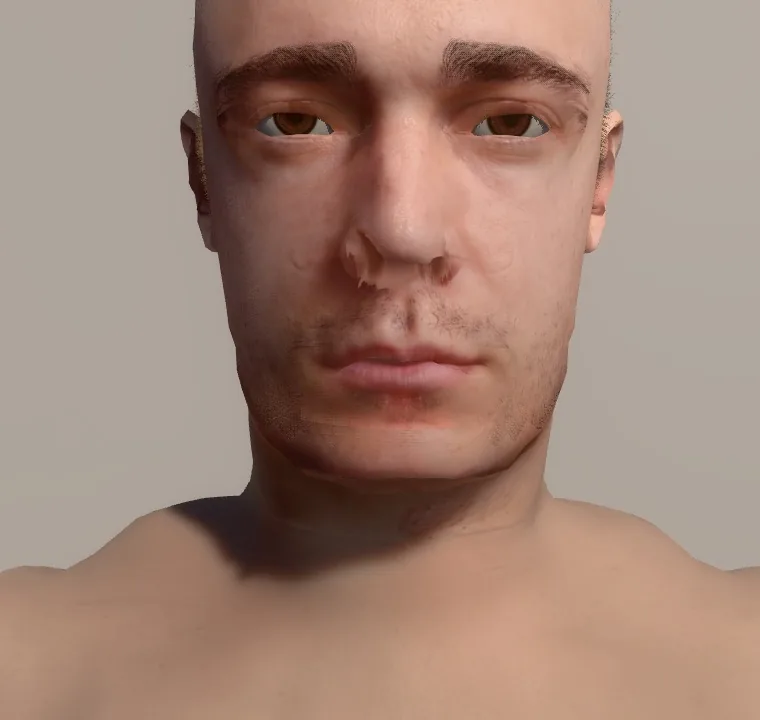
Skin with pores, thin-skin light transmission and an oily sheen, layered eyes with a refracting cornea and tear film, expression wrinkles, eyelid and mouth occlusion, and 52 face shapes by name.
Skin, eyes and wrinkles on a forged face.
Clothing and gear
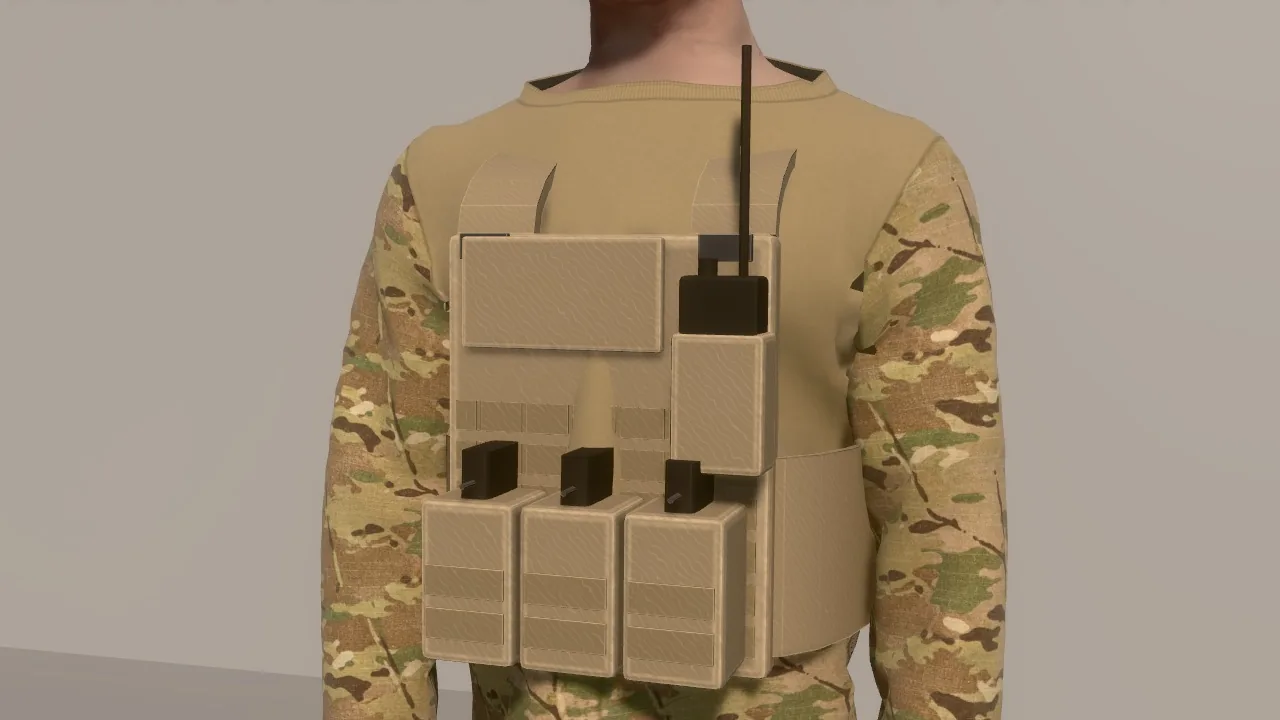
The Tailor drafts, sews and drapes garments on the body, with two-tone sleeves and loose garments that swing. GearMaker builds a plate carrier, belt, knee pads, gloves and boots on the body. Skin under clothes and gear is hidden automatically.
A plate carrier made on the body.
The Forge
Arcwright's model builder: a recipe in code becomes a real 3D model.
Real objects
Forged models carry a collision box per part with what each part is made of. Hollow vessels take a bullet through both walls, and navigation reads the part boxes. A floating part is now a build error, not a surprise.
Forged props, each part with its own material and collision.
Paint from reference pictures
Carved models are painted from their reference views, blending every view that sees each point, so seams and edge streaks disappear. Painting is about 70 times faster, with live progress.
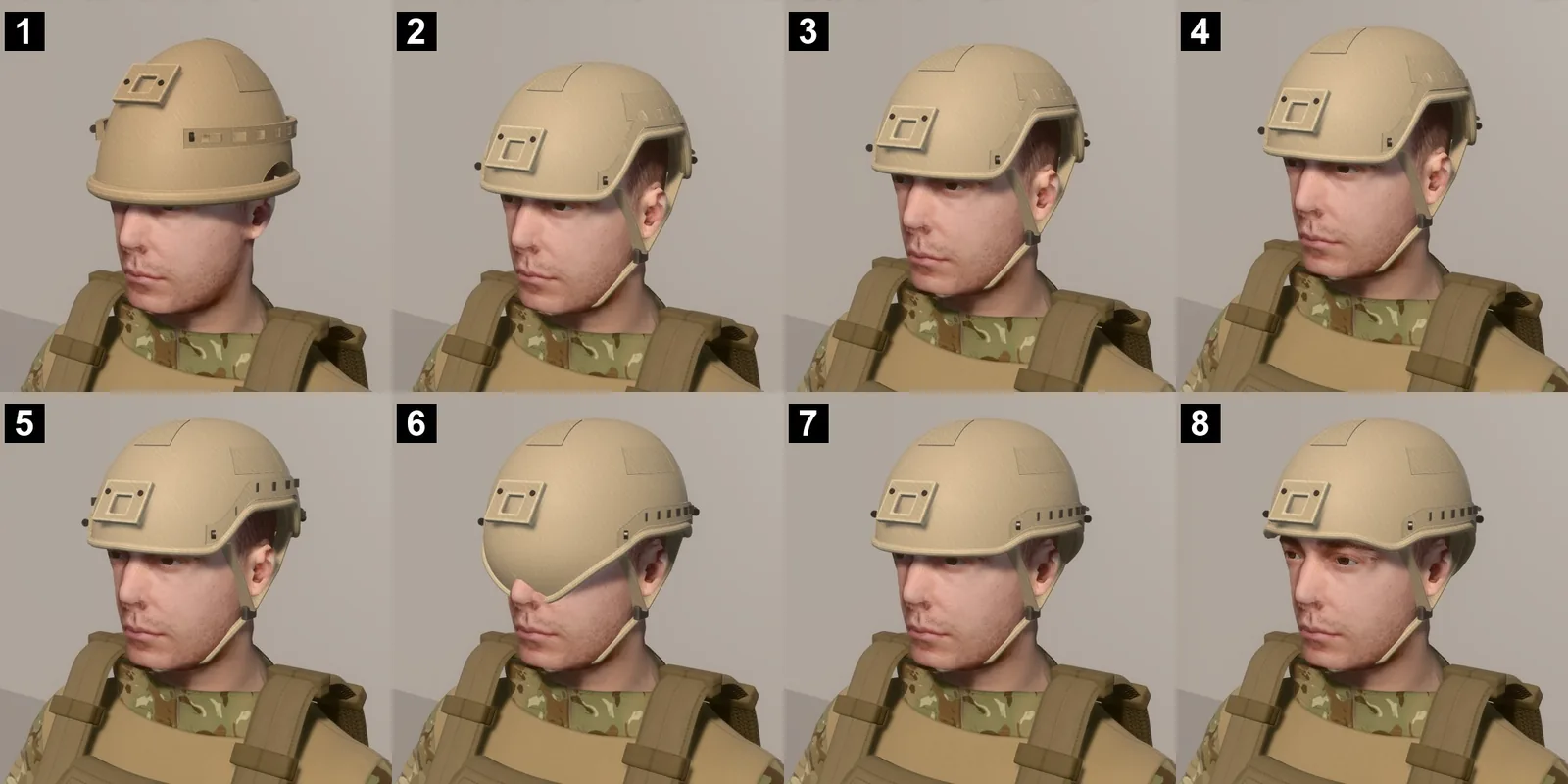
A helmet refined pass by pass against its reference.
One mesh, one atlas
Static set dressing can be written as one mesh with one detail atlas, and forged models get levels of detail. Product Forge builds packaging, label sheets and stocked shelves.
Toon Forge and Sheet Sculptor
Any cartoon figure from a recipe, hand-painted, with toon eyes, hair locks, anatomy sliders and tailored clothes. Sheet Sculptor fits a figure to its turnaround sheet by measurement.
Gameplay, AI and effects
The systems a game is made of.
Smarter characters
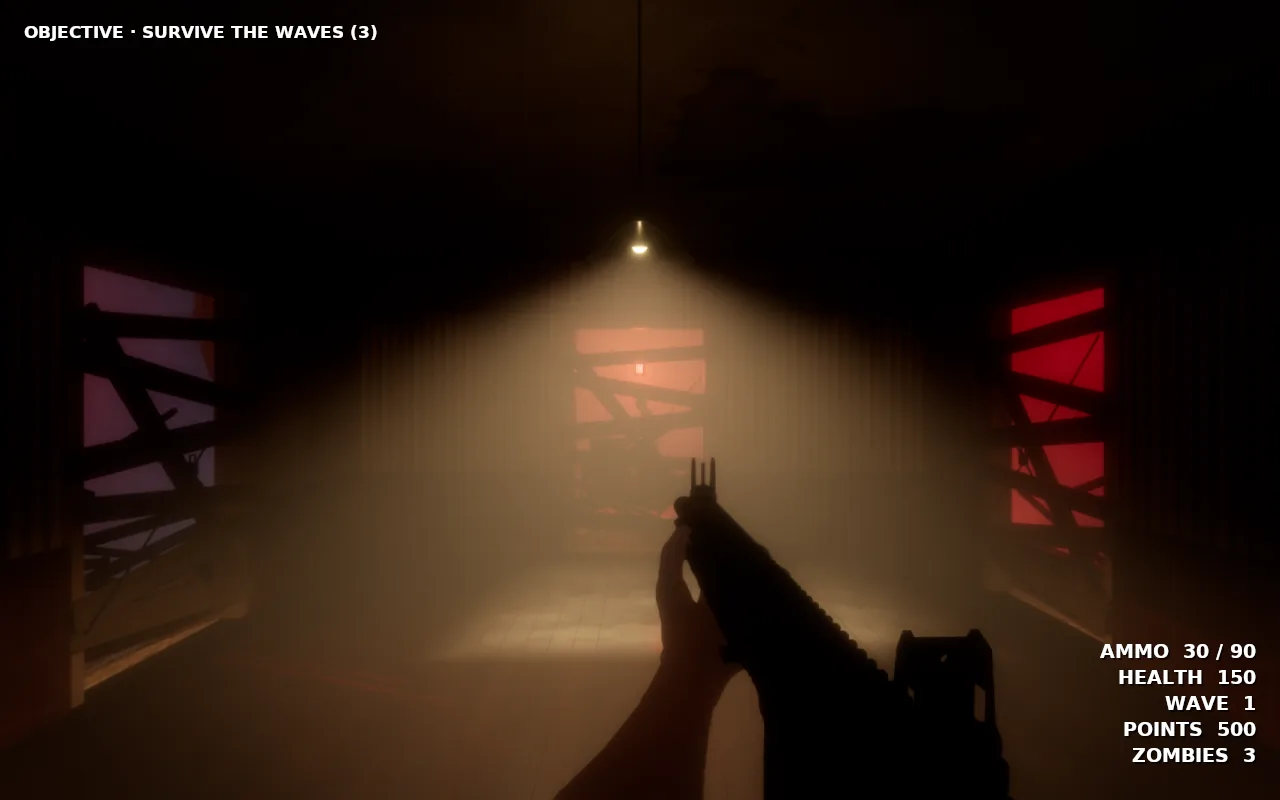
NPC brains that hear sound travel through rooms and walls, remember, choose with utility scores, and work in squads, as bosses or in traffic. A zombie preset hunts as a horde, tears boards off windows, bashes doors, climbs in and rises from the ground.
How to use it: the Enemy Brains Quick Tool.
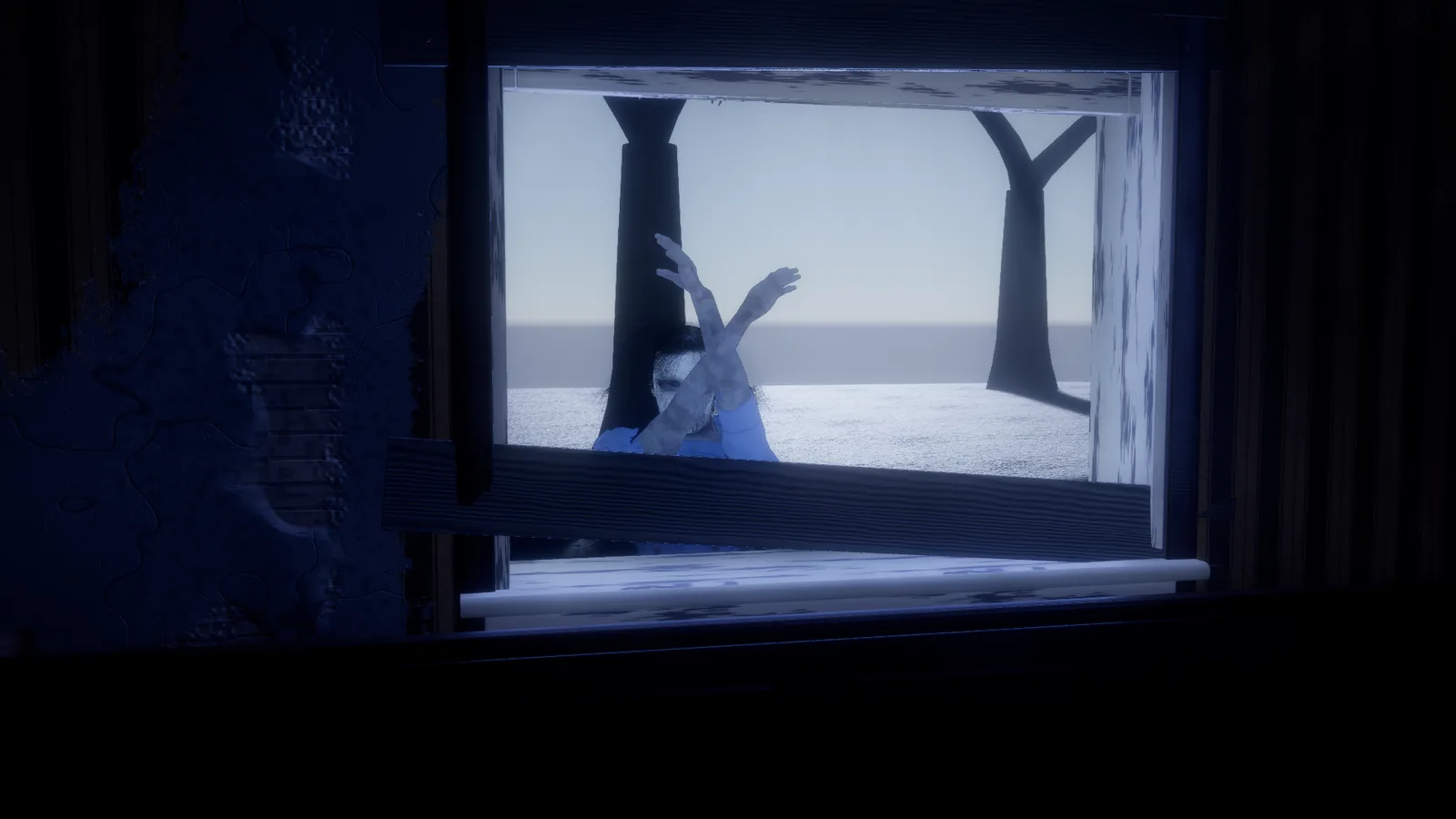
A zombie pulling at a boarded window in Ashgrove.
Physics and combat
Static triangle-mesh collision, so characters and bullets meet a model's real shape. Bullets pass through what they should (a rug on a floor no longer stops a rifle round). Hurt volumes are posed only while a swing or shot is live.
Effects and sound
GPU particles with blood and bullet impacts, real flames, and a bullet camera. Game sound follows what you see (floors, roads, zombies, boards), cut voices no longer click, and a play test can list every sound it heard.
First-person views
The held gun draws in its own depth layer, so nothing in the world cuts into it, and it reads in shade with a soft fill.
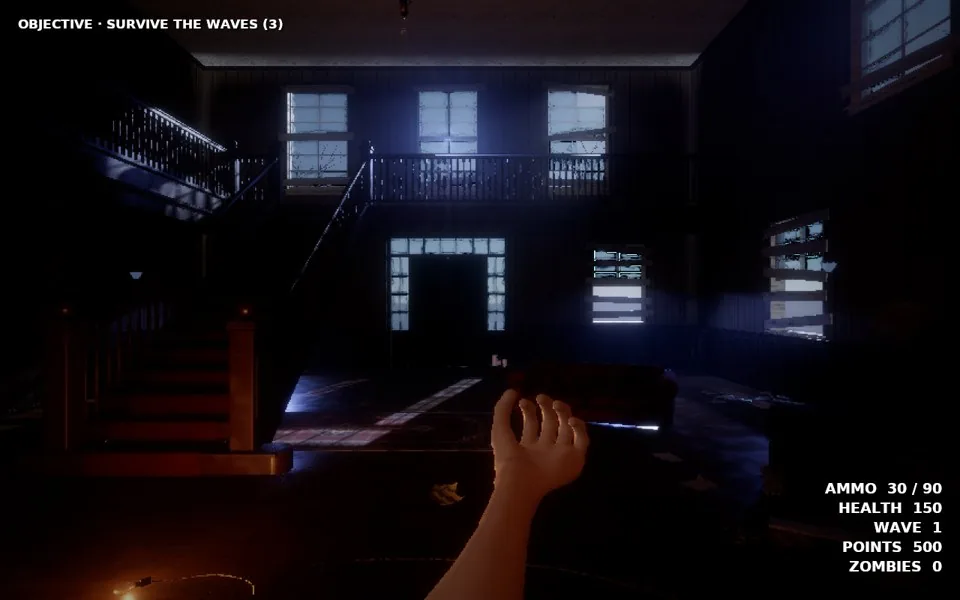
First person in the Ashgrove foyer, rendered on Vulkan.
Windows, Linux and the Steam Deck
Games on Windows and Linux now draw with our own Vulkan renderer.
Vulkan, at the Mac's look
Physical sky and volumetric clouds, cascaded sun shadows, ray-traced bounce light, temporal upscaling, the ocean, refractive glass, skin, eyes and fabric, swaying trees with voxel far forests, fire, smoke and heat haze.
How to use it: F6 (Play in Game Window) runs your game in its own Vulkan window beside the editor.
The same scene, Mac and Vulkan.
Steam Deck
Measured on a Steam Deck: the Ashgrove mansion went from 23 to 33 fps and Zombie Woods from 21 to 24 fps with the Beta 1 speed work. Install on SteamOS by unpacking the download and running arcwright.sh, which also adds Arcwright to your applications menu.
Hollowreach on a Steam Deck.
In your browser
Arcwright games and the 2D editor run in a browser tab.
Play in the browser
Games made in Arcwright play in a browser tab, no install, including the first 3D games on the web. Settings and saves are kept per game. 2D plays in any modern browser; 3D needs WebGPU.
Open any of our 2D games in development, change anything, press Play, and publish to Arcwright Worlds from the browser. Touch controls with a d-pad on phones.
Tools to find where a frame goes, and fixes found with them.
Frame Doctor and the frame governor
Frame Doctor breaks a frame down by pass and stage, records hitches, and runs experiments against a fresh baseline. The frame governor holds a target frame rate by trimming what you won't notice first. Scene levels of detail cut a player-eye view from 30 to 17.6 ms with the same picture.
Play freezes fixed
The kill cam always ends (a missed round could freeze the game), get-ups are prepared before they're needed, and hit reactions load off the frame, so play doesn't stutter.
Recording
Lossless 30 fps recording, including from a hidden viewport, for capturing your game while you work.
0.2.1FixesOct 18, 2026Mac
Window resize freeze, 2D toolbar
A small fix-up for the Mac early-access build.
Fixed and changed
Resizing the window could freeze the editor and close it.
In the 2D editor, the Select and Pixel snap tools no longer cover Follow AI and Work light.
The splash screen sits fully on top while the editor opens.
The bundled sample games open as “Sample Games 0.2.1”.
Known issues
What to know about the current versions, and what to do about it.
Mac 0.3.0: The first launch after installing prepares the graphics for your Mac behind the splash screen, which can take over a minute. On the next launch Arcwright may ask whether to send a report about that long first start; sending it or closing it is fine.
Windows and Linux: Sparks and the built-in Claude chat are Mac-only for now. Connect your own AI instead: Claude Code, Codex or any MCP-capable assistant.
Windows 0.4.0: The editor's menus draw with OpenGL. Its 3D view and your games draw with Vulkan.
Linux 0.3.1: The editor draws with OpenGL, including Play inside the editor. Games draw with Vulkan.
Windows: Sparks and the built-in AI chat are on the Mac for now. Connect your own AI app instead. The Dungeon sample is Mac only.
Windows and Linux: Not on Vulkan yet: model ground cover, painted cover layers and trails, rain on glass and underwater effects.
Windows: Hollowreach can crash on lower-end graphics. We saw it on a Steam Deck running Windows. Its game card warns you first on machines without 16 GB of memory and a dedicated graphics card. If it happens, open one of the smaller sample games.
Steam Deck: Heavy forest scenes run below 30 fps for now.
Steam Deck: On Steam Deck running Windows, starting a game right after restarting the computer could crash Windows. Tell us if you see it.
Mac and Windows: The first time you start a big game it prepares its graphics, which can take several minutes. After that it starts in seconds. (The Night Shield demo took almost 5 minutes on its first start on a Mac, then about 3 seconds.)
Windows: Windows 0.4.0 was tested on a Steam Deck running Windows; desktop-PC testing continues.
Windows: The first launch can show a black window, and Windows may say it is not responding, for about a minute while the graphics are prepared. Leave it open. Later launches are much faster.
Windows 0.4.0: In very large worlds (the Caldera flight demo) the Windows player can pause for several seconds at a time and scenes open slowly; fixed in the first update. The flight demo is offered in the browser for Beta 2.
Mac 0.4.0: On macOS 26.4 and later each window uses about 256 MB more memory (set aside for drawing placed objects). The first update makes it lazy.
Mac and Windows: A project saved by 0.4.0 doesn't open in the 0.3.0 player. Export your game again with 0.4.0.
Mac and Windows: Camera panel: its controls are cut off when the panel is narrower than about 320 points. Make the panel wider.
Mac and Windows: Surf break: the breaking-wave physics are an early version. The scene opens and plays.
Mac and Windows: The first launch of a new version prepares its graphics and can take several minutes. Later launches are fast.
Windows and Linux: If an update rolls back and you renamed the Arcwright folder, download the latest version once from the site; updates work normally after that.
Before 0.2.1: the early-access builds from the first commit on Oct 4. Every day's changes are in the build log, the deep dives in the devlog, and what's coming next on what we're working on.
Get the latest version. Free on Mac, Windows and Linux, or start in your browser.
Arcwright is free. Download it, open a sample game and change it by hand, or start your own with Claude Opus 5.5 doing the boring parts while you steer.