Nano Banana: characters
This is how every character, creature and place in our own games starts. Follow it step by step and your models will come out far closer to what you imagine.
1. Make a turnaround of your character
Ask for the views the Forge reads, on a plain background:
Then in the Forge, use that picture as the character's sheet: the Sheet Sculptor fits the body's proportions to the outlines in every view and paints it from the drawing.
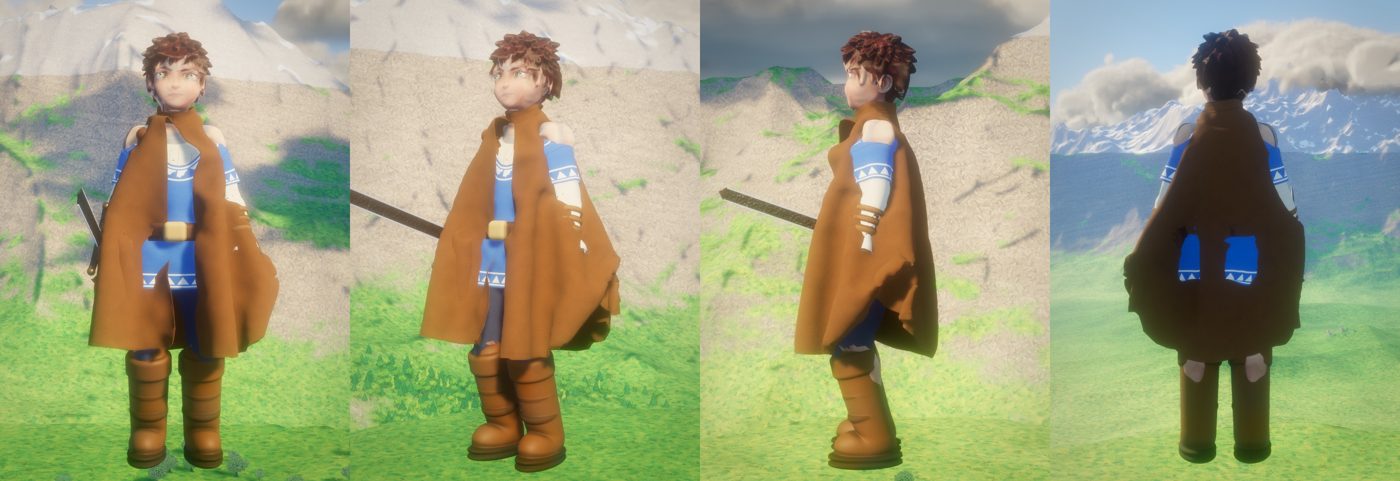
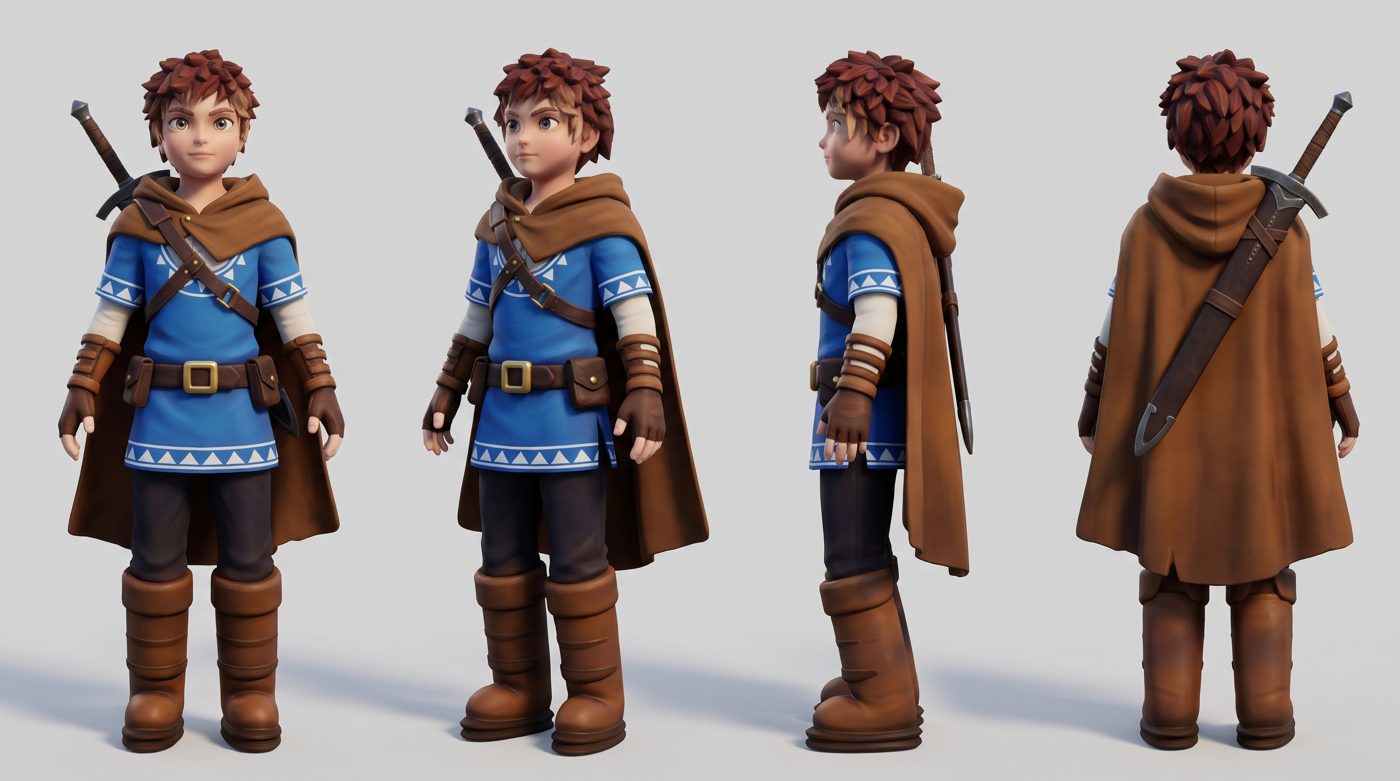
2. The most powerful trick: render your model, then let Nano Banana correct it
Once you have a first version, take a picture of your own model from the front, three-quarter, side and back, and give it to Nano Banana with: keep this exact character, fix what's wrong. You get a reference that matches your character's shape exactly, only better.
3. A face sheet: faces at full detail
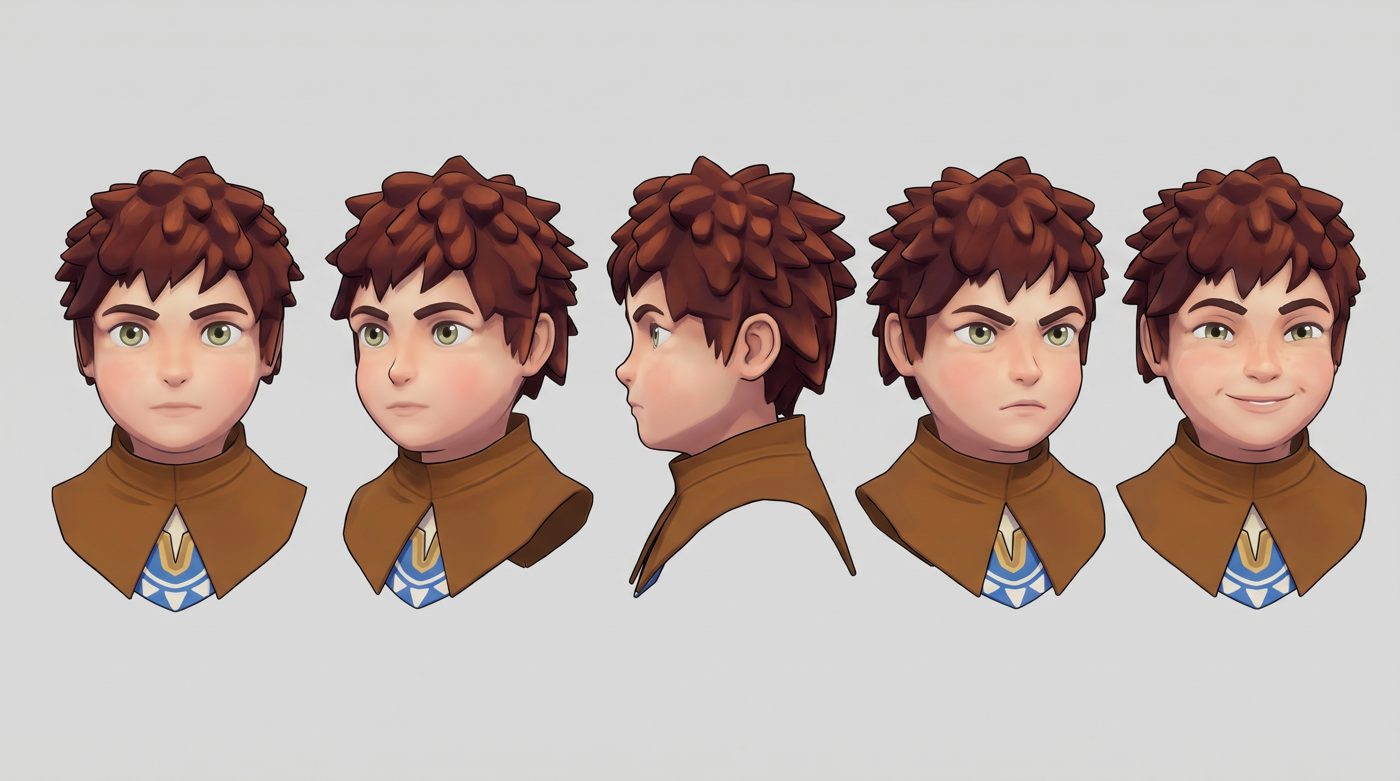
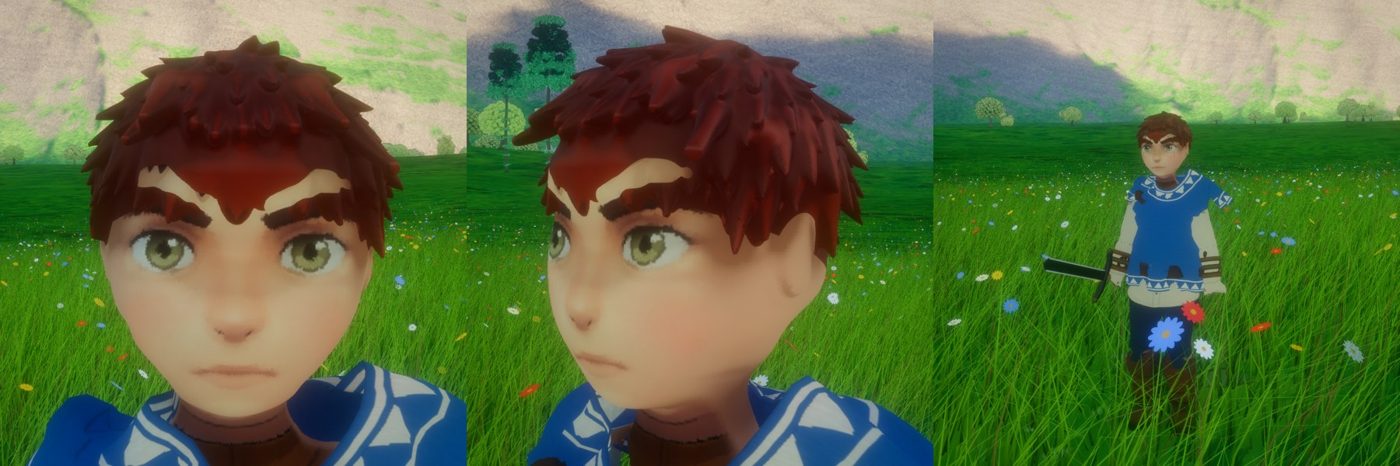
A full-body sheet holds a face in a few dozen pixels. For a sharp face, make a head sheet: front view first, then three-quarter, profile and a couple of expressions. Arcwright finds the eyes in the drawing and places the face on your character's head by them, so the drawn eyes, brows, nose and mouth land exactly right.
4. More things Nano Banana does well for games
| Use | How to ask |
|---|---|
| Recolour a character or prop | Attach the picture: "Keep everything the same, change the tunic to dark red and the trim to gold." |
| Surfaces and materials | "A flat, evenly lit, top-down photo of mossy cobblestones, seamless, no shadows, no perspective." Use it as a material picture. |
| Show a surface up close | "A close-up of the bark on this tree, front-on, evenly lit, plain background" (attach your tree). |
| Props from every side | "Product sheet of this lantern: front, side, top and back, plain light grey background, no text." |
| Places and levels | "A stylized fantasy village square seen from above at 45°, readable paths and buildings, game concept art." Use it to lay out a level. |
| Enemies and creatures | The same turnaround prompt as heroes, with "original game enemy design" and what makes it readable at a distance. |
| Fix something specific | Attach your render and say exactly what's wrong: "the hands are mittens; give him four fingers and a thumb holding the sword grip." |
Rules that make it work
- Always a plain light grey background. The Forge separates the figure from it.
- Always "the same design in every view" and "no text".
- Attach a picture whenever you have one and say "keep this exactly". Nano Banana edits far more faithfully than it invents.
- Generate several (four at a time works well) and pick the best; regenerate rather than fight a bad one.
- Download the full-size picture (2K), not the thumbnail.