Faces, step by step
The Face Forger makes realistic people with real faces: eyelids, lips, teeth and tongue, 52 face shapes for expressions and speech, photo skin and strand hair. This page shows how to make the Nano Banana face sheet it reads, how to build a person from it, and how to check and direct the face.
Assets/References/human_face/. 5. Ask your AI to build the person (forge_scan_human), or describe a new person (forge_person). 6. Check the face in close-up and direct it with face_perform.Three ways to make a face
| Tool | What you give it | What you get |
|---|---|---|
forge_person | Plain words: "a tired 50-year-old man", or sex, age, ancestry, weight, beard | A new person mixed from the library of scanned faces, aged and shaped as asked, welded onto a body, with strand lashes and hair. The fastest way to fill a world with different people. |
forge_scan_human | Your face sheet (front and profile of one person) | That exact person as a whole rigged character. The face is fitted onto the shared template head, so it blinks, talks and makes every expression. |
forge_head | Your face sheet | A one-off head shaped straight from the views, with eye sockets and eyeballs. Good for a statue or a bust; it has no face shapes. |
For a named character in your game (your hero, a villain), use forge_scan_human with your own sheet. For crowds, use forge_person.
Step 1: the face sheet
Make one picture with the person twice, side by side: straight on from the front, and in profile facing right. Same size, eyes on the same line, a plain grey backdrop, soft even light, a neutral face, mouth closed, hair off the ears.
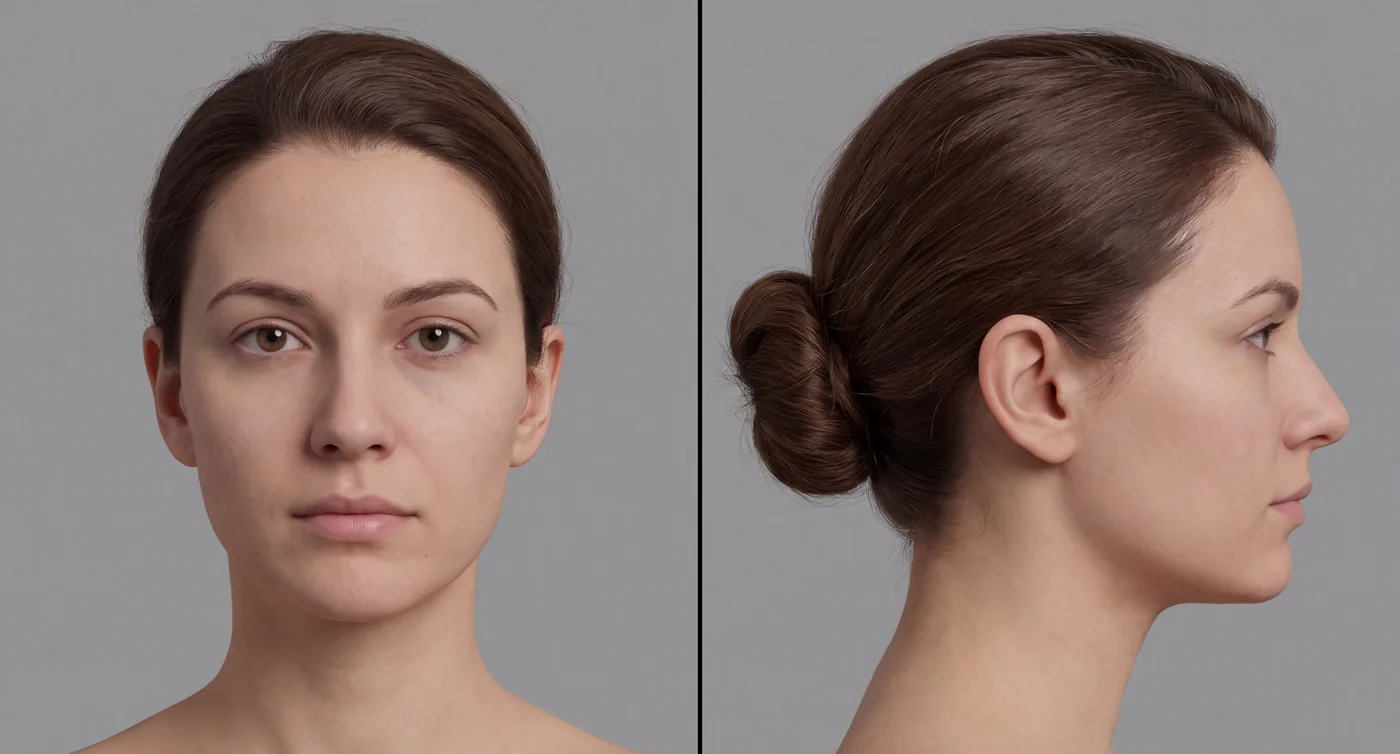
Check it before you use it: is it the same person in both views (the nose, the chin, the ear)? Are the eyes level? Is the profile a true side view, with only one eye showing? If not, edit it ("keep everything the same, only turn the right view to an exact side profile").
Make the person up. Never use a photo of a real person without their permission.
Step 2: the normal and flat-lit pictures
Two more pictures make the face much better. Both are edits of the face sheet, keeping exactly the same framing, so they line up with it pixel for pixel.
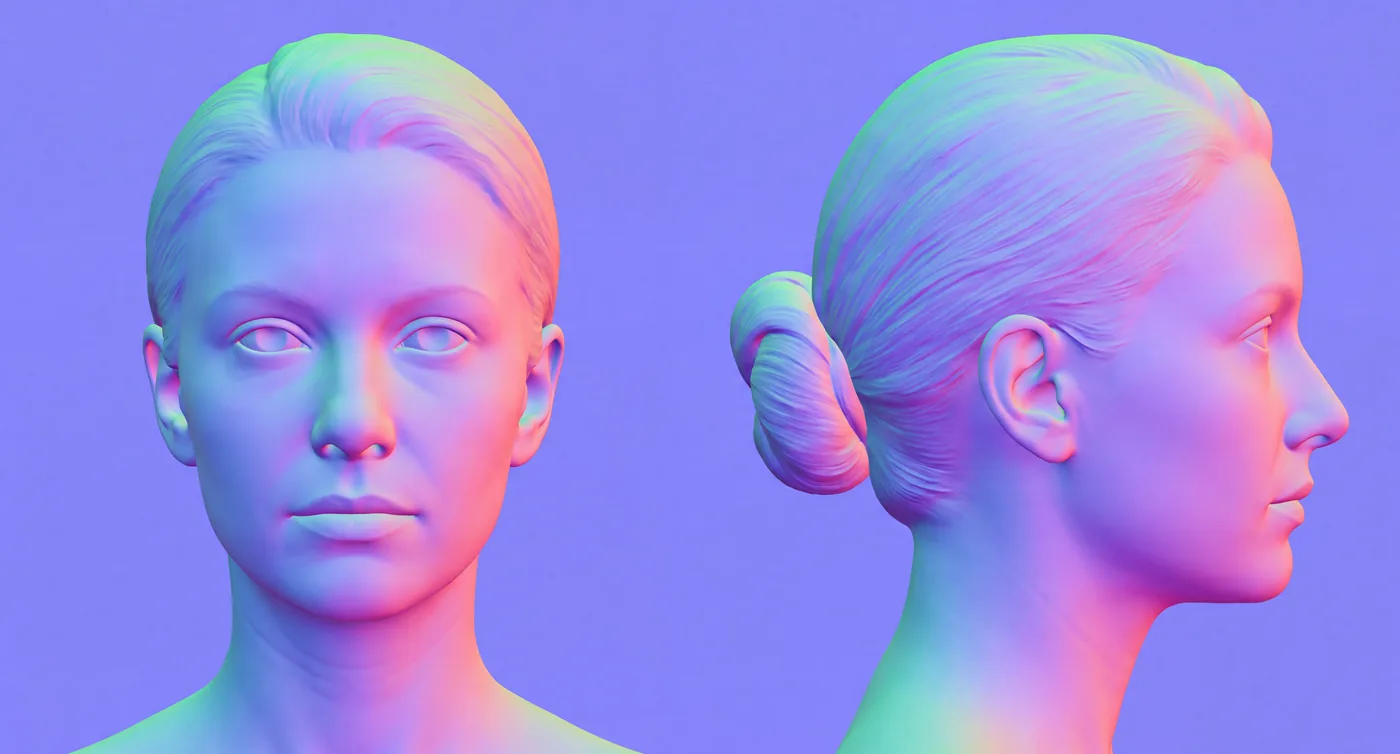
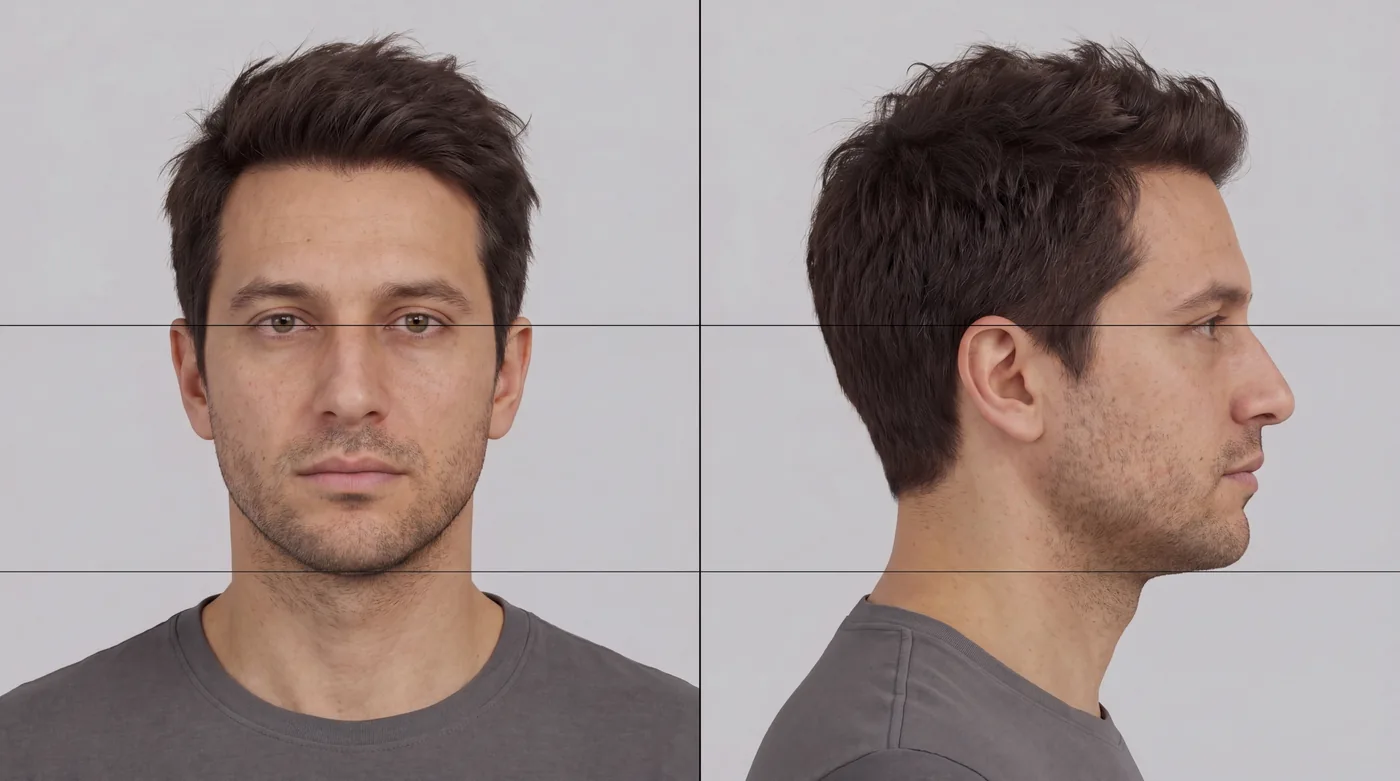
Name them after the sheet and the engine finds them by itself: ref_sheet_7_4k.jpg, then ref_sheet_7_normal_4k.jpg and ref_sheet_7_albedo_4k.jpg beside it. Or pass them as normals and albedo. If the normal picture doesn't agree with the outlines (more than 20° off), the engine says so and builds the face from the outlines alone, so a bad normal picture never ruins a face.
Step 3: the expression sheet (optional)
An expression sheet teaches the template how this particular person's face moves. It is a 4 × 2 grid of the same person from the front, in this exact order:
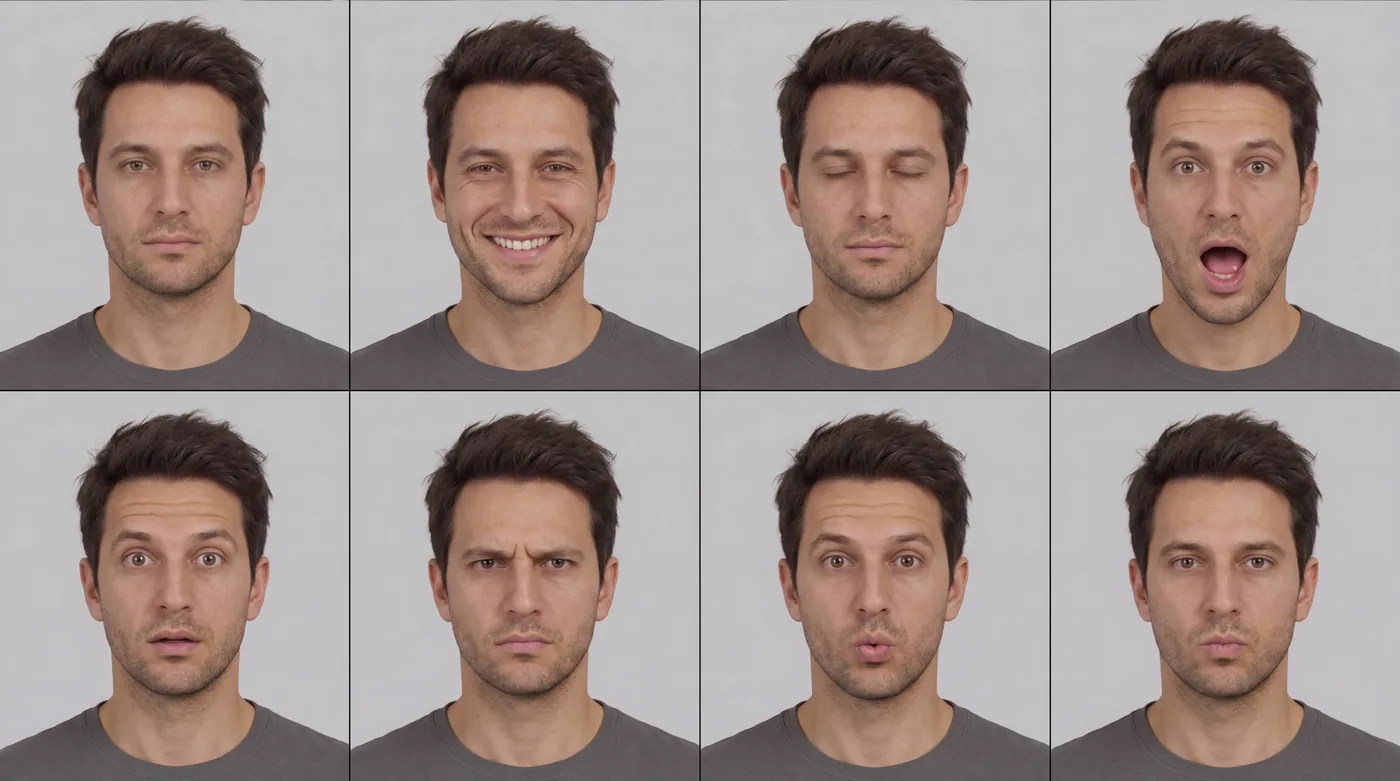
Save it as <sheet>_expressions_4k.jpg beside the sheet. The engine finds the face in each cell, measures how the eyes, brows and lips move from the neutral cell, and fits the person's own face shapes to match.
Step 4: build the person
forge_scan_human with your sheet, and the person is written to Assets/Characters/Mara.glb. It takes a few minutes; the AI watches the job and tells you when it's done.Or for a new person from words: "Make a tired 50-year-old man with a short beard" (forge_person). Useful options:
mix: pick the library people to blend, e.g. {"Scan8": 0.7, "Scan1": 0.3}, or your own sheets by file name.variety: how far the face may wander from the nearest library people (0 to 1).age,weight,tired,beard: made on top of the library: deeper wrinkles, greyer hair, fuller cheeks, darker under-eyes.identity: a named character's own face, exactly that person every time.hands: close-up hands with real nails (on by default).
Every person made this way is the same template point for point, so faces, expressions and skins can be blended, and clothes and animations work on all of them.
Step 5: check the face
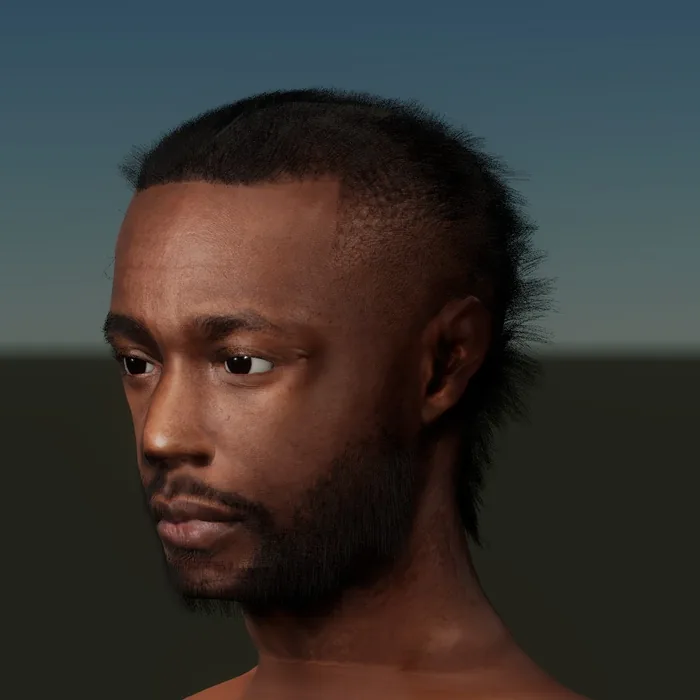
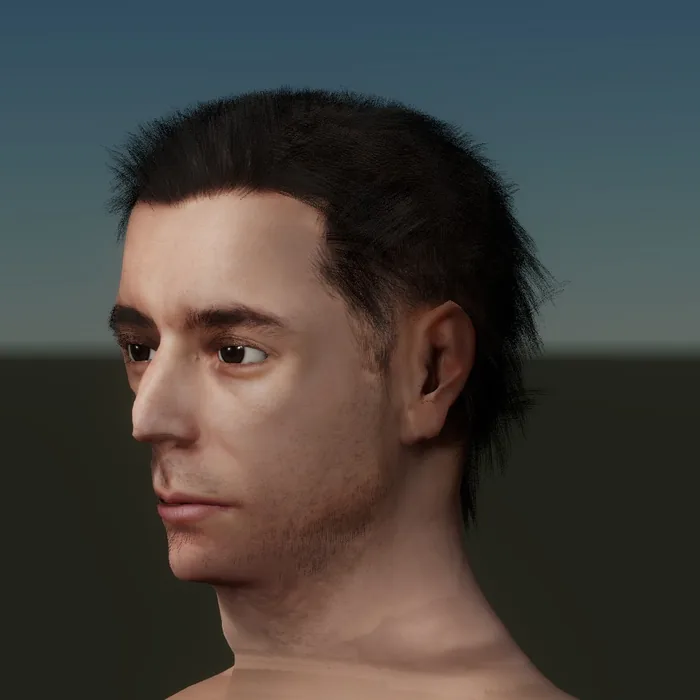
Look at the face the way a close-up in a cutscene will: front, three-quarter and side, under the light of your scene.
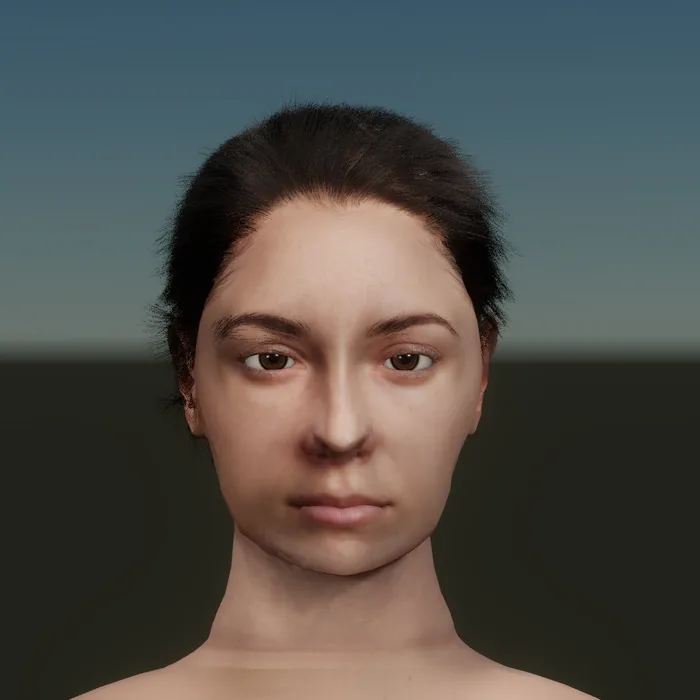
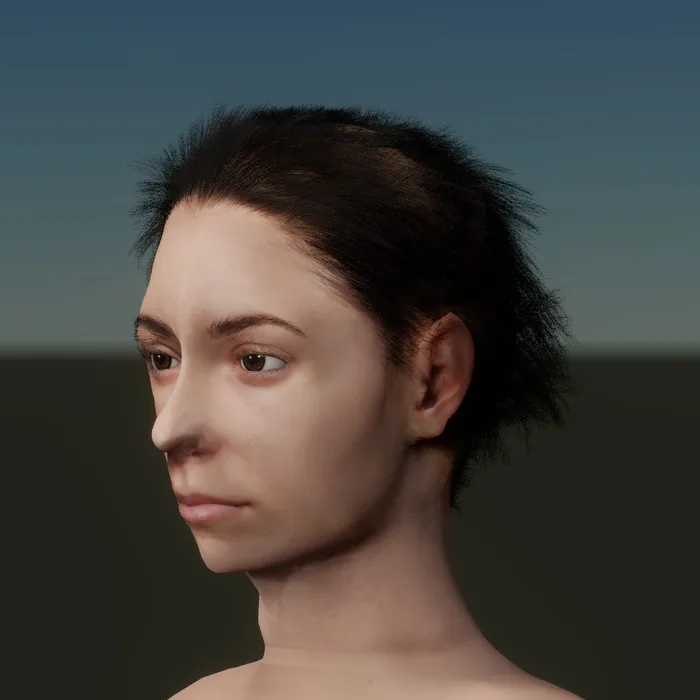
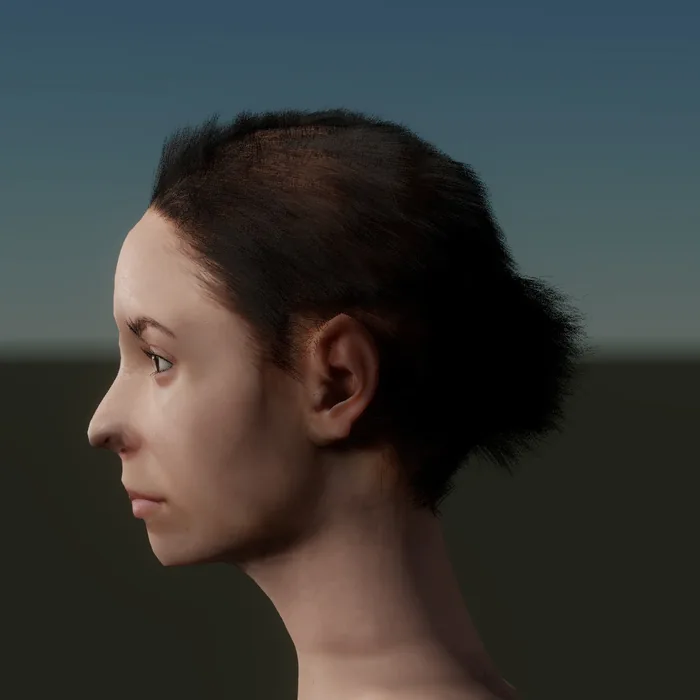
These are engine renders of the woman from the sheet above (front and profile) on a body, with strand hair. Put them next to the sheet: the shape of the nose, the brow and the chin should match from each side.
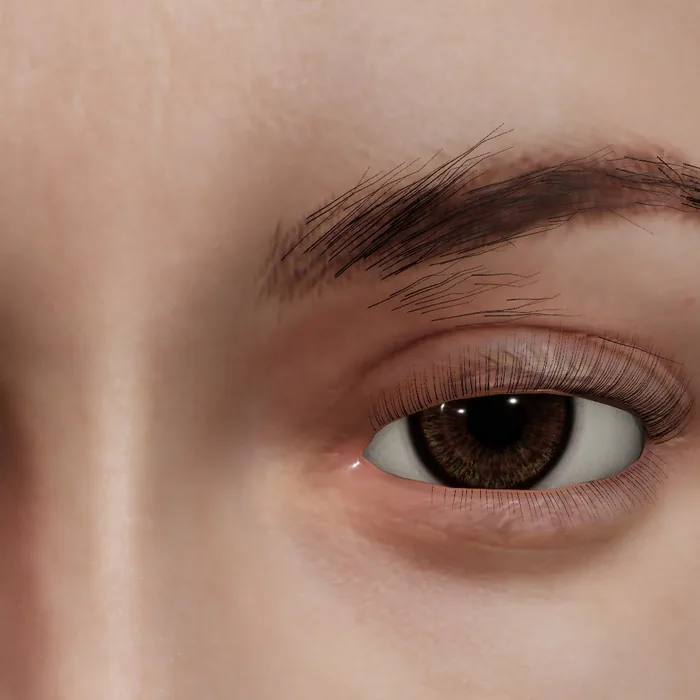
face_critic scores a close-up the way it reads on screen: the whites of the eyes, the lashes, the skin (pores, fine lines, sheen) and the nose. Give it a reference (a Nano Banana repaint of the same close-up: "keep this exact face and angle, make it look like a real photo") and it measures both, so you see what's missing. face_detail adds the expression wrinkles that form only where this person's skin really squeezes, deepened with age.
Step 6: direct the face
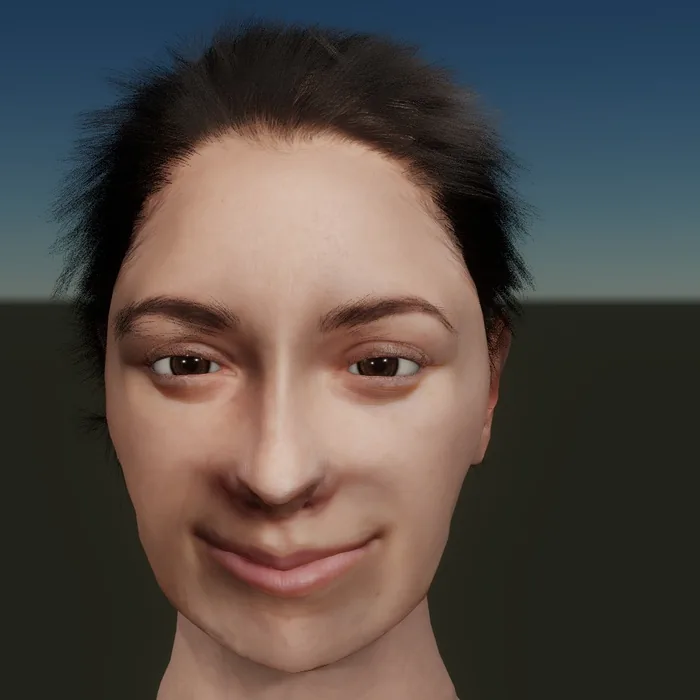
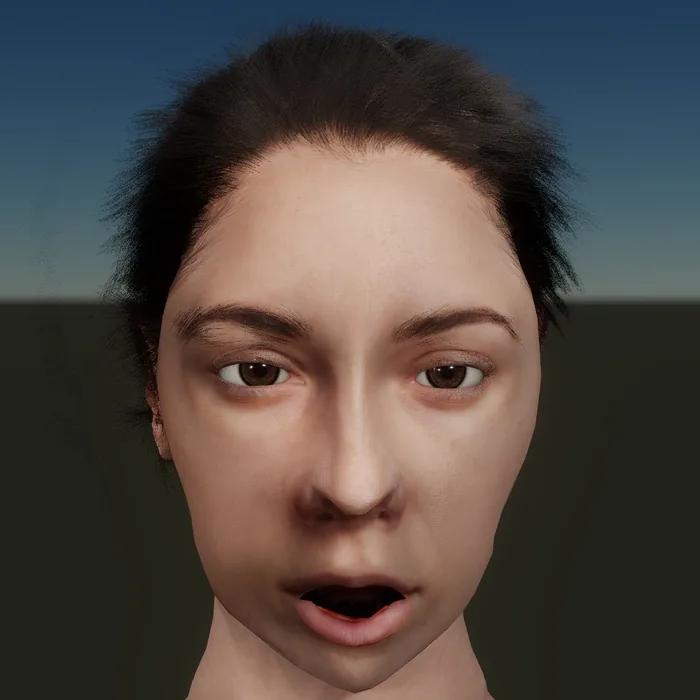
face_perform drives the face in a cutscene or in play:
- An expression or a blend: angry, happy, sad, scared, surprised, thinking, tired, worried and more, or "happy:0.6, surprised:0.4".
- Any of the 52 face shapes by name for subtle faces: "browInnerUp:0.3, mouthPressLeft:0.2".
- A spoken line with lip sync (
say, and a recorded voice file the lips follow, with a subtitle). - Where it looks: an object, a point, or ahead. Eyes, blinks and breathing run by themselves.
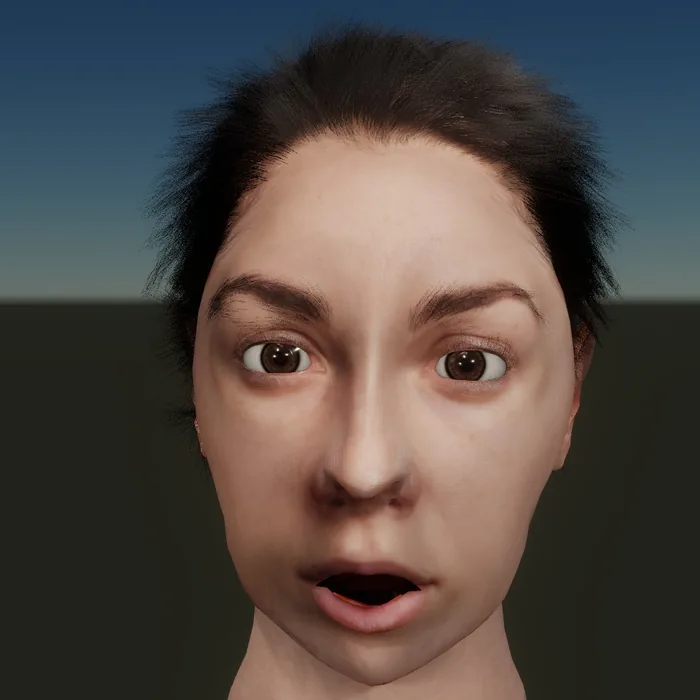
Face capture: record someone pulling faces or talking on a phone, and face_capture tracks the face in every frame and solves it into the 52 face shapes of the character who will play it. Play it back with face_perform and capture. iPhone face-tracking recordings (CSV) play directly.
Hair
groom grows real strand hair: straight, long, wavy, curly, coily, afro, fade, short, crop, buzz, waves, messy or slick, with brows and an optional beard. Thousands of strands up close, clumped, curled and lit as fibres, and hair cards far away. hair_detail sets how many strands are drawn as the character gets smaller on screen.
Where it is today
Faces are good at conversation distance and still being improved in extreme close-up: the skin at the hairline, the mouth's edges in some expressions, and the join at the neck. Use the checks above on your own characters, and send us anything that looks wrong from the feedback page.