Camera bodies, lenses and focus
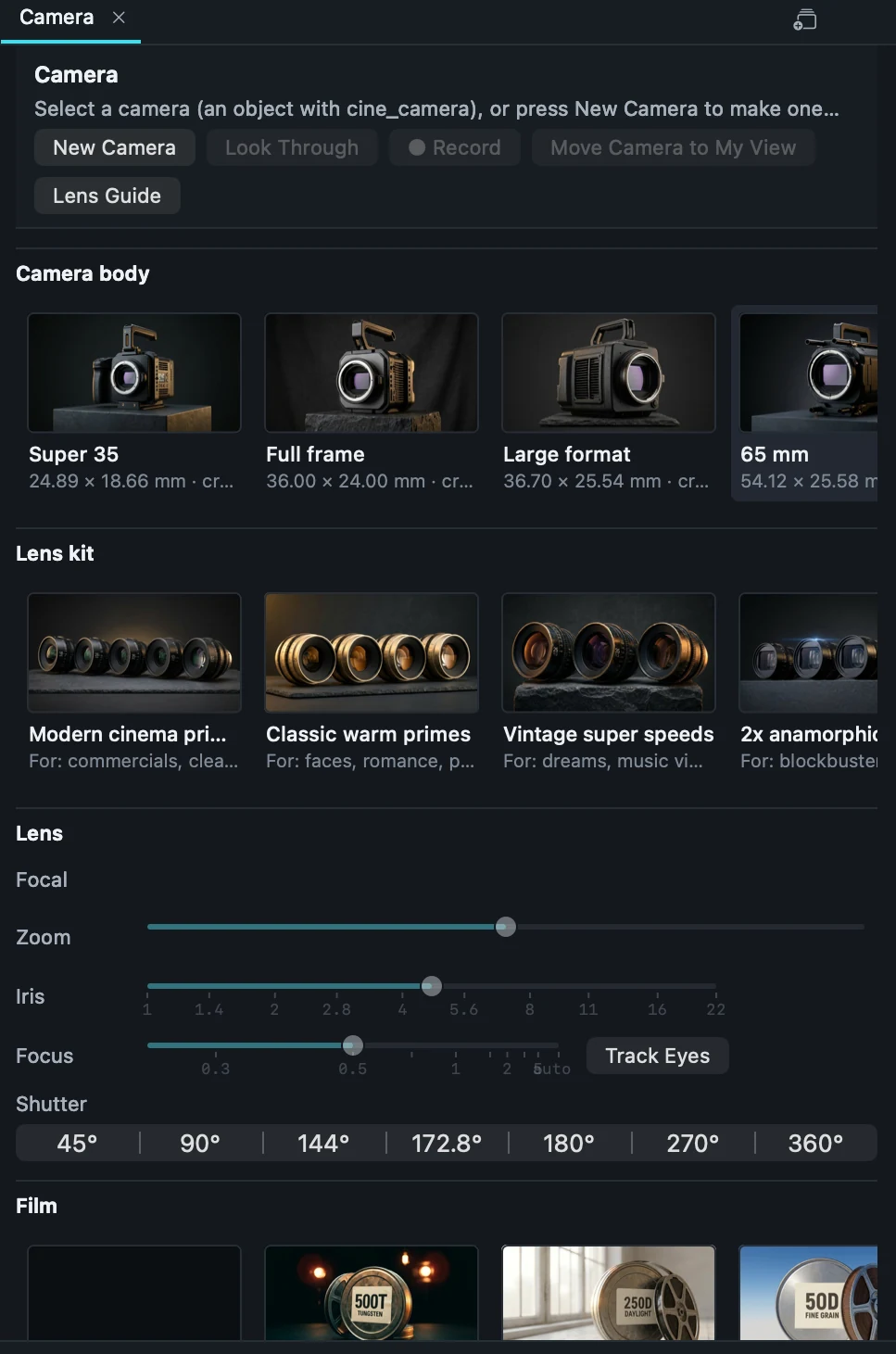
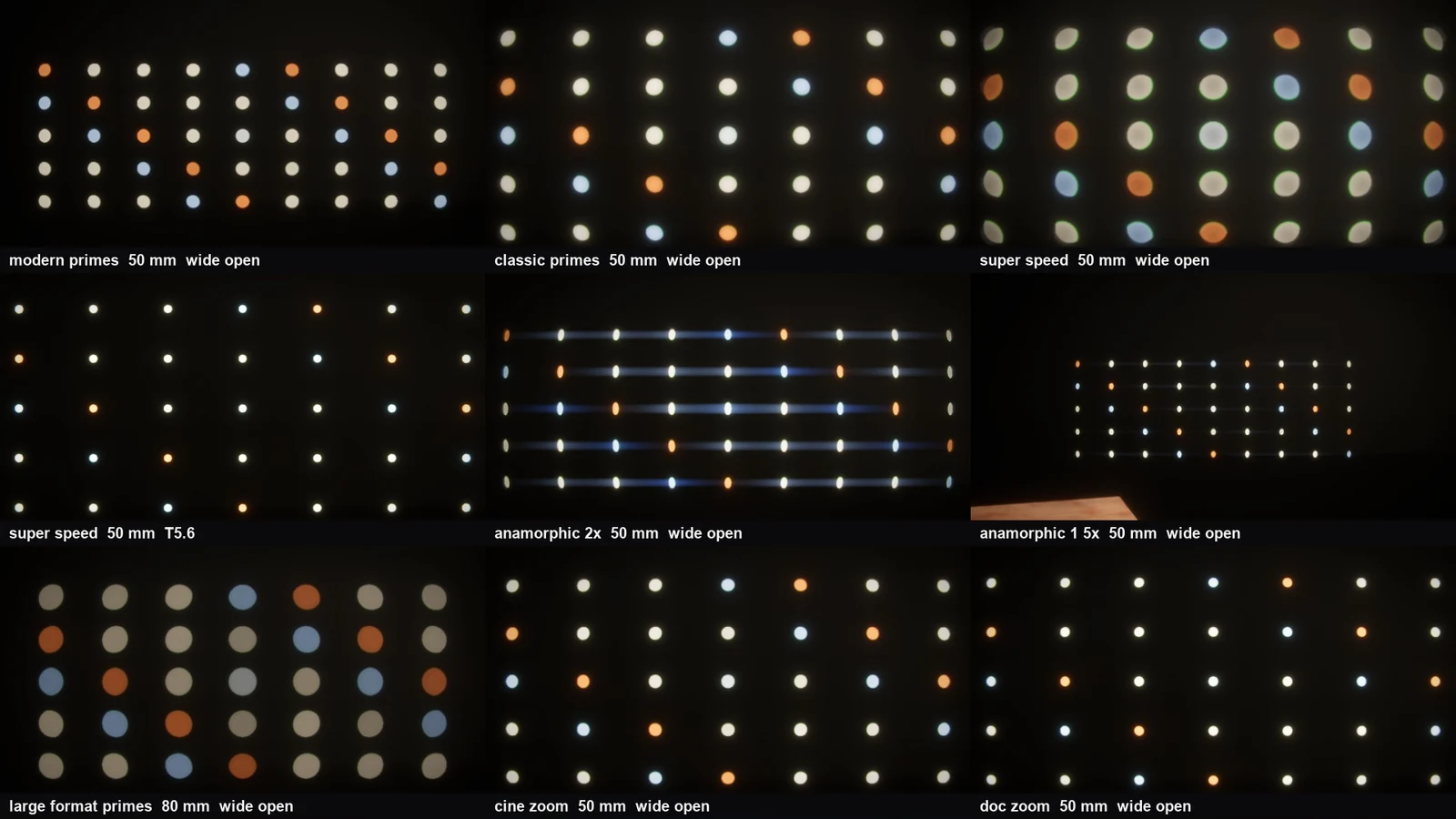
Every camera in Arcwright can be a real camera body with a real lens kit. Pick a body (Super 35 is the movie standard; full frame gives a wider view and shallower focus), pick a lens kit and a focal length, and set the T-stop. Depth of field, how out-of-focus lights look, and how the frame is cropped all follow from those choices, the way they do on a film set.
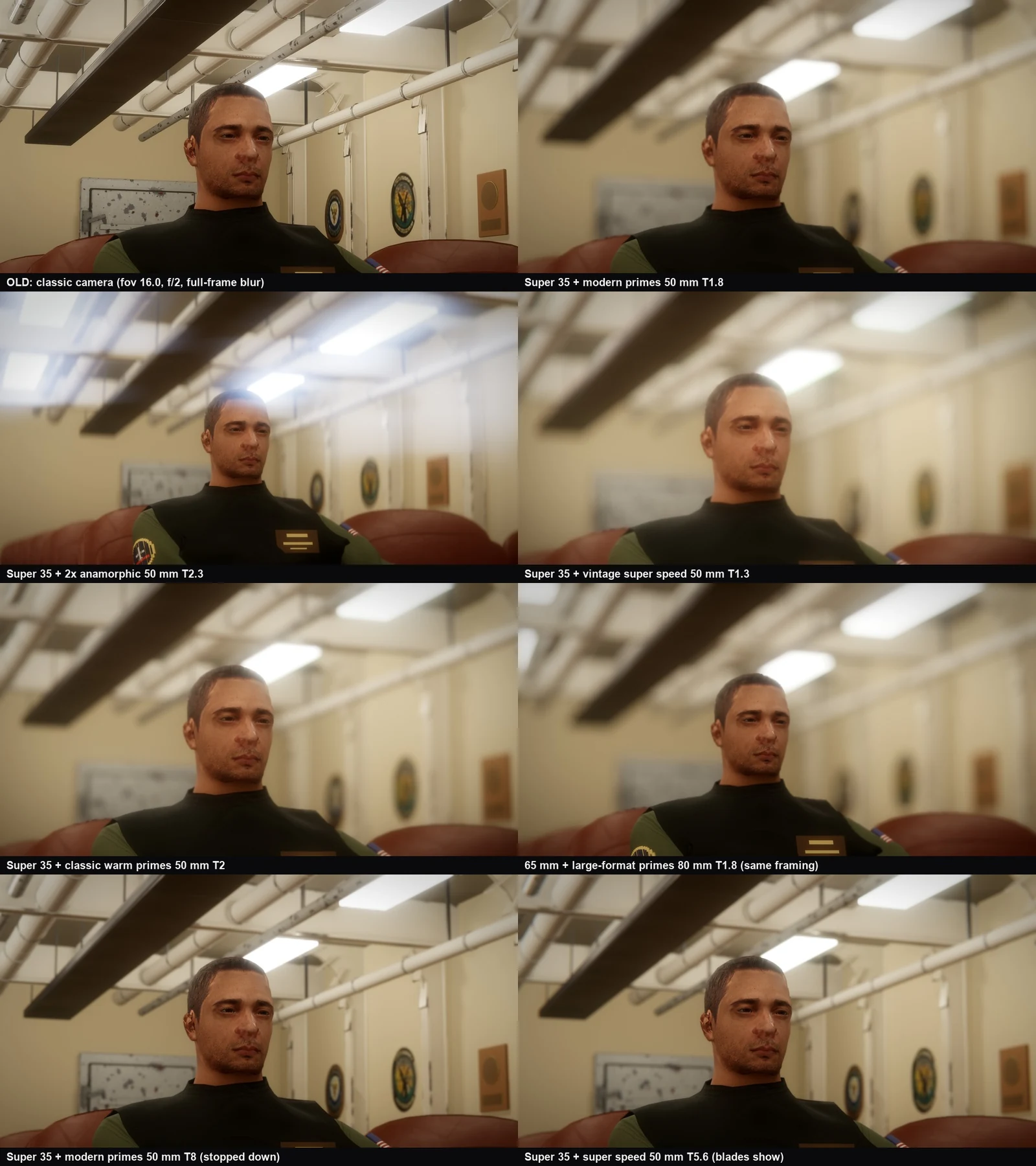
Choose a body and lens
Select a camera and open the Camera panel. New Camera adds one, Look Through puts you behind it, Move Camera to My View moves it to where you are looking, and the Lens Guide explains each lens kit in plain words.
Focus
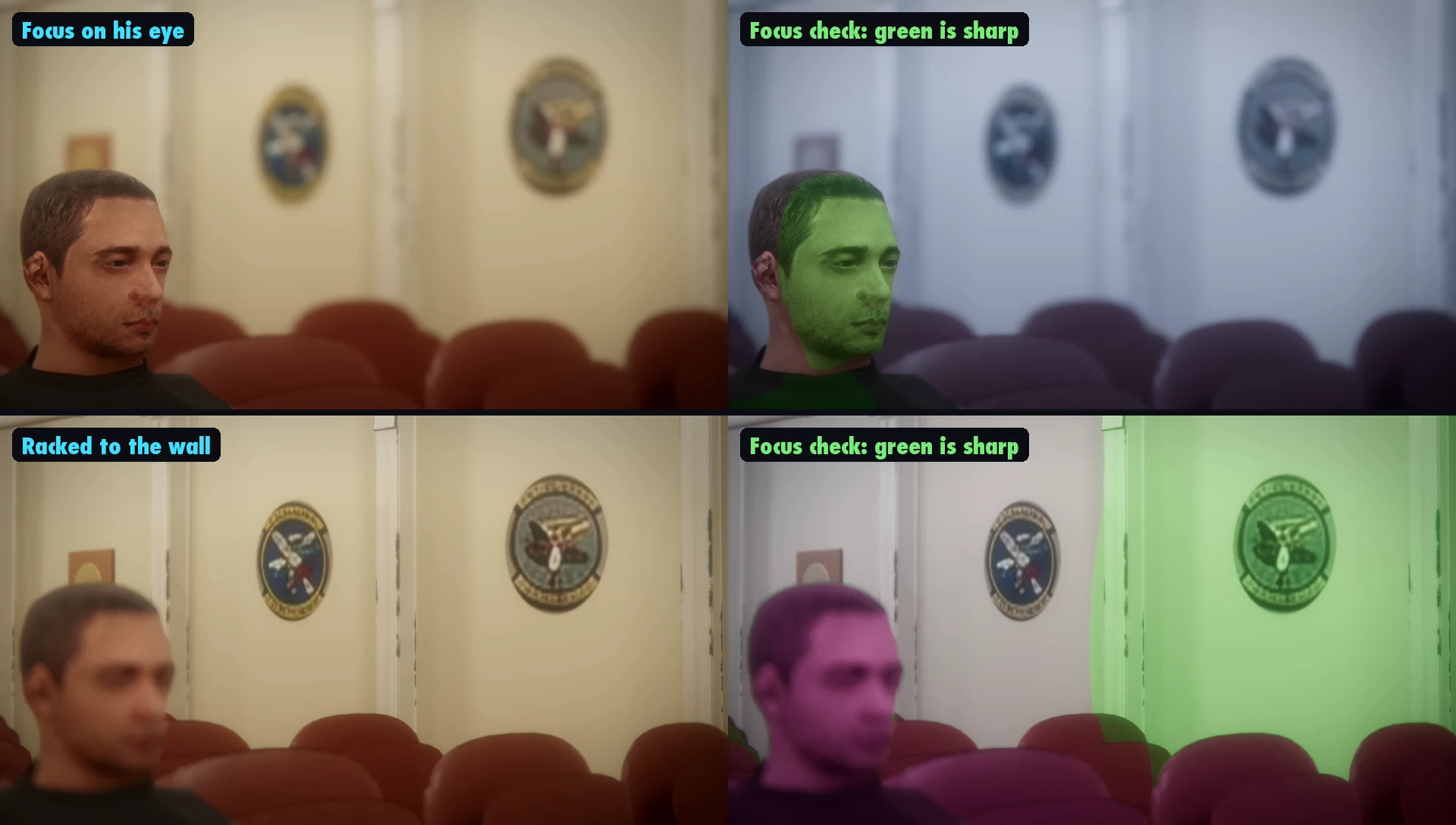
Focus can follow a character's eyes (the nearer eye, the way a focus puller works) or sit on any point in the scene. A rack moves focus from one to the other during a shot. Turn on focus peaking to see what is sharp: green is in focus, magenta is not.
Film stocks and takes
The Film row picks a film stock for the camera: a tungsten stock for night and lamplight (500T), a daylight stock (250D) and a fine-grain daylight stock (50D). Record records a take from the camera, so you can keep several and compare them.