Toon characters and creatures, step by step
The Toon Forge makes cartoon characters and creatures inside the engine in about a second: a sculpted body, a painted face with eyes that blink, a rig and its own walk, jog, sprint and jump. Build from a recipe of proportions, or fit one to your own Nano Banana turnaround sheet.
forge_creature, body toon, fit_sheet). 3. Check the overlay picture. 4. Adjust the recipe (eyes, nose, mouth, hair, outfit) and build again.What it can make
| body | What you get |
|---|---|
critter | A cartoon biped hero: big head, long ears, fluffy tail, mitten hands, big glossy eyes (the default). |
toon | Any cartoon figure from a recipe: proportions, face, hair and outfit (below). With a jaw mouth it gets real teeth and talk, roar and jaw-open animations. |
tiger, lion, wolf, ram, dragon and more | Animal bodies with walk, trot and gallop. The ones with a jaw also bite, snarl, howl and pant. Give a lion a real mane with groom, preset lion. |
For fish, birds and dogs that swim, fly or run around a world, see create_creature (presets minnow, bass, shark, sparrow, gull, dog).
The recipe
A toon character is a short list of choices. You never write it by hand unless you want to: tell your AI what you want and it writes the recipe.
- Proportions: height in metres, and the size of the head, legs, torso, neck, shoulders, hips, arms, hands, feet, belly and chest. The default is a hero about six heads tall.
- Face: eye size, spacing and height; brow thickness and angle; nose (button, long, round, snout or none); mouth (small, smile, frown, open, grin); ears (round, pointed, long or none); freckles, blush, tusks.
- Hair: messy, spiky, short, long, ponytail, bob, mohawk or bald, and how full.
- Outfit: tunic, shirt, vest, robe, dress, skirt, trousers, shorts, boots, shoes, gloves, bracers, belt, satchel, cloak, scarf, cap, wizard hat, helmet, chest plate, pauldrons, each with its own colour and length. Or real tailored cloth with
garments, which swings as cloth. - Extras: horns, spikes and lumps as cones and blobs fixed to the head, chest, hips or feet.
Fit it to your Nano Banana sheet
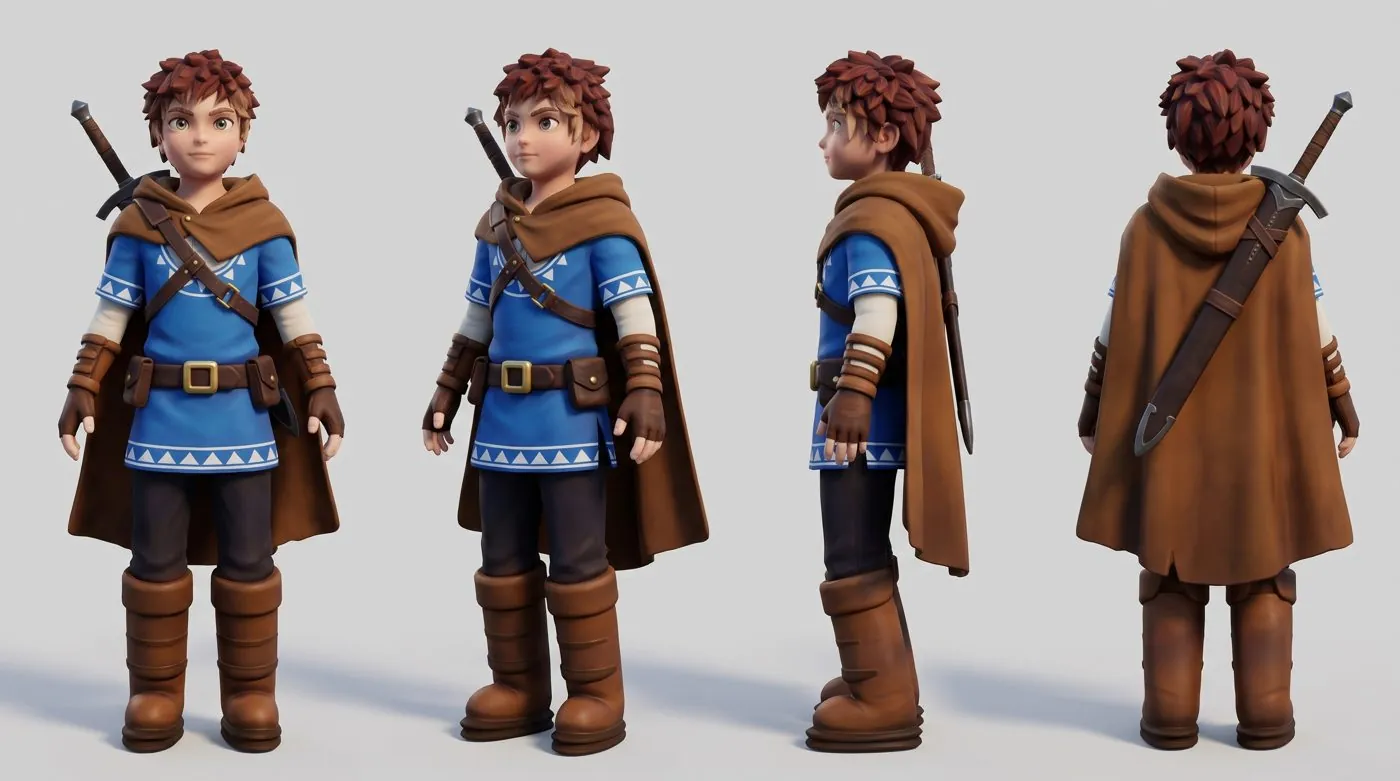
For a character that looks exactly like your picture, make a turnaround: the same character side by side from the front, the side (facing left), the back and three-quarter, the same size, on a plain studio backdrop, in a relaxed A-pose. Then build with fit_sheet pointing at that picture.
- The recipe's proportions are fitted to the sheet by how well the outlines overlap.
- The surface is carved so its outline matches each view.
- The figure is painted from the sheet's views (
paint_from_sheet). - An overlay picture goes to
Characters/<name>_fit.png, and the fit scores are in the log. Look at the overlay: where the outlines don't meet is what to fix.
If your sheet's views are in a different order, say so with fit_views (front, side, side_right, back, three_quarter). For the full picture-making method (turnaround prompt, correcting a render with Nano Banana, face sheets), see Nano Banana: characters.
Faces with life
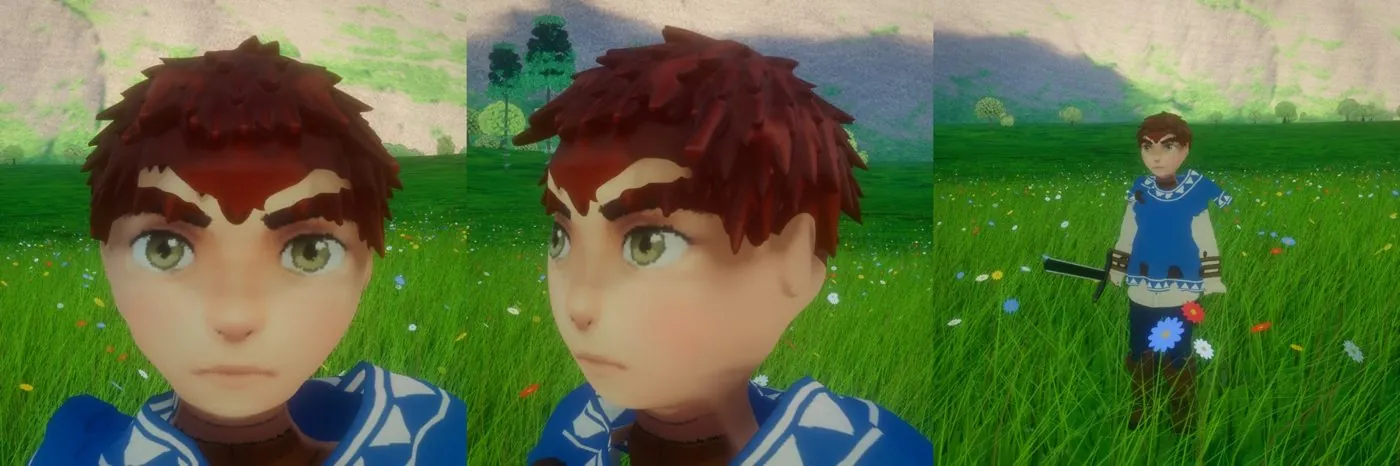
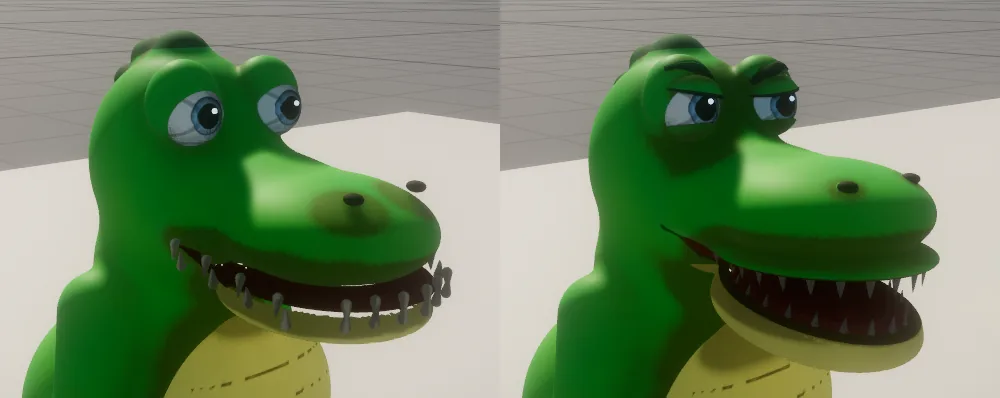
Toon faces are painted, but they move: lids of the character's own skin close over painted eyes, brows lift, and a jaw mouth opens on real teeth. face_perform drives them the same way as a realistic face (an expression, a blend or a spoken line), so one cutscene works for every kind of character.
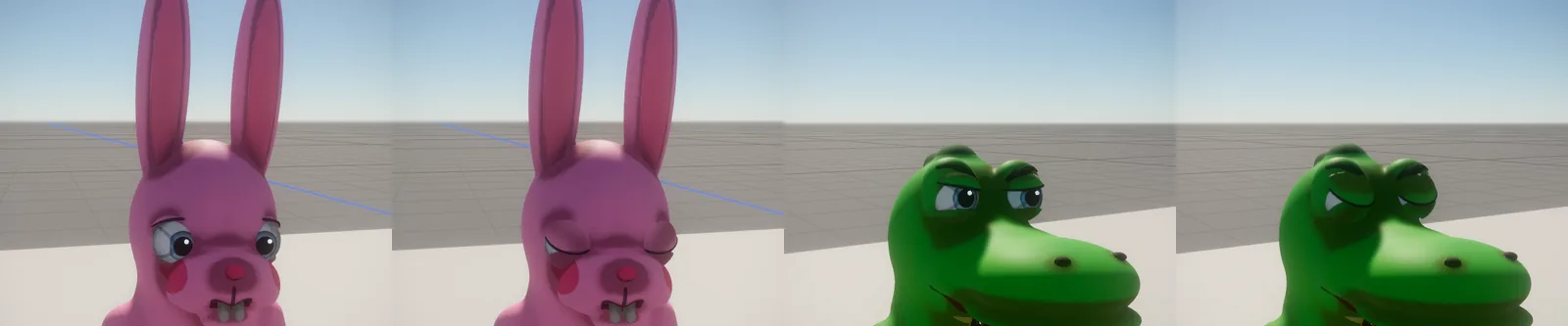
Characters made before lids existed get them with face_lids. A cutscene can then hold the eyes shut ("eyes_closed" or "asleep") and ease them open.
Fur
groom grows strand fur on any creature: presets lion (mane, short coat, face fur, whiskers, tail tuft), tiger, wolf (guard-hair coat, ruff, bushy tail) or fur (an even coat). Re-run it to regrow; the same seed gives the same coat.
Put it in your game
The character lands in Assets/Characters/<name>.glb. Give an entity mesh_renderer { mesh "Characters/<name>.glb" } and animator { clip "auto" } and it plays its own idle, walk, jog, sprint and jump. Set the character's height to its size. Your AI does this when you say "put the goblin by the market stall".