Motion AI
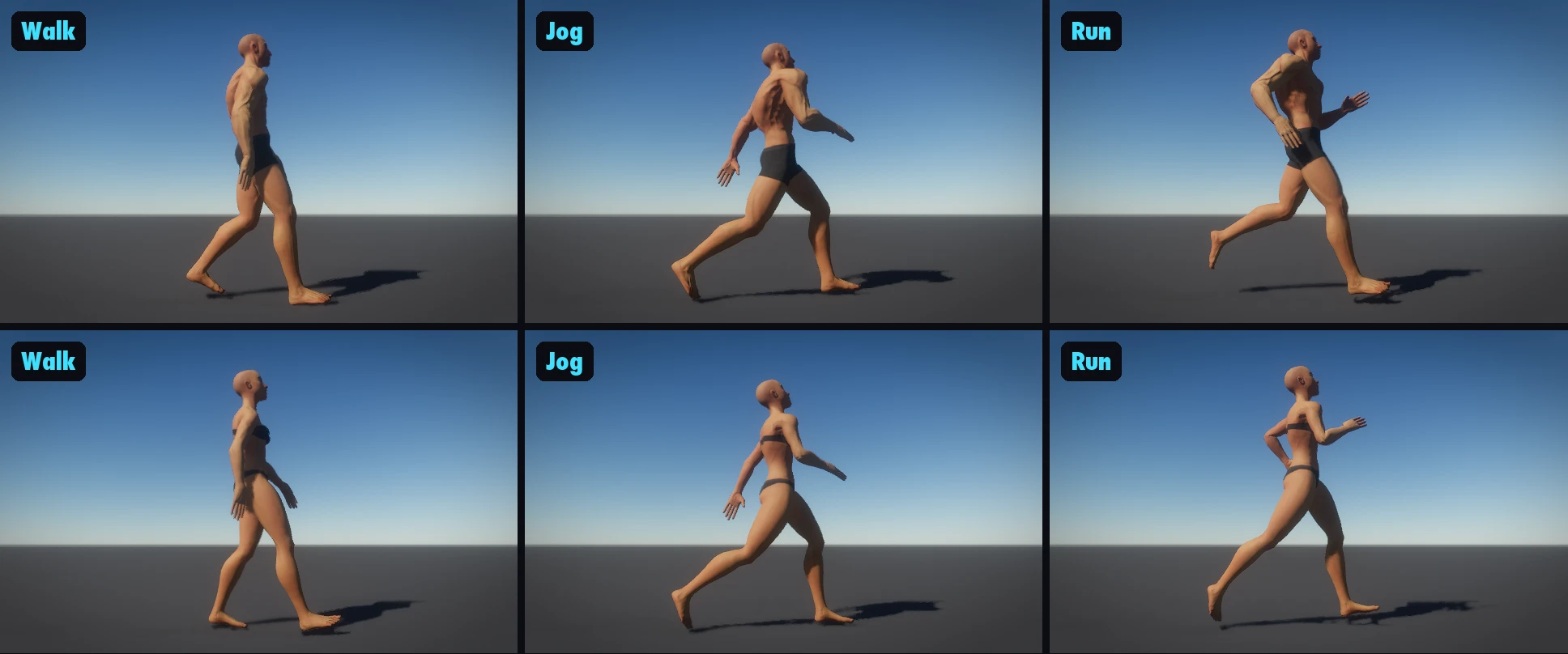
Motion AI makes a 3D character's walk and run live: instead of playing the same clips, a motion AI (NVIDIA MotionBricks, running inside Arcwright) makes every step as the character moves.
- Turn it on: select the character and press Turn on Motion AI in the Inspector's Motion AI section. It's one step to undo. Press Play and walk or run. The section lists the character's styles.
- Make a style from a video… teaches it a new walk. Use a video of one person walking across the frame, side on, whole body in view, with a still camera (Google Flow with a locked-off camera works well). It takes a minute or two.
- Tune the walk (live in Play): presets relaxed / brisk / heavy, plus lean, hip height (lower), stride, arm swing, step width, speed range.
- Your AI can do the same: ask it to "make this character walk naturally".
Motion AI covers the walk, the jog and the run: by default a character moves in the shipped styles walk, jog, run_easy and run, each taking the speeds nearest its own. A few moves still go to the character's clips for now: a sprint faster than the run, a stop, and a sharp turn while running (the clips carry the run until it slows, then the motion AI takes it back). Those come in a later update.
Arcwright Beta 2 (0.4.0) · generated from the engine source (25e375c86)Something wrong or missing? Tell us