Languages and accessibility
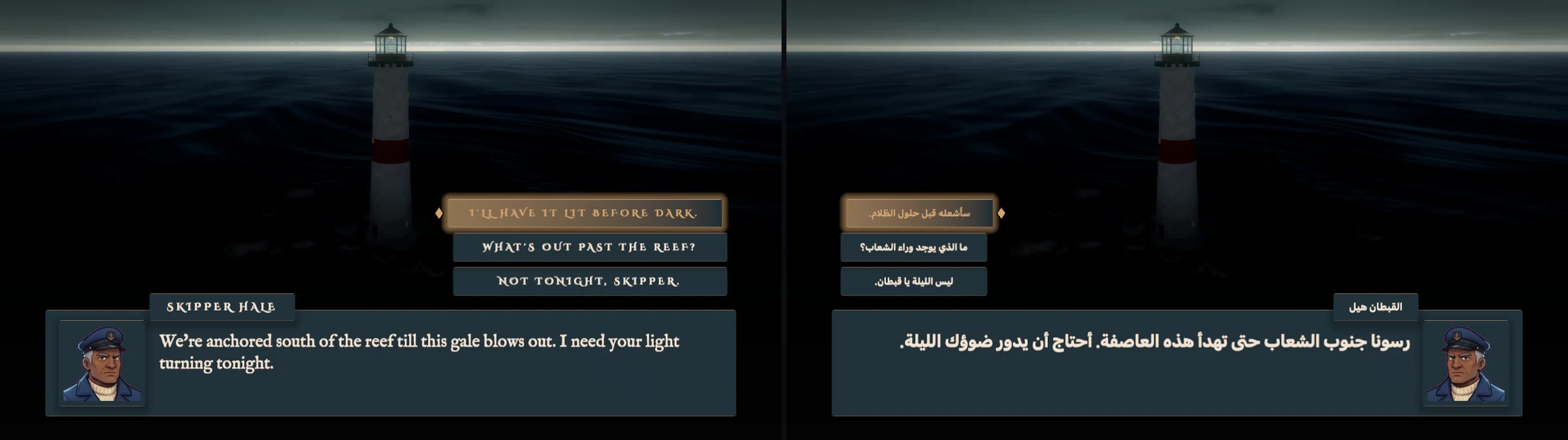
Games made in Arcwright can be played in other languages, including right-to-left languages such as Arabic, where the whole layout mirrors. The built-in menus, dialogue boxes and settings switch with the player's language.
Accessibility settings
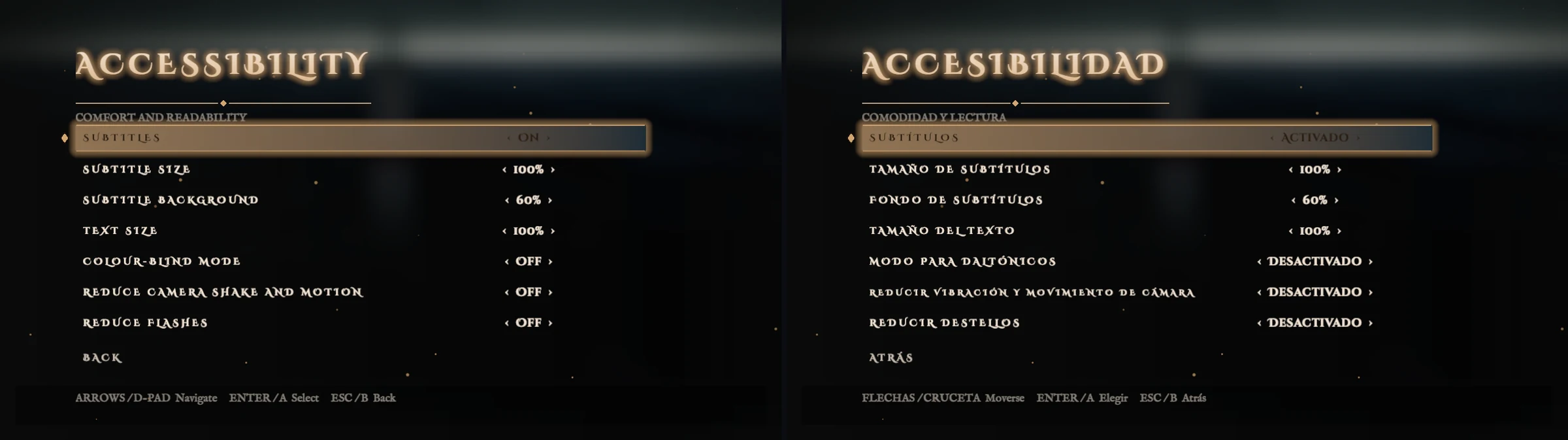
The built-in Accessibility screen gives players subtitles (with size and background), text size, a colour-blind mode, reduced camera shake and motion, and reduced flashes. It works with a keyboard or a controller.
Arcwright Beta 2 (0.4.0) · generated from the engine source (25e375c86)Something wrong or missing? Tell us